
Credit Card Payoff Calculator
Model a credit-card payoff path from the balance, APR, payment, new-charge, and optional minimum-payment assumptions you enter. See why an unchanged balance can persist when interest, new purchases, or a low payment consume most of the payment.
Credit Card Payoff Plan
Payoff Results
Balance Over Time
Extra Payment Impact
| Extra / mo | Payoff time | Interest saved | Months sooner |
|---|
Month-by-Month Schedule
| # | Date | Payment | Interest | Principal | Balance | Cum. Int |
|---|
How This Is Calculated
Each month, interest accrues at APR / 12 x balance, then your payment splits between interest and principal. Optional new charges are added before interest each month:
Check the method before you use the estimate
This page documents the formula, assumptions, and any specific external sources used for this tool.
See the methodPlanning estimate What this result can and cannot tell you
Educational credit-card payoff estimate only. This is not financial advice, credit advice, debt advice, legal advice, or tax advice. Your issuer's statement, agreement, APRs, fees, grace period, payment allocation, promotional terms, and due date control. If you cannot make a required payment, contact the issuer promptly or seek appropriate independent help.
How the Credit Card Payoff Calculator works
These notes describe the calculation used on this page and the assumptions that can change a real-world result.
For each modeled month: pre-interest balance = opening balance + new charges; interest = pre-interest balance * APR / 12; payment is the entered amount or max(minimum floor, pre-interest balance * minimum percent), capped at balance plus interest; closing balance = pre-interest balance + interest - payment.
Assumptions on this page
- APR, payment, new charges, minimum-payment percentage, and minimum floor are user inputs. The page assumes one monthly rate of APR / 12.
- The model does not reproduce a particular issuer's daily-balance method, grace period, multiple APR buckets, promotional plan, balance-transfer treatment, late fee, penalty APR, payment allocation, or statement-cycle timing.
- New charges are added before modeled monthly interest. A target payment is numerically solved under the same fixed-APR and new-charge assumptions.
- Minimum-payment results are hypothetical; actual statement minimums and terms are set by the issuer and can change.
Sources used on this page
- CFPB: Credit-card payoff information on statements Used for the reminder that payoff disclosures are based on the current balance and assume no future purchases, while paying only the minimum can take years.
- CFPB: What should I do if I cannot pay credit-card bills? Used for the safety guidance to contact the card company promptly if a minimum payment cannot be made and to be cautious about debt-relief claims.
Everything behind the Credit Card Payoff Calculator
Formulas, reference charts, and detailed answers — expand any section you need.
A payoff plan starts with the statement, not a generic rule
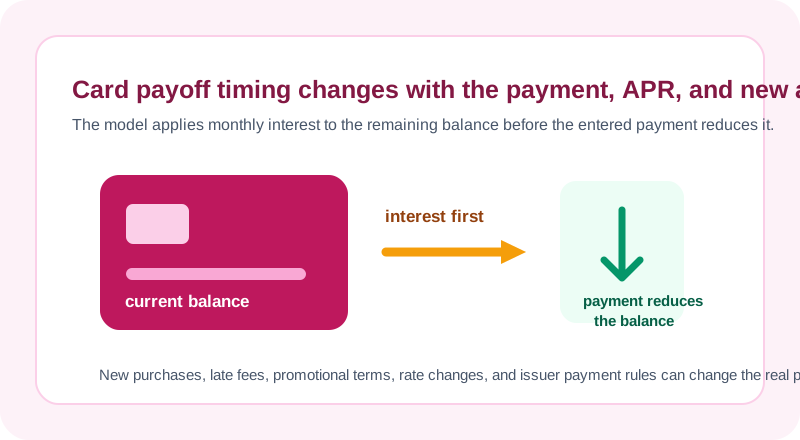
Enter the current balance, APR, payment amount, and expected new charges from the scenario you want to test. The calculator updates the balance once per month: it adds the new charges, calculates interest from the resulting balance using APR / 12, then subtracts the payment. The page is useful for seeing how those inputs interact, especially when a payment is only slightly larger than the month's modeled interest.
It is not a replacement for a card statement. A real issuer can use daily balance methods, multiple APRs, grace periods, promotional terms, payment allocation rules, fees, and dates that this simple monthly simulation does not replicate. Use the actual statement as the source of truth and use the calculator to make the assumptions easier to inspect.
The monthly update in plain language
The page deliberately applies new charges before the month's modeled interest and payment. That means a recurring new purchase can lengthen the payoff path even when the cardholder continues to pay the same amount. In fixed-payment mode, the entered payment is capped so the final modeled payment does not exceed the balance plus interest.
Minimum-payment mode uses the percentage and dollar-floor assumptions you enter. It is a comparison scenario, not a statement-minimum calculation for a particular issuer.
Worked scenario: identify the first month's interest and principal
Suppose the balance is $6,000, the APR is 18%, there are no new charges, and the payment is $300. The monthly rate in this model is 0.18 / 12 = 0.015. First-month interest is $6,000 × 0.015 = $90. The remaining $210 of the $300 payment reduces the modeled principal balance.
Under those fixed assumptions, the page's monthly simulation reaches payoff in 24 months with about $1,186.96 in modeled interest. Those numbers change if the APR, payment, new purchases, fees, rate buckets, statement timing, or payment allocation changes. The example is a reproducible arithmetic check, not a quote from a card issuer.
Why new purchases and minimum assumptions change the path
The CFPB explains that card payoff information on a statement is based on the current balance and assumes no future purchases. This calculator uses the same kind of transparency: a new-charge field lets you test how recurring activity can change a payoff plan instead of silently assuming spending stops. Set it to zero when you want the cleanest payoff scenario, and set it to a known expected amount only when you want to test that added cash flow.
Minimum-payment mode is another sensitivity check. The page calculates a hypothetical minimum from the percentage and dollar floor you enter, but actual minimums are issuer-specific and can change. Do not replace the minimum shown on your statement with a generic percentage from a calculator.
Target dates are numerical scenarios, not repayment instructions
If you select a target date or target number of months, the calculator searches for a fixed payment that reaches zero within that model. It holds APR and new charges constant while it solves. The result can help you understand the amount of cash flow a target would require, but it cannot determine whether the issuer will maintain the rate or whether the target plan is affordable.
For a multi-debt plan, use the Debt Payoff Calculator or Debt Avalanche Calculator to keep each balance, rate, and minimum separate. A single-card schedule should not silently stand in for every debt obligation or a complete household budget.
If a required payment is at risk, use the real contact path
If you cannot make a required payment, do not rely on a calculator output as a resolution strategy. The CFPB advises contacting the card company promptly when you cannot pay a bill and warns consumers to be careful about debt-relief claims that promise to make debt disappear. The actual issuer can explain payment status and available options; a calculator cannot negotiate an account or change its terms.
This page also does not diagnose credit-score effects, recommend settlement, determine interest-rate changes, or give legal advice. Keep any sensitive financial information out of the issue form. If the math or wording on this page seems wrong, report a generic example so it can be reviewed.
A responsible payoff worksheet
- Copy the balance, APR, required minimum, and due date from a current statement.
- Separate balances with different APRs or promotional terms rather than blending them into one rate.
- Set future new charges to zero for a true payoff scenario, or enter an explicit recurring amount to test continued use.
- Compare your planned payment with the required minimum and your broader household budget.
- Review the actual statement every month; do not assume a static calculator schedule will remain correct.
Use the Budget Calculator to make the monthly payment visible alongside other obligations. Report calculator errors with non-sensitive sample numbers only.