
Paint Calculator
Estimate a recorded paintable area using your chosen coats and coverage rate, then verify the exact product label, package sizes, surface condition, and quote before buying.
Example Projects
Paint Requirements
View Calculation Breakdown
Detailed Measurements Live
| Net Surface Coverage | 0 sq ft |
| Paint volume (Gal) | 0.00 gal |
| Paint volume (Liters) | 0.0 L |
| Cans Breakdown | 0 cans |
| Primer Needed | None |
| Number of Coats | 2 coats |
How this was calculated:
Fill in the dimensions above to output step-by-step formula logs...
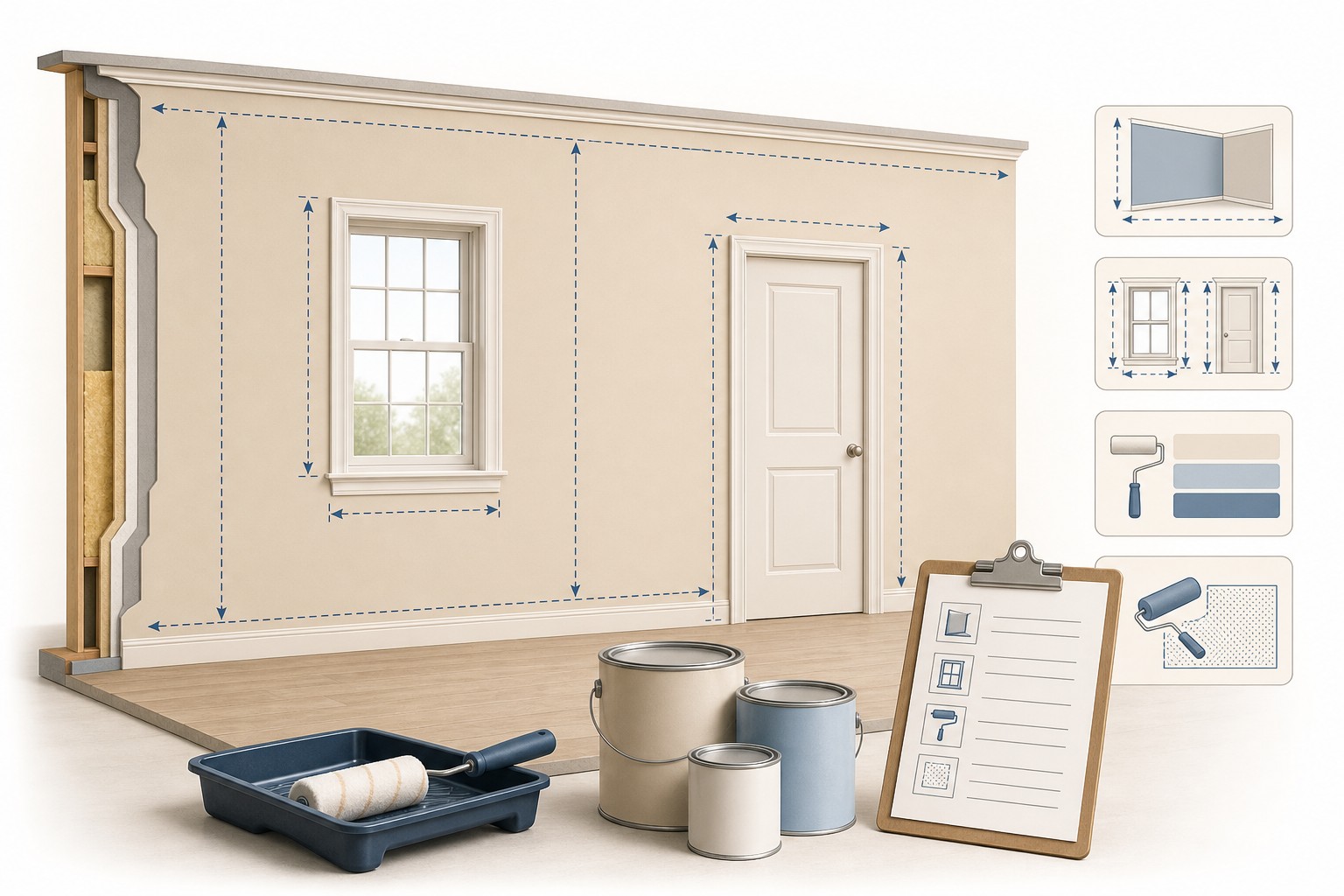
Check the method before you use the estimate
This page documents the formula, assumptions, and any specific external sources used for this tool.
See the methodPlanning estimate What this result can and cannot tell you
Planning estimate only. Confirm the measured surfaces, openings, product data, coverage, number of coats, primer need, preparation requirements, package sizes, local rules, safety requirements, and supplier quote before buying or applying paint.
How the Paint Calculator works
These notes describe the calculation used on this page and the assumptions that can change a real-world result.
Paint gallons = (net paintable area in sq ft × entered coats) ÷ entered coverage rate. For the room mode: net wall area = 2 × (length + width) × height - (21 sq ft × entered doors) - (12 sq ft × entered windows), with ceiling area added only when selected. If primer is selected, the current tool shows one planning coat at 300 sq ft per gallon.
Assumptions on this page
- The calculator converts the selected dimensions to feet before calculating area. Record surfaces that use different paint products, colours, finishes, or preparation methods as separate calculations.
- The default paint coverage rate of 350 sq ft per gallon is an editable planning input. The exact product label or technical data, application method, surface texture, porosity, and condition control the real coverage.
- Wall, room, and exterior modes deduct 21 sq ft per entered door and 12 sq ft per entered window. These are fixed screen assumptions, not a measurement of every opening or a decision about whether trim and reveals are painted.
- Primer is calculated as one coat at a fixed 300 sq ft per gallon planning factor. Confirm whether primer is required and its coverage on the selected product information.
- The Whole House mode uses a fixed 2.5-times-floor-area wall estimate and optionally adds one floor area for ceilings. Its displayed height and stories inputs do not currently alter that quick estimate, so it is not an order calculation.
- Package and cost displays use calculator rounding and visitor-entered prices. They do not confirm available container sizes, tint batches, taxes, labour, prep materials, or a local quote.
- This calculator does not select a coating system, sheen, primer, surface preparation, lead-safe work practice, application method, maintenance plan, or local compliance requirement.
Sources used on this page
- Sherwin-Williams: How to Use a Paint Calculator Manufacturer guidance showing that paint coverage is a product- and surface-dependent estimate; verify the selected product and project conditions before buying.
- NIST Guide to the SI, Appendix B.8: Conversion Factors Supports the U.S. gallon-to-liter conversion shown by the calculator: 1 U.S. gallon is 3.785 412 liters.
- NIST Unit Conversion Resources Provides an authoritative reference for the length and area unit conversions used when the calculator normalizes measured dimensions.
Everything behind the Paint Calculator
Formulas, reference charts, and detailed answers — expand any section you need.
Use the output as an order-check record
Keep the calculator total with the assumptions that created it. This makes a later change in product, colour, surface, or room scope easy to find instead of silently changing an order.
| Check | Record beside the estimate | Why it matters |
|---|---|---|
| Surface list | Each wall, ceiling, trim zone, or elevation included in the result | Shows whether unrelated products or surfaces were accidentally combined. |
| Openings | Actual measured opening area and whether reveals or trim are painted | Fixed calculator deductions can differ from the field condition. |
| Product | Manufacturer, product line, sheen, colour/base, and stated coverage | Coverage and coating requirements belong to the selected product. |
| Coats and primer | Chosen coat count, primer decision, and the basis for both | Keeps a surface or colour change from being hidden in a gallon total. |
| Purchase | Available container sizes, tint/batch requirements, price, taxes, and quote date | The calculator cannot check local inventory or package availability. |
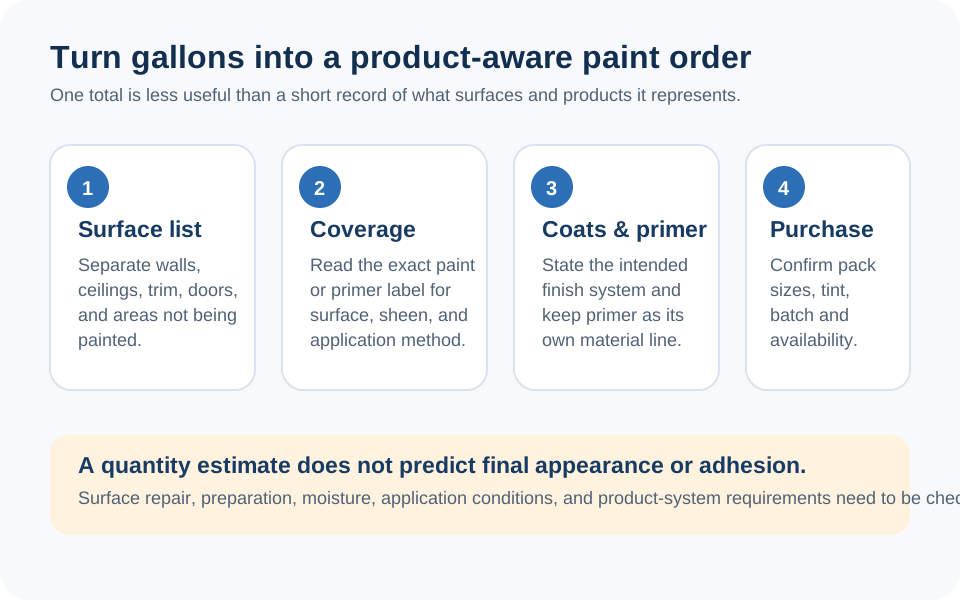
Begin with a real surface list
The useful unit in a paint estimate is not “a room” or “a house.” It is a group of surfaces that will receive the same product, colour, finish, coat count, and preparation. List walls, ceilings, trim, doors, exterior elevations, and special surfaces separately whenever those inputs differ. That lets the calculator show a quantity you can compare with a specific can label and supplier quote.
Measure the finished surface, then record openings and exclusions rather than guessing from floor area. If drywall is being added or repaired first, the Drywall Materials Takeoff guide can help keep the underlying surface layout visible. Use the Square Footage Calculator when you need to verify the area arithmetic before entering it here.
This calculator estimates coating volume. It does not determine whether a surface is ready to paint, what product system is appropriate, whether primer is required, or how a coating should be applied.
Choose the calculation view that matches the measurements
- Single Wall or Exterior Wall: calculates entered length × height, then subtracts the form's fixed door and window deductions.
- Room: calculates the wall perimeter times height, subtracts fixed opening deductions, and adds the ceiling only when you select it.
- Multiple Rooms: adds the wall-area calculations for the room cards. Keep ceiling and product differences in separate calculations where needed.
- Ceiling Only: calculates entered length × width.
- Commercial Space: uses the paintable area entered directly. This is useful when a drawing or measured takeoff already establishes the correct area.
- Whole House: is only a fast screen: the code uses 2.5 times the entered floor area for walls, plus one floor area if ceilings are selected. It does not currently change the estimate for its displayed height or stories fields.
That final limitation matters. Do not use the Whole House result as a purchase order; measure elevations or rooms when a paint order needs to be accurate.
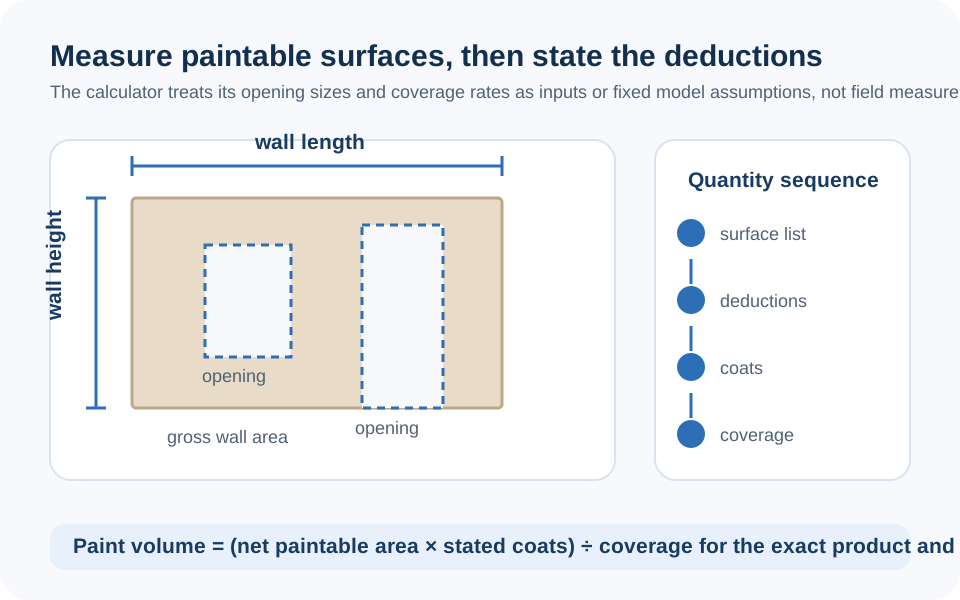
The area and paint-volume formula
After the selected mode produces a net paintable area, the calculator multiplies that area by the number of coats and divides by the coverage rate entered in the form.
Then add ceiling area = length × width only if selected
The fixed 21 sq ft door and 12 sq ft window deductions are not measurements. If an opening is an unusual size, has sidelights, includes a painted reveal, or is not actually excluded from the coating, measure it. You can use the direct-area mode after calculating the real net surface rather than forcing the result through a fixed deduction.
Worked calculator example: one measured room
Suppose a measured room is 12 ft by 10 ft with 8 ft walls, one standard-size door, two standard-size windows, no ceiling selected, two coats, and an entered coverage rate of 350 sq ft per gallon. These are example inputs for checking the tool's arithmetic, not a recommendation for a product or coating system.
- Gross wall area: 2 × (12 + 10) × 8 = 352 sq ft.
- Current fixed opening deduction: (1 × 21) + (2 × 12) = 45 sq ft.
- Net paintable area: 352 - 45 = 307 sq ft.
- Paint volume: (307 × 2) ÷ 350 = 1.75 U.S. gallons.
- Liters displayed by the calculator: 1.75 × 3.785 412 = about 6.64 L.
The result is the raw volume estimate. A shop may sell the selected coating in different container sizes, and the actual product can cover differently on a textured, porous, repaired, dark, or otherwise varied surface. Keep the 1.75-gallon calculation separate from the final package decision.
Coverage, coats, and primer need a product check
The form starts at 350 sq ft per gallon for paint and uses 300 sq ft per gallon for the optional one-coat primer display. Those are visible planning values, not claims that every coating will cover at those rates. The Sherwin-Williams paint calculator guidance, for example, notes that coverage varies with the product, surface, application method, texture, and desired result.
Use the exact can label or current product data to choose coverage, then record the selected product name, sheen, base, colour, and coat count next to the result. Do not assume primer is automatically needed because a checkbox exists, or automatically unnecessary because the paint estimate seems large enough. That decision belongs to the surface condition and product system for the job.
The calculator converts U.S. gallons to liters using 3.785 412 liters per gallon, a conversion supported by NIST's unit-conversion tables. The conversion does not make the selected paint quantity product-specific.
Where this calculator stops
A paint-volume calculation cannot select a coating, finish, primer, surface preparation method, repair scope, cleaning process, application method, drying schedule, ventilation approach, lead-safe work practice, or local compliance requirement. It also cannot decide whether a textured surface, previous coating, moisture condition, substrate, or exterior exposure needs a different system.
Do not turn the default coverage rate, opening deductions, whole-house multiplier, or optional primer calculation into an instruction. The reliable route is to keep the result labelled as a planning estimate, then confirm the actual product system and conditions with the responsible project parties or product supplier before work begins.
Final check before buying
- Compare every measured surface with the calculation mode used.
- Verify that all unusual openings, ceilings, trim, and separately coloured or finished surfaces are accounted for.
- Replace the default coverage rate with the exact product's current label or technical-data value where available.
- Keep primer, coat count, package sizes, tint batches, and current supplier price on separate order notes.
- Use the Whole House mode only as a rough screen; complete a measured takeoff before purchasing for a whole home.
If a calculator label or result is unclear, use the contact page to report it. The site team can investigate the tool behaviour, but a calculator cannot prescribe a paint system for a particular surface.
Frequently Asked Questions
How does this Paint Calculator calculate gallons?
It calculates a net paintable area for the selected mode, multiplies it by the entered coat count, and divides by the entered coverage rate. The result is a planning volume, not a product purchase order.
Are the door and window deductions measured automatically?
No. The wall, room, and exterior modes subtract fixed values of 21 sq ft per door and 12 sq ft per window. Measure unusual openings, painted reveals, trim, or glazing separately when those defaults do not match the project.
Should I use the default 350 square feet per gallon?
Use it only as a starting planning input. Replace or verify it with the coverage stated for the exact product and surface condition, because texture, porosity, application method, colour change, and other factors can affect real coverage.
Does selecting primer mean my project needs primer?
No. The checkbox adds a one-coat planning calculation at 300 sq ft per gallon. Whether primer is needed and which product applies must be determined from the surface condition and selected coating system.
Can I use the Whole House mode to buy paint?
No. It is a quick-screen estimate based on 2.5 times the entered floor area, plus an optional ceiling area. Its displayed height and stories inputs do not currently change the estimate, so use a measured room or elevation takeoff for a purchase decision.
Why can the calculator show a fractional gallon?
The main result is a raw calculated volume. Actual products are sold in fixed container sizes, so confirm available packages, tint requirements, and the supplier's current products before buying.
Can I use the calculator for exterior paint?
Yes, as an area-and-volume worksheet. Measure the actual exterior elevation and openings, then verify the selected exterior product's coverage and surface requirements. The result does not select a coating system or preparation method.
Does this calculator choose a paint finish or prep method?
No. It estimates quantity only. Finish, coating system, primer, preparation, application, safety, and local compliance decisions depend on the actual surface and project requirements.