
Mulch Calculator: Volume, Bags, and Bulk-Order Check
Estimate mulch volume from a measured rectangular or circular bed, then compare cubic yards, exact bag yield, and optional bagged or bulk price inputs before placing an order.
Example Projects
Configure Project View Results
Mulch Estimate
View Calculation Breakdown
Detailed Measurements Live
| Cubic Feet | 0.00 ft³ |
| Cubic Meters | 0.00 m³ |
| Exact Bags Needed | 0.00 |
| Total Bulk Cost | -- |
| Total Bagged Cost | -- |
How this was calculated:
Fill in the dimensions above to output step-by-step formula logs...
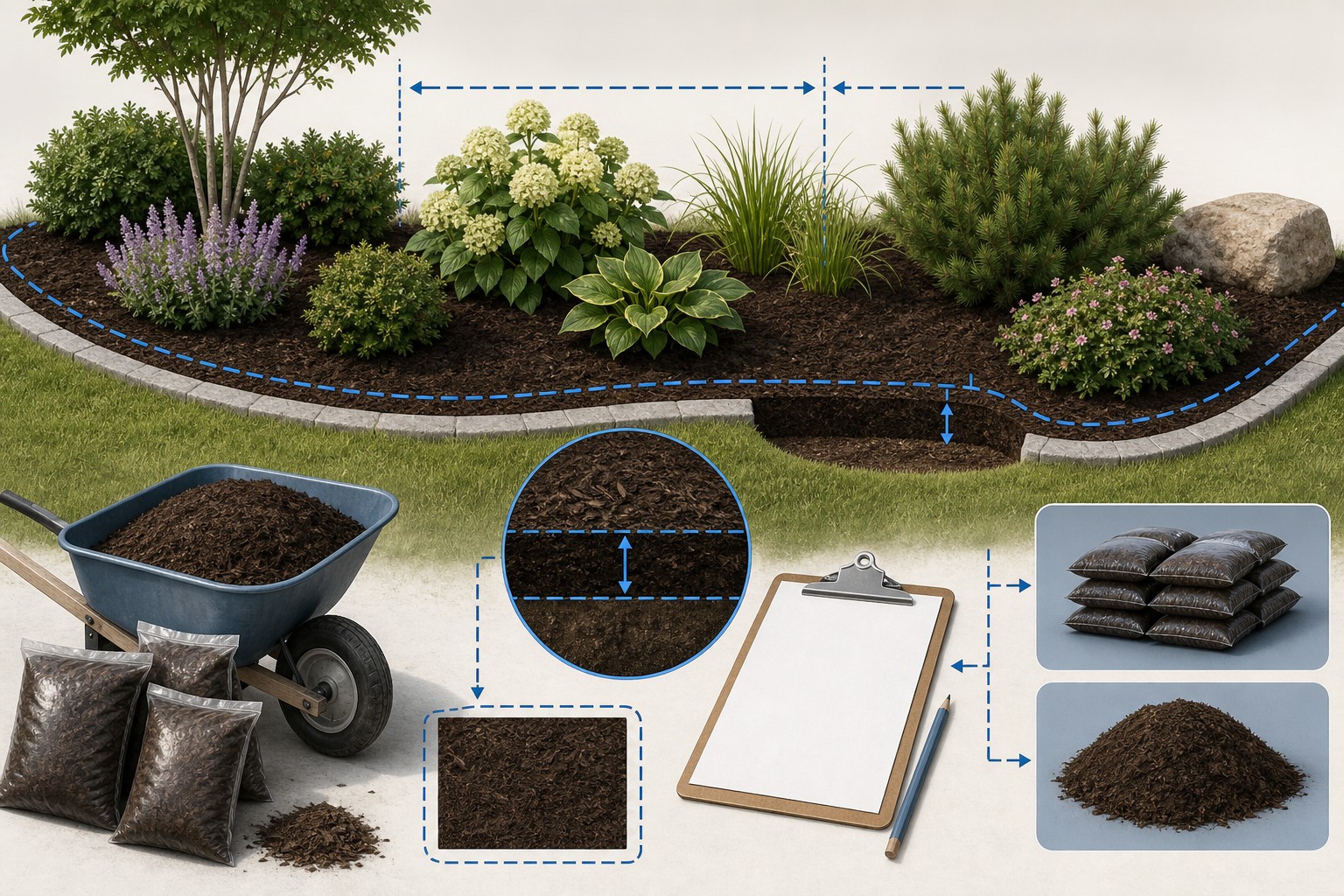
Check the method before you use the estimate
This page documents the formula, assumptions, and any specific external sources used for this tool.
See the methodPlanning estimate What this result can and cannot tell you
Volume and order-planning tool only. Confirm the selected mulch, finished depth, package yield, supplier delivery increment, planting requirements, and site conditions before purchase or application.
How the Mulch Calculator works
These notes describe the calculation used on this page and the assumptions that can change a real-world result.
Rectangle volume = entered length in feet × entered width in feet × entered depth in feet. Circle volume = π × (entered diameter in feet ÷ 2)<sup>2</sup> × entered depth in feet. Cubic yards = cubic feet ÷ 27. Bags = ceil(cubic feet ÷ entered bag size in cubic feet).
Assumptions on this page
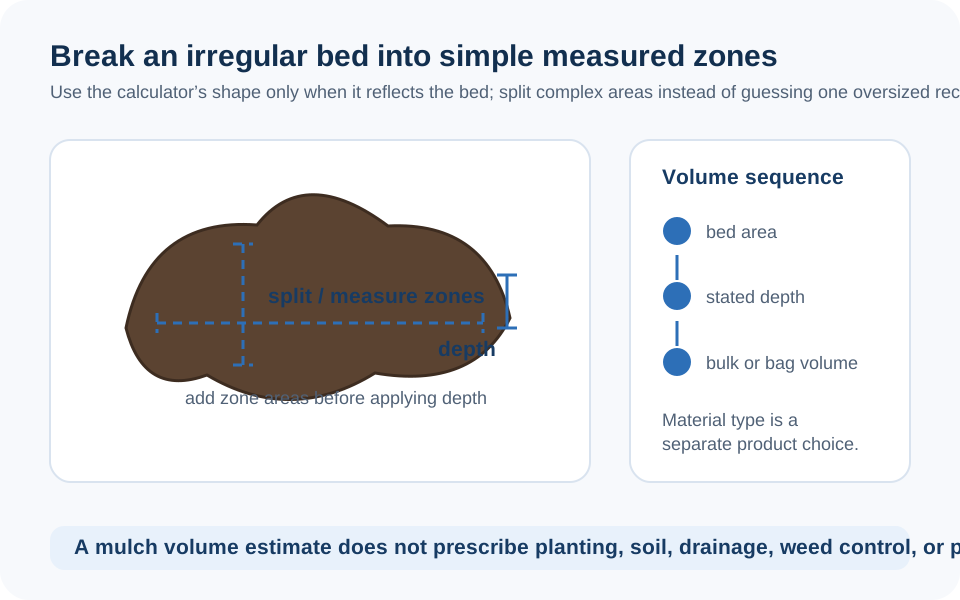
- Rectangular mode assumes a simple rectangle. Circular mode assumes a simple circle measured by diameter. Curved beds, islands, tree clearances, paths, slopes, mixed-depth zones, and features that will not receive mulch must be separated before using the tool.
- The calculator uses the entered finished depth exactly. It does not automatically add a settlement, decomposition, compaction, spill, delivery, or spare-material allowance.
- The mulch-type menu stores a material label in the shared result, but it does not alter the volume, bag, or cost formula. Do not treat the selected label as a product recommendation, material-property calculation, or depth recommendation.
- Bag count uses the entered package size and rounds up to a whole bag. The available 1, 1.5, 2, and 3 cubic-foot options are convenient inputs; verify the exact package yield on the label.
- Bulk cubic yards are displayed without supplier rounding. A delivery minimum, truck increment, moisture condition, local availability, and supplier's selling unit must be confirmed separately.
- With costs enabled, bulk cost is cubic yards times entered price per cubic yard and bagged cost is rounded bags times entered price per bag. If both prices are entered, the main cost card shows bagged cost while the detail section shows both.
- This calculator does not determine plant health, mulch suitability, appropriate horticultural depth, drainage, pest management, impact attenuation, fall protection, or any playground safety requirement.
Sources used on this page
- NIST Handbook 44, current edition Supports the cubic-volume conversion used by the calculator: 1 cubic yard equals 27 cubic feet.
- USDA NRCS: Mulches for Small Farms Provides material-specific area and depth examples and reinforces that a volume takeoff must be tied to the selected mulch material.
- University of Minnesota Extension: Mulching for Soil and Garden Health Explains that mulch selection and depth depend on landscape purpose and plant needs, and advises keeping mulch away from plant stems and tree trunks.
Everything behind the Mulch Calculator
Formulas, reference charts, and detailed answers — expand any section you need.
Keep volume, bags, and delivery rounding separate
Use the result as a small order worksheet. Each line answers a different question and prevents a supplier constraint from being mistaken for measurement.
| Line item | What the calculator provides | What must be checked outside the tool |
|---|---|---|
| Net volume | Measured rectangle or circle at entered finished depth | Boundary, excluded areas, slopes, and differing depths |
| Cubic yards | Cubic feet ÷ 27 | Supplier delivery minimum, unit increment, and material availability |
| Bags | Cubic feet ÷ entered bag size, rounded upward | Actual package yield, damaged bags, and whether all bags are from the intended product |
| Bulk cost | Displayed cubic yards × entered price per cubic yard | Quote, tax, delivery, placement, and any minimum charge |
| Bagged cost | Rounded bags × entered price per bag | Retail price, tax, transport, and product availability |
If both price inputs are filled, the main Estimated Material Cost card shows the bagged total in the current implementation, while the detail section keeps the bulk and bagged figures separate. Compare like with like; the calculator does not choose the better purchasing method.
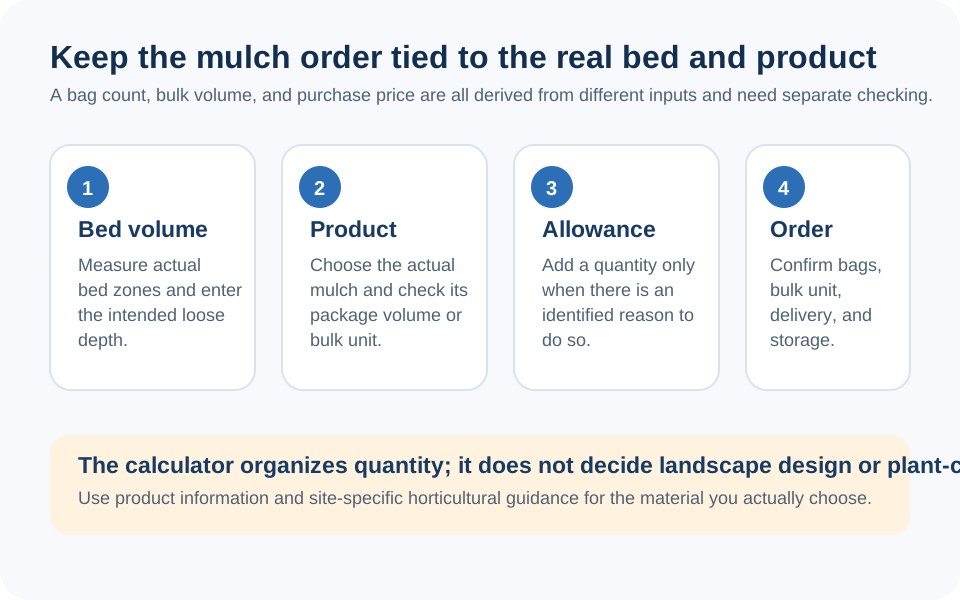
Start with the finished bed, not the bag label
This calculator turns a measured bed and chosen finished depth into volume. It is most reliable when the measurement is traceable: sketch the perimeter, note the hardscape, plant stems, tree trunks, paths, and areas that will not receive mulch, then give each different-depth zone its own line. A label such as Hardwood Mulch or Cedar Mulch does not change the live calculation. It is a description saved with the result, not a material recommendation or a different density or coverage rule.
Use the companion Yardage Takeoff guide if the bed is irregular or if you need a clear zone ledger. Use the Cubic Yard Calculator when the question is simply volume conversion. This page stays focused on the exact math used by the Mulch Calculator and the checks needed before an order.
Measure rectangles and circles separately
Rectangular mode converts your entered length, width, and depth to feet, then multiplies them. Circular mode converts diameter and depth to feet, divides diameter by two, and uses the area of a circle. Neither mode models a curved crescent, a tree ring with a trunk clearance, a sloped edge, or a bed with several depths. Break those conditions into understandable pieces and add the resulting volumes outside the calculator or in a small takeoff ledger.
For example, leave a tree-trunk clearance out of a tree-ring measurement rather than calculating a full circle and hoping the difference is covered by a generic extra percentage. The University of Minnesota Extension advises keeping mulch clear of plant stems and tree trunks; the actual clearance and layout belong on the project sketch.
What the Mulch Calculator actually calculates
After it calculates volume in cubic feet, the tool divides by 27 for cubic yards, multiplies by 0.0283168 for cubic meters, and divides cubic feet by the selected bag size for bag yield. It rounds bags upward to a whole bag. It does not apply an automatic waste, compaction, decomposition, or delivery allowance.
Worked calculator example: a rectangular 20 ft by 5 ft bed at an entered depth of 3 in has 100 sq ft of area and a depth of 0.25 ft. The current calculator produces 20 × 5 × 0.25 = 25.00 cubic feet, or 25 ÷ 27 = 0.93 cubic yards. With the 2 cubic-foot bag setting, 25 ÷ 2 = 12.50 and the tool rounds to 13 bags.
That example demonstrates unit arithmetic, not a recommended depth or a statement that every 2 cubic-foot package yields the same amount. Check the exact product label. The USDA NRCS mulch fact sheet gives material-specific quantity examples, another reason not to use a generic bag rule for every mulch material.
Depth is a horticultural and site decision
The calculator will multiply by any depth you enter, but it cannot tell you which depth is appropriate. The University of Minnesota Extension guidance gives 2 to 4 inches as a general landscape-mulch range and emphasizes matching selection and depth to the landscape function and plant needs. That is useful context, not a substitute for site-specific advice.
Do not use a landscape mulch quantity to plan a playground fall surface, drainage layer, retaining material, or other engineered or safety-critical application. Those questions involve material performance, finished depth under use, site conditions, and applicable requirements beyond this volume tool.
Use a real product label for bags and a real quote for bulk
For bagged material, record the package's stated cubic-foot yield, product name, and price. For bulk material, record the supplier's stated unit, minimum, delivery rule, and material description. Do not convert an estimated cubic-yard result into a truck-load claim: truck capacity, legal load, material moisture, site access, and supplier practice vary.
The cost tool only applies the prices you enter. In the worked example, an entered $4.50 per 2 cubic-foot bag gives 13 × $4.50 = $58.50. An entered $35 per cubic yard gives 0.93 exact displayed cubic yards × $35 = about $32.41. Neither figure includes delivery, tax, installation, or project-specific work, and neither is a quote.
Where the calculator stops
This calculator does not select mulch material, establish an appropriate depth, assess plants or tree health, verify soil conditions, determine drainage, or identify pests and disease risks. It does not calculate mulch compaction, lifespan, color retention, moisture behavior, or any playground impact attenuation. Use the exact material documentation and appropriate local or horticultural advice for those decisions.
For a bed that includes soil fill beneath mulch, run the layers separately. The Topsoil Calculator is a separate volume-and-weight planning tool; do not combine its density result with a mulch volume just because both materials occupy a landscape bed.
Final order and issue-report check
- Confirm the measured boundary and areas deliberately excluded from mulch.
- Record the intended finished depth for each distinct zone.
- Keep net volume, bag rounding or bulk delivery rounding, and any chosen extra material as separate lines.
- Verify product label yield, supplier availability, pricing, minimum order, and delivery conditions.
- Confirm that the selected material and placement suit the relevant plants, site, and use.
If a calculator output or label looks wrong, use the contact page to report it with inputs, browser or device, shown result, and expected result. The site team can investigate calculator behavior; planting and site decisions remain with the responsible project professionals.
Frequently Asked Questions
How does the Mulch Calculator calculate cubic yards?
It calculates the entered bed's cubic feet and divides by 27. Rectangles use length × width × depth; circles use pi × radius squared × depth. It does not add an automatic extra-material allowance.
How does the calculator calculate mulch bags?
It divides calculated cubic feet by the bag size you select and rounds up to a whole bag. Verify the exact package's stated yield rather than assuming every bag has the same volume.
Does choosing a mulch type change the amount calculated?
No. In the current tool, the mulch type is a label saved with the result. It does not change geometry, bag count, cost, density, or a recommended depth.
Does this calculator add waste or settling allowance?
No. It uses the finished depth exactly as entered. If you choose extra material for a documented project reason, add and record that decision separately.
Can I use the calculator for a circular tree ring?
Yes, for a simple circular field measured by diameter. Exclude the trunk clearance and any non-circular features from the measurement instead of expecting the tool to infer them.
Why does the main cost show the bagged amount when I enter both prices?
That is the current display behavior. The main card prioritizes bagged cost when both inputs are present, while the detailed output shows bulk and bagged costs separately for comparison.
Can I use this mulch calculation for playground surfacing?
No. The calculator only estimates volume. It does not determine material performance, required fall protection, finished depth under use, site conditions, or playground safety compliance.
How can I report a Mulch Calculator issue?
Use the contact page and include your inputs, browser or device, displayed result, and expected result so the site team can reproduce the tool behavior.