Cubic Yard Calculator

Calculate the volume of a measured rectangle, square, circle, cylinder, triangular prism, or known quantity in cubic feet, cubic yards, and cubic metres. Treat displayed weight, truck, and cost lines as separate planning checks that must be verified against the actual material and supplier.

Example Projects

Patio Slab

15' × 15' × 4" Rectangle

Concrete Driveway

40' × 12' × 4" Rectangle

Raised Garden Bed

8' × 4' × 12" Rectangle

Gravel Driveway

30' × 20' × 4" Rectangle

Circular Fire Pit

10' Diameter × 4" Circle

Configure Project View Results

Shape Visual Preview Length Width Depth

Material & Weight Details

Volume Estimates

Cubic Yards
0.00 yd³
Total cubic yard volume needed.
Cubic Feet
0.00 ft³
Cubic Meters
0.00
Estimated Weight
0.00 tons
Truckloads (12 CY Standard)
0.00 loads
View Calculation Breakdown

Detailed Measurements Live

Cubic Yards 0.00 yd³
Cubic Feet 0.00 ft³
Cubic Meters 0.00 m³
Total Material Weight 0.00 tons (0 lbs)
Small Truckloads (~7.5 yd³) 0.00 loads
Standard Truckloads (~12 yd³) 0.00 loads
Large Commercial Loads (~16 yd³) 0.00 loads

How this was calculated:

Fill in the dimensions above to output step-by-step formula logs...

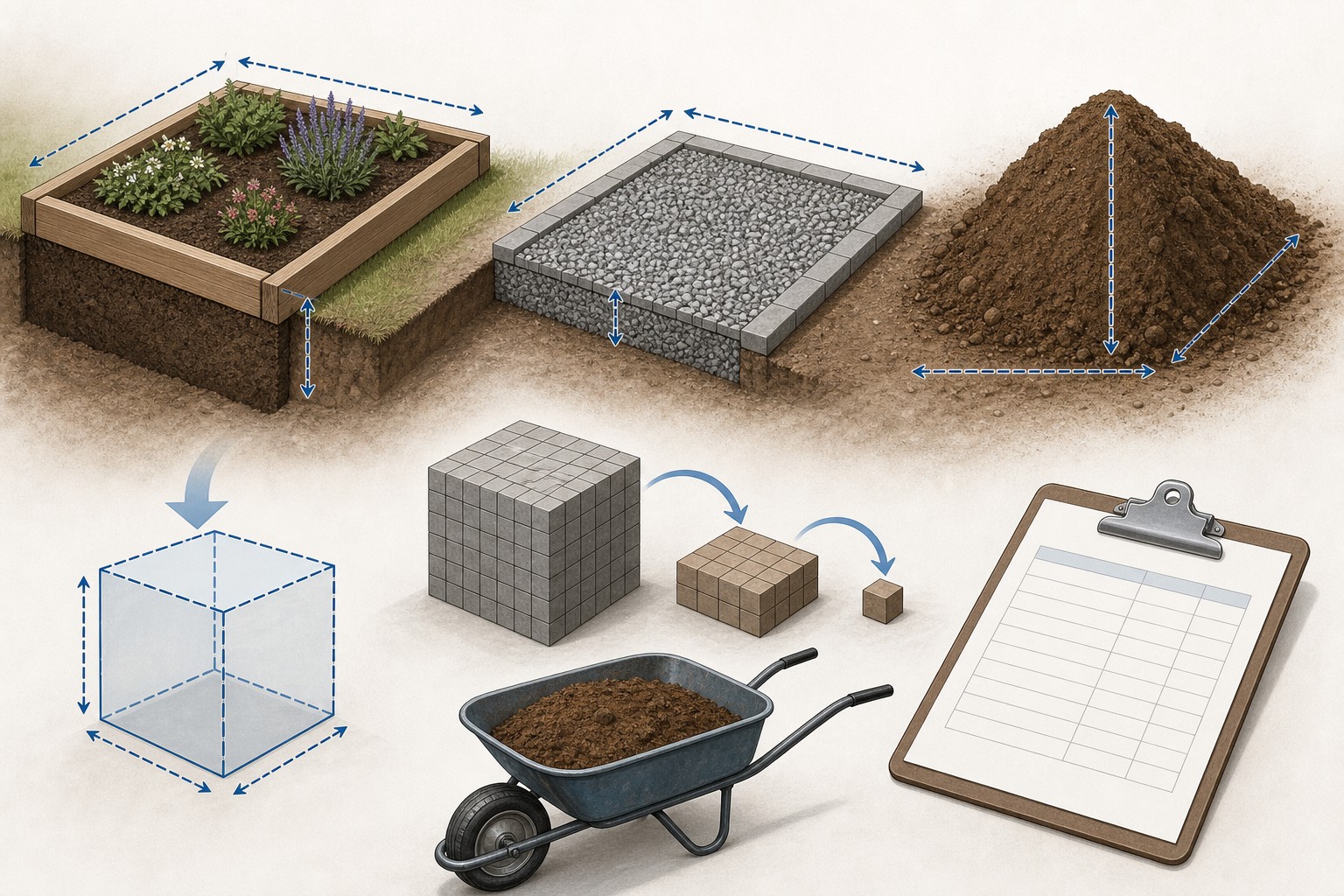
Illustrated material-volume takeoff showing a measured rectangular zone converted from cubic feet to cubic yards, with separate supplier density and delivery checks.
Cubic yards describe volume. Material weight, price, and delivery are separate questions.
Transparent calculator

Check the method before you use the estimate

This page documents the formula, assumptions, and any specific external sources used for this tool.

See the method
Planning estimate What this result can and cannot tell you

Use this calculator for geometric volume and transparent planning arithmetic only. Confirm the actual material, density, compaction condition, supplier sales unit, order increment, price, truck or payload, site access, project design, safety requirements, and local rules with the responsible project parties before ordering or placing material.

Read the full site disclaimer.

Found an error or unclear result? Tell us what happened so it can be investigated.
Calculator feedback

Report an issue with Cubic Yard Calculator

Your report is saved for the Octa Calculator team to review. Do not include sensitive financial, medical, or personal information.

This site is protected by reCAPTCHA and the Google Privacy Policy and Terms of Service apply.

Method & sources

How the Cubic Yard Calculator works

These notes describe the calculation used on this page and the assumptions that can change a real-world result.

Geometric volume with cubic-yard conversion Rectangle = L x W x D; square = side x side x D; circle or cylinder = pi x (diameter / 2)^2 x depth or height; triangular prism = 0.5 x base x triangle height x D; cubic yards = cubic feet / 27.

Assumptions on this page

  • The calculator converts entered length dimensions to feet before calculating a shape volume. Custom volume is converted from the selected direct-volume unit.
  • One result represents one uniform zone. Shapes, depths, boundaries, excavated volumes, compacted layers, and material zones that change must be measured and added separately.
  • The exact volume conversion is 27 cubic feet per cubic yard. The calculator also displays cubic metres using its fixed cubic-foot-to-cubic-metre conversion.
  • Optional tonnage equals calculated cubic yards x the selected or entered pounds-per-cubic-yard value / 2,000. The preset density values are page defaults for planning, not verified values for every supplier, product, moisture condition, or compaction state.
  • The displayed small, standard, and large truck equivalents are simple divisions by 7.5, 12, and 16 cubic yards. They are not a capacity, payload, legal-load, delivery, or site-access determination.
  • Optional cost equals the entered price per cubic yard x calculated cubic yards. It excludes any terms the user does not enter, including delivery, tax, minimums, equipment, waste, and labour.

Sources used on this page

Guide & Reference

Everything behind the Cubic Yard Calculator

Formulas, reference charts, and detailed answers — expand any section you need.

Choose the shape that matches one uniform zone

The calculator has six ways to describe volume. Select the one that matches the measured boundaries rather than forcing every project into a large rectangle.

Calculator shapeGeometry usedUseful measurement check
RectangleLength × width × depthUse one consistent depth; split deepened edges and steps into separate zones.
SquareSide × side × depthUse only when both horizontal dimensions are genuinely the same.
Circleπ × radius² × depthEnter diameter, not radius; the tool divides it by two internally.
Cylinderπ × radius² × heightUse the actual vertical height for a round column or vessel-shaped volume.
Triangle0.5 × base × triangle height × depthUse a true triangular plan or section, not a rough irregular outline.
CustomA known direct volumeUse when a trusted drawing or separate takeoff already establishes ft³, yd³, or m³.

All dimension fields are converted to feet before the tool applies the chosen formula. Put the units next to the measurements on your sketch and check the depth selector twice; a number entered as feet instead of inches can change the result by a factor of twelve.

Diagram comparing rectangular, circular, triangular, and custom-volume measurements that are converted to cubic feet and cubic yards.
Choose the geometry that matches one uniform zone and keep every input unit visible.

Worked calculator example: a 15 ft by 15 ft patio at 4 in

The page's Patio Slab preset uses a rectangle that is 15 ft long by 15 ft wide by 4 in deep. Before considering material choice, the geometric calculation is:

  1. Convert the depth: 4 in ÷ 12 = 0.3333 ft.
  2. Calculate cubic feet: 15 × 15 × 0.3333 = 75.00 ft³.
  3. Convert to cubic yards: 75.00 ÷ 27 = 2.7778 yd³.
  4. Convert to cubic metres as the calculator does: 75.00 × 0.0283168 = 2.1238 m³.

With the page's default concrete density value of 4,050 lb/yd³, its optional planning arithmetic shows 11,250 lb, or 5.625 U.S. short tons. Dividing the same volume by the page's 12-yd³ generic truck figure displays 0.231 loads. Those last two lines are consequences of the selected page values, not evidence that this particular material weighs that amount or that a supplier will provide that truck capacity. Replace the density with a current supplier value where available and confirm delivery with the actual supplier.
A cubic yard is volume, not a material specification

A cubic yard tells you how much space a measured material zone occupies. It does not tell you what the material weighs, what it costs, how deeply it should be installed, how it will compact, or what truck can deliver it. The core conversion is exact: 1 cubic yard = 27 cubic feet. NIST publishes that relationship in Handbook 44, Appendix C.

That makes the most useful workflow simple: calculate a clear net volume first; identify the actual material second; then confirm the supplier's product description, unit weight, sales increment, and delivery terms. Keeping those steps apart prevents a generic density or truck line from looking more certain than it is.

For a project-level measurement workflow with irregular zones and visible rounding decisions, see the separate yardage takeoff guide. This page focuses on how this calculator converts one defined shape into volume.

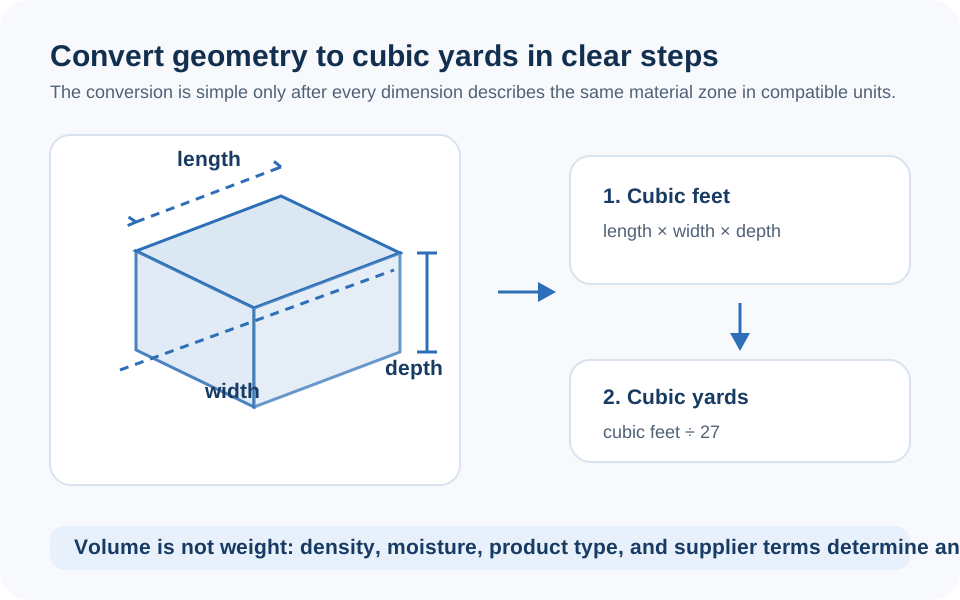
The volume formula and the two conversions

For a rectangular area, the calculation path is deliberately short:

Cubic feet = length (ft) × width (ft) × depth (ft)

Cubic yards = cubic feet ÷ 27

Cubic metres shown by this calculator = cubic feet × 0.0283168

For a circular area or cylinder, the tool first converts diameter to radius: diameter ÷ 2. It then uses π × radius² × depth or height. For a triangular prism, it uses half the base times the triangle height, then multiplies by depth. The arithmetic is straightforward; the difficult part is deciding where the material actually begins and ends. Measure separate depth changes, voids, and distinct zones as their own lines instead of relying on a broad average.

Do not mix an excavation volume with a finished material layer merely because both are expressed in cubic yards. They can have different boundaries, depths, compaction conditions, and material descriptions. Calculate each scope separately.

Why the density and truck lines need a separate check

After calculating volume, this page can multiply cubic yards by a material-density value and divide by 2,000 to show U.S. short tons. Its material menu loads a convenience value, and the Custom option allows a different number. Treat every one of those values as a planning input. Real bulk weight can change with product source, grading, moisture, voids, screening, handling, compaction condition, and the supplier's chosen sales description.

The truck rows are even more limited: they divide the net cubic yards by 7.5, 12, and 16. They do not know a truck's legal payload, whether the load is limited by weight before volume, local equipment, product moisture, loading policy, access road, turning radius, minimum order, or whether a truck can reach the placement area. A fraction of a generic load is useful for scale only. It is not a delivery promise.

For concrete specifically, NRMCA's ordering guidance recommends confirming the project information and access with the producer. The same habit is useful with aggregate, soil, mulch, and fill suppliers.

Checklist illustration separating net cubic-yard volume from supplier-specific density, pricing, delivery capacity, and final order confirmation.
Volume is reliable only when it remains separate from unverified weight and delivery assumptions.

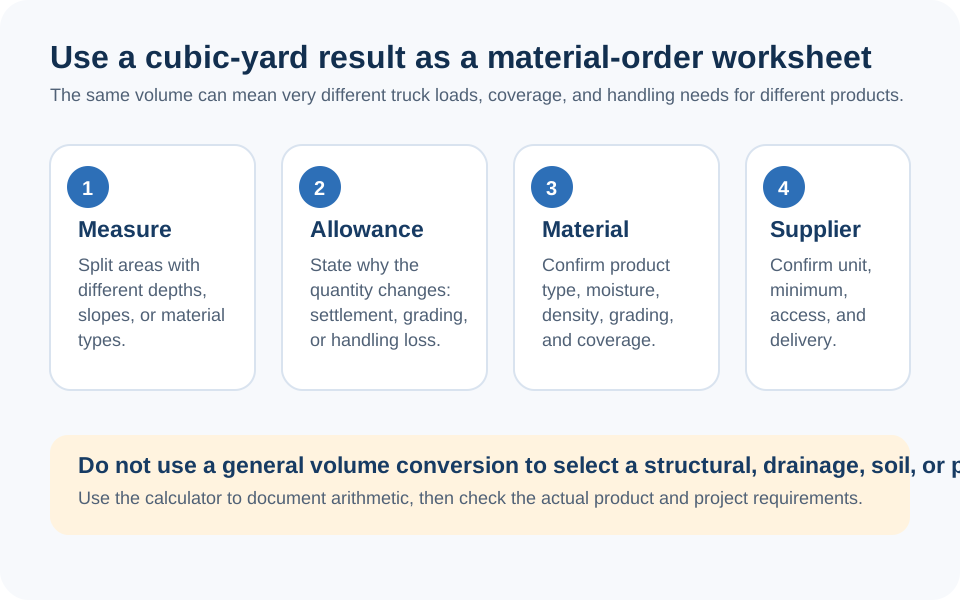
Make the order math transparent

Keep a short material ledger instead of replacing it with one final total:

  1. Net geometry: retain each measured zone and its unrounded cubic-yard result.
  2. Known separate work: add independently measured thickened sections, borders, slopes, or another material zone as separate lines.
  3. Material description: copy the supplier's current name for the actual product and its sales unit.
  4. Supplier conversion: enter a quoted density only if you need a weight comparison, and label its source and date.
  5. Commercial terms: record the price, delivery minimum, rounding increment, fees, access notes, and quote date.

The optional cost field on this page is deliberately narrow: cubic yards × the price per cubic yard you enter. It cannot include a term it was not given. Do not present it as a project budget, delivered price, or binding quote.

Use a material-specific calculator for the next question

This calculator is the common volume layer. Once the material and scope are known, use the relevant tool for a focused calculation: Concrete Calculator for concrete geometry, Gravel Calculator for a separately defined aggregate layer, Topsoil Calculator or Mulch Calculator for a planting-material quantity, and Excavation Calculator for removed material.

Those tools are not interchangeable just because they use cubic yards. A material layer, its excavation, its supplier weight, and its final installed condition can all be different quantities. Keeping the boundaries clear produces a better order check and a more useful project record.

Where cubic-yard arithmetic stops

Volume math cannot choose a depth, material, drainage detail, compaction method, planting treatment, structural design, safe excavation method, permit requirement, or delivery plan. Confirm those decisions with the plan, supplier, responsible professional, and local authority as appropriate for the work.

If a result looks wrong, work backward before adding an allowance: verify every input unit, calculate the footprint area separately, convert the depth to feet once, recheck the cubic-foot result, and divide by 27. For an unclear output or suspected error, you can report a calculator issue to the site team.

FAQ

Frequently Asked Questions

How many cubic feet are in one cubic yard?
There are exactly 27 cubic feet in one cubic yard. Divide cubic feet by 27 to convert a measured volume to cubic yards.
How do I calculate cubic yards for a rectangle?
Convert length, width, and depth to feet, multiply them to get cubic feet, then divide by 27. For example, 15 ft x 15 ft x 4 in is 75 ft3, or 2.7778 yd3.
Can I use this calculator for an irregular area?
Use the closest supported shape for each truly uniform portion, then add the separate results. A broad rectangle is not a substitute for measuring areas that will not receive material or areas with a different depth.
Are the material-density and tonnage results exact?
No. Tonnage is calculated from the selected or custom pounds-per-cubic-yard value. Preset values are planning defaults; the actual material's bulk weight can differ with the product, moisture, gradation, handling, and supplier sales terms.
Does the truckload result tell me what a supplier will deliver?
No. The displayed values are simple comparisons using 7.5, 12, and 16 cubic yards. Truck capacity and legal payload depend on the material, vehicle, loading policy, access, and local conditions. Confirm them directly with the supplier.
Why is my cubic-yard total different from a supplier quote?
Your calculator result is net geometry from the entered dimensions. A quote may add a supplier sales increment, minimum, product-specific conversion, delivery charge, tax, or other commercial term. Keep the measured volume and each added term visible so the difference can be checked.
Can this calculator decide the right material depth or compaction?
No. It converts the depth you enter into volume. Selecting a material, final depth, layer arrangement, compaction approach, and site-specific design are project decisions outside the calculator.

Related Calculators

Explore all Construction calculators →