
Gravel Calculator
Turn measured length, width, and selected depth into cubic feet, cubic yards, and a supplier-checked short-ton estimate for gravel or other bulk material.
Example Projects
Configure Project View Results
Gravel Estimate
View Calculation Breakdown
Detailed Measurements Live
| Pounds Required | 0 lb |
| Cubic Feet | 0.00 ft³ |
| Cubic Meters | 0.00 m³ |
| Approx. Truck Loads (14 Tons) | 0.00 |
| Waste Margin Included | + 0.00 tons |
How this was calculated:
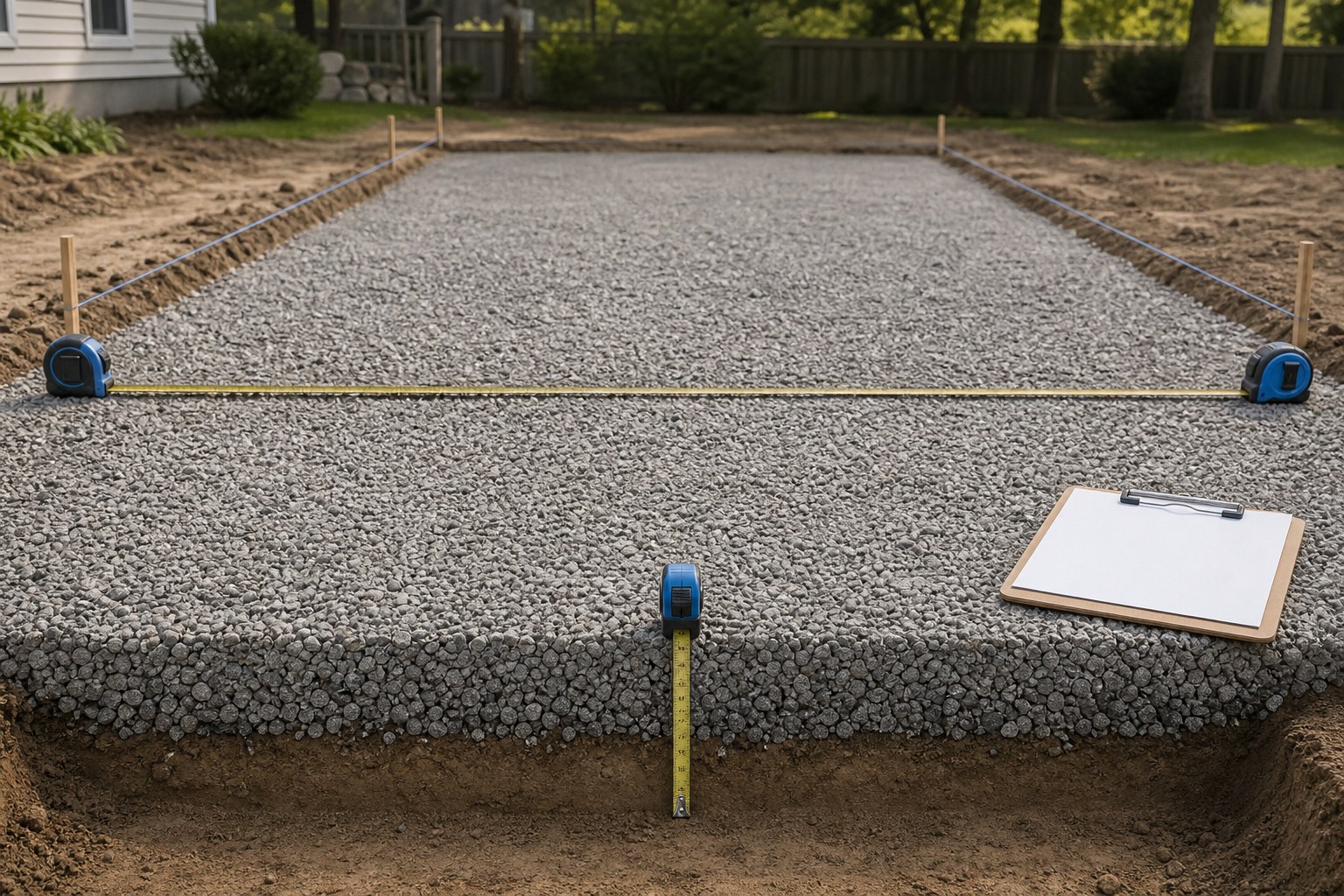
Check the method before you use the estimate
This page documents the formula, assumptions, and any specific external sources used for this tool.
See the methodPlanning estimate What this result can and cannot tell you
Planning estimate only. Confirm on-site measurements, the exact material and sales unit, supplier quantity, delivery requirements, and any site-specific design decisions before ordering or building.
How the Gravel Calculator works
These notes describe the calculation used on this page and the assumptions that can change a real-world result.
Volume (ft³) = length × width × depth; cubic yards = ft³ ÷ 27; short tons = (ft³ × supplier unit weight in lb/ft³) ÷ 2,000
Assumptions on this page
- Length, width, and depth are converted to a common unit before volume is calculated.
- The selected bulk unit weight is an editable planning input. Confirm it against the exact product and condition on the current supplier quote or product information.
- Any allowance is applied separately to the measured volume, so it can be reviewed, changed, or removed before ordering.
- The ton result is in U.S. short tons of 2,000 lb. A metric-tonne or cubic-yard quote must be checked against the supplier's stated sales unit.
- This calculator estimates quantity only. It does not choose aggregate gradation, layer depth, drainage, compaction, subgrade treatment, or structural design.
Sources used on this page
- NIST Handbook 44, current edition Supports the cubic-foot to cubic-yard conversion used in the volume calculation: 27 ft³ = 1 yd³.
- FHWA Field Materials Manual: Aggregate Unit Weight Supports treating aggregate unit weight as a material- and condition-specific measurement rather than a universal conversion factor.
- FHWA Long-Term Pavement Performance: Granular Base Course Provides context for the fact that aggregate selection and site requirements depend on the application and project conditions.
Everything behind the Gravel Calculator
Formulas, reference charts, and detailed answers — expand any section you need.
Order-check record before you buy
Use the calculator output as one line in a compact order record. This prevents a correct geometric calculation from being paired with the wrong product or sales unit.
| Check | Record beside the result | Why it matters |
|---|---|---|
| Measured zones | Length, width, depth, and units for every separately calculated area | Shows how the net volume was created and makes later changes traceable. |
| Allowance | Percent or additional quantity, plus the reason it was added | Keeps a known extra area separate from uncertainty or an ordering choice. |
| Exact material | Product name, gradation if supplied, and current bulk unit weight or sales basis | The product input, not a generic label, controls a weight conversion. |
| Quote unit | Cubic yard, U.S. short ton, metric tonne, or another stated unit | Confirms that the result and the supplier quote are using compatible units. |
| Delivery discussion | Supplier minimums, access requirements, product availability, and unloading plan | Quantity does not by itself determine a delivery vehicle, payload, or placement method. |
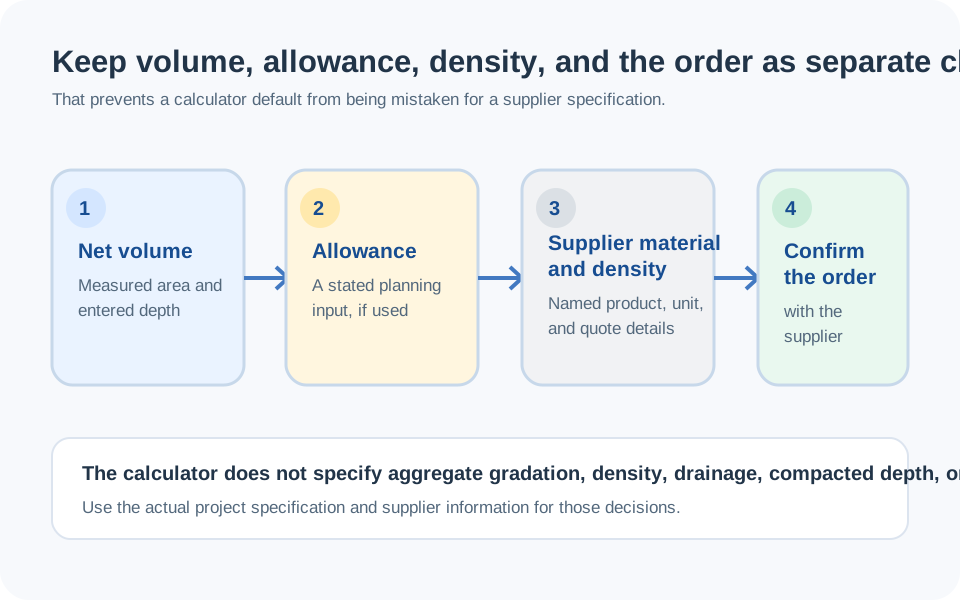
Use this as a gravel quantity worksheet
A gravel estimate is most useful when its inputs can be inspected later. This calculator starts with a simple measured volume: the footprint you recorded and the depth already selected for the project. It then converts that volume to cubic feet and cubic yards, and can turn the result into U.S. short tons only after a bulk unit weight has been chosen.
That separation matters. Geometry is repeatable; the exact material, its unit weight, the seller's unit, delivery arrangement, and any extra quantity are project-specific. Use the result to prepare a clear quantity request, then reconcile it with the current supplier quote rather than treating a prefilled material option as a product specification.
For a driveway-focused two-pass takeoff and supplier discussion, read How Many Tons of Gravel Do I Need for a Driveway?. This page stays focused on using the calculator, checking its units, and recording the result.
Measure the footprint before choosing a sales unit
Begin with the finished area that will receive the material. Record length, width, and the selected depth in the units actually measured. The calculator accepts several units and converts them to feet internally, so it is better to enter a real tape measurement than to round it prematurely.
- Sketch the footprint. Mark the boundary you intend to fill and write the dimensions next to each straight section.
- Separate changes. If a turnout, border, widened section, or deeper zone has different dimensions, calculate it as its own rectangle. Add separate results rather than forcing one average into a single box.
- Record the depth basis. Enter the depth selected for this project. A quantity calculator cannot decide whether that depth, material, or layer arrangement is appropriate for the site.
- Keep net quantity distinct from extra quantity. Calculate measured volume first. Add a stated allowance only after you know why it is needed.
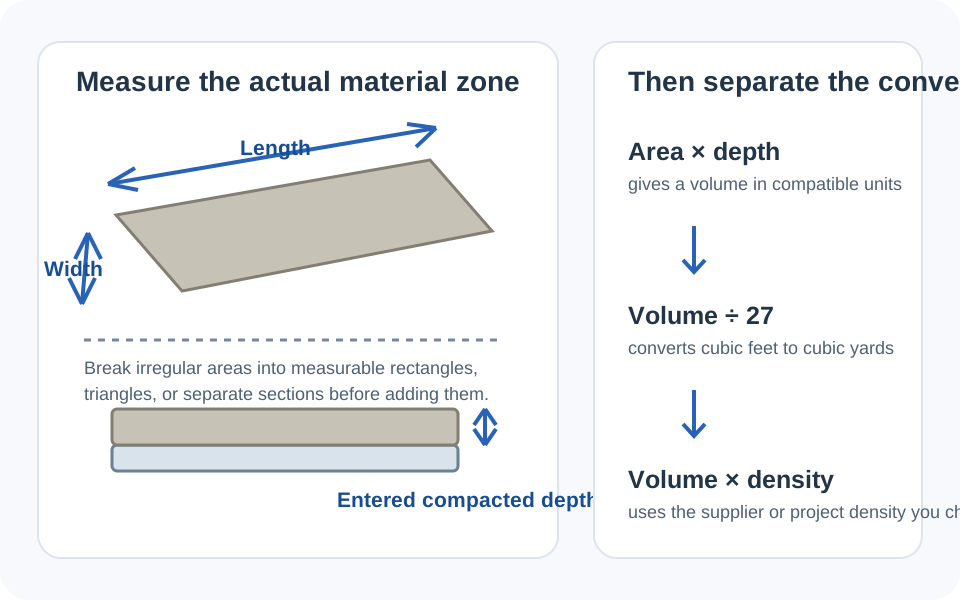
The same measurement discipline applies when comparing quantities with the Cubic Yard Calculator or estimating removed material with the Excavation Calculator.
The gravel volume and tonnage formula
For one rectangular area, the calculator reduces the takeoff to three dimensions in a common unit.
The current NIST Handbook 44 edition includes the unit-reference material supporting the conversion of 27 cubic feet to one cubic yard. That is a unit conversion, not a claim about a particular gravel product.
When a supplier sells by U.S. short ton and supplies a bulk unit weight in pounds per cubic foot, the next step is:
Do not replace the unit-weight input with a permanent “tons per yard” shortcut. Aggregate weight can vary with the actual product and condition; the FHWA field materials manual is one reason to keep the material input visible and supplier-verifiable.
Worked example: show every assumption
Suppose one rectangular material area measures 9 ft by 14 ft, with a user-selected depth of 2.5 in. Suppose the current supplier information for the exact material gives a planning unit weight of 105 lb/ft³, and the project owner deliberately chooses a 7% allowance. These are example inputs, not recommendations for a driveway, path, drainage system, or any other build.
- Convert depth: 2.5 in ÷ 12 = 0.2083 ft.
- Net volume: 9 × 14 × 0.2083 = 26.25 ft³.
- Volume after the stated 7% allowance: 26.25 × 1.07 = 28.09 ft³.
- Cubic yards: 28.09 ÷ 27 = 1.04 yd³.
- Weight at the stated supplier input: 28.09 × 105 = 2,949 lb, or 1.47 short tons.
What makes this result auditable
The calculation identifies the measured geometry, chosen depth, allowance, and source of the unit-weight input. If any of those changes, rerun the calculation instead of carrying forward the old tonnage.
Read the results in the same units as the quote
If a supplier sells the selected material by cubic yard, start with the cubic-yard result. If the quote is in U.S. short tons, use the ton result only after confirming the unit weight for that product. If the quote uses metric tonnes or a different unit, ask the supplier how the sales quantity is defined and compare it with the measured volume before converting.
The calculator also displays an approximate truck-load figure. Treat that display as a rough planning cue, not a delivery instruction. Actual payload, vehicle selection, legal loading limits, site access, and supplier policy are determined by the seller and carrier.
For materials other than gravel, the same unit discipline is useful in the Sand Calculator, Fill Dirt Calculator, and Topsoil Calculator. Each material still needs its own current supplier information.
What this calculator deliberately does not decide
Quantity calculation comes after a project has selected its intended material and depth. It cannot determine a suitable aggregate gradation, layer layout, drainage approach, compaction requirement, subgrade treatment, edge restraint, traffic suitability, or local code compliance. The FHWA granular base guidance illustrates why material and site conditions are part of a broader project decision.
If the result will support a driveway, retaining wall, trench, or other work where site conditions or safety matter, get the appropriate project-specific advice before ordering or building. Use the number here as a transparent quantity check, not as a construction specification.
A quick final pass
- Confirm every dimension against the field sketch.
- Check that depth is expressed in the intended unit before reading the result.
- Make sure the unit weight belongs to the exact product on the current quote.
- Keep the selected allowance separate and explainable.
- Compare the final result with the supplier's sales unit and delivery terms.
That final pass is short, but it catches the costly errors: a depth entered in the wrong unit, a generic density carried from another material, or a quote in a different type of ton.
Frequently Asked Questions
How do I calculate gravel volume?
For a rectangular area, convert length, width, and depth to a common unit, then multiply them. When using feet, divide the cubic-foot result by 27 to convert it to cubic yards.
Does this Gravel Calculator use short tons or metric tonnes?
The tonnage formula uses U.S. short tons: 2,000 lb per ton. If a supplier quotes metric tonnes or another unit, confirm the sales-unit conversion with that supplier before ordering.
Why can two gravel products need different tonnage for the same volume?
The volume may be the same while the product's bulk unit weight differs. Use the current supplier information for the exact material and condition rather than assuming one density applies to every aggregate.
Does the result include the allowance slider?
Yes. The calculator applies the selected allowance to the measured volume before showing cubic yards and tons. Keep the allowance visible in your project notes so it can be reviewed or changed.
How should I estimate an irregular gravel area?
Break the footprint into simple rectangular areas, calculate each one using its own dimensions and depth, then add the results. Do not hide known wider, narrower, or deeper zones inside one unexplained average.
Can I use this calculator for sand, road base, or another bulk material?
Yes, for a volume takeoff. Confirm the exact product's current bulk unit weight and sales unit with the supplier before using a tonnage result, because those inputs can differ by material and condition.
Does the calculator tell me which gravel or depth to use?
No. It estimates quantity after you choose the material and depth. Those project decisions depend on the site, intended use, local requirements, and the responsible project party.
Can I use the truck-load display to book delivery?
No. Treat it as a rough display only. Confirm delivery vehicle, legal payload, site access, product availability, and unloading requirements directly with the supplier or carrier.
Related Guides
- Cement Quantity Arithmetic: Volume, Ratio Shares, Bag Rounding & Mix-Design Boundaries
- Asphalt Driveway Takeoff: Compacted Thickness, Area, and Tonnage
- Retaining Wall Material Takeoff: Base, Drainage, Backfill, and Block Courses
- How to Estimate Riprap by Layer Volume: Area, Thickness, and Delivery Weight