Fence Calculator

Turn a measured fence run, stated gate openings, selected system spacing, and product dimensions into a transparent planning list for sections, posts, panels or pickets, rails, optional concrete, and an editable budget.

Example Projects

Wood Privacy Fence

150' × 6' • Pickets & 3 Rails • 8' Spacing

Vinyl Privacy Fence

200' × 6' • Pre-built Panels • 6' Spacing

Chain Link Fence

300' × 4' • Metal Post & Mesh • 10' Spacing

Farm / Split Rail

500' × 5' • Woven Wire • 12' Spacing

Fence Specifications View Results

Gates Configuration

Wood Material Settings

Post Hole & Concrete Settings

2D Fence Cross-Section Dynamic Visualizer

Results Summary

Fenced Length
0 ft
Total length of the fenced boundary.
Panels Required
0 Panels
Total panels required for fence sections.
Posts Required
0 Posts
Posts needed for fence sections & gates.
Concrete Bags
0 Bags
Bags of concrete mix for anchoring posts.
Horizontal Rails
0 Rails
Horizontal supports running between posts.
Gates Configured
0 Gates
Total gates integrated into project layout.
View Calculation Breakdown

How this was calculated:

Calculating formula details...
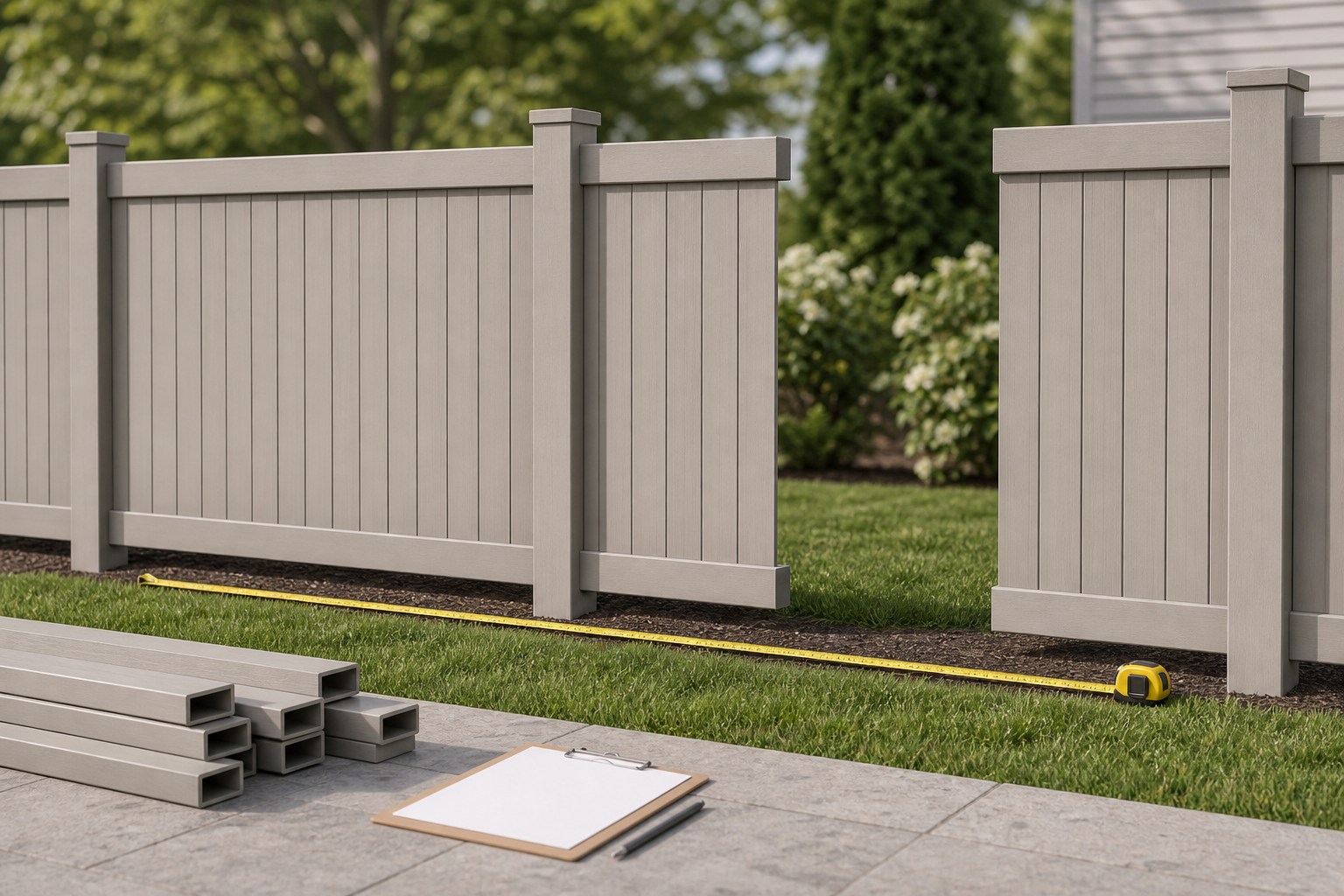
Illustration of a measured fence line with a gate opening, material notes, posts, panels, and a takeoff worksheet.
A useful material list starts with the measured run and the exact system being priced, not a generic fence rule.
Transparent calculator

Check the method before you use the estimate

This page documents the formula, assumptions, and any specific external sources used for this tool.

See the method
Planning estimate What this result can and cannot tell you

Planning quantity estimate only. Confirm the measured route, exact fence system, product dimensions, gate components, post and footing requirements, utility-location process, local requirements, supplier quote, and safe work plan with the responsible project parties before ordering or building.

Read the full site disclaimer.

Found an error or unclear result? Tell us what happened so it can be investigated.
Calculator feedback

Report an issue with Fence Calculator

Your report is saved for the Octa Calculator team to review. Do not include sensitive financial, medical, or personal information.

This site is protected by reCAPTCHA and the Google Privacy Policy and Terms of Service apply.

Method & sources

How the Fence Calculator works

These notes describe the calculation used on this page and the assumptions that can change a real-world result.

Net fence run and selected-system material arithmetic Net run = total fence length - (gate count × gate width); sections = net run ÷ selected spacing; displayed posts = ceil(sections) + 1 + gate count.

Assumptions on this page

  • The entered fence length and gate widths describe the quantity route used by the calculator; the calculator subtracts the entered gate width only from the section and panel run.
  • Spacing, fence type, panel method, rail count, picket face width, picket gap, and waste are user-selected planning inputs. They are not universal installation requirements.
  • For individual wood pickets, the calculator divides the net run in inches by the entered picket face width plus gap. For panel mode, it rounds the calculated section count after the entered waste allowance. Compare either result with the exact system dimensions.
  • Optional concrete volume uses the entered circular hole dimensions, a mode-based nominal post-volume proxy, and the selected interface bag-yield value. It is valid only after the responsible project information has selected those inputs.
  • The optional budget multiplies user-entered prices and includes simple internal rail and gate cost proxies. It is a planning scratchpad, not a market quote, contractor bid, or installation price.

Sources used on this page

Guide & Reference

Everything behind the Fence Calculator

Formulas, reference charts, and detailed answers — expand any section you need.

Read each result as a separate check

Calculator resultWhat it representsWhat still needs confirmation
Net fence runTotal entered length less entered gate widthsMeasured route and all gate openings used in the takeoff
Sections and postsArithmetic from the selected spacing plus the tool's post formulaExact system components and product-specific layout requirements
Panels, pickets, and railsPlanning quantities from your selected material inputsActual product dimensions, cut pieces, accessories, and final order lines
Concrete bagsAn optional geometry-and-yield estimate from values you enteredWhether concrete applies, the documented geometry, actual post profile, and product yield
CostYour entered rates plus the tool's simple cost modelCurrent supplier prices, labour scope, taxes, delivery, and contract terms

Worked calculator example: a net run with one gate

Use this example only to see the calculator's arithmetic. Suppose the entered total length is 84 ft, there is one 4 ft gate, the selected spacing is 8 ft, and the panel waste setting is 5%.

  1. Net run: 84 - (1 × 4) = 80 ft.
  2. Sections before rounding: 80 ÷ 8 = 10 sections.
  3. Displayed posts: ceil(10) + 1 + 1 gate = 12 posts.
  4. Displayed panels: ceil(10 × 1.05) = 11 panels.

That output follows the tool's formula. It does not prove that eleven panels are the correct purchase for a particular product. Verify the actual panel width, permitted span, end conditions, and gate components in the selected supplier documentation. If the system uses individual pickets instead, enter the actual picket face width and planned gap; the calculator switches to a separate coverage calculation.
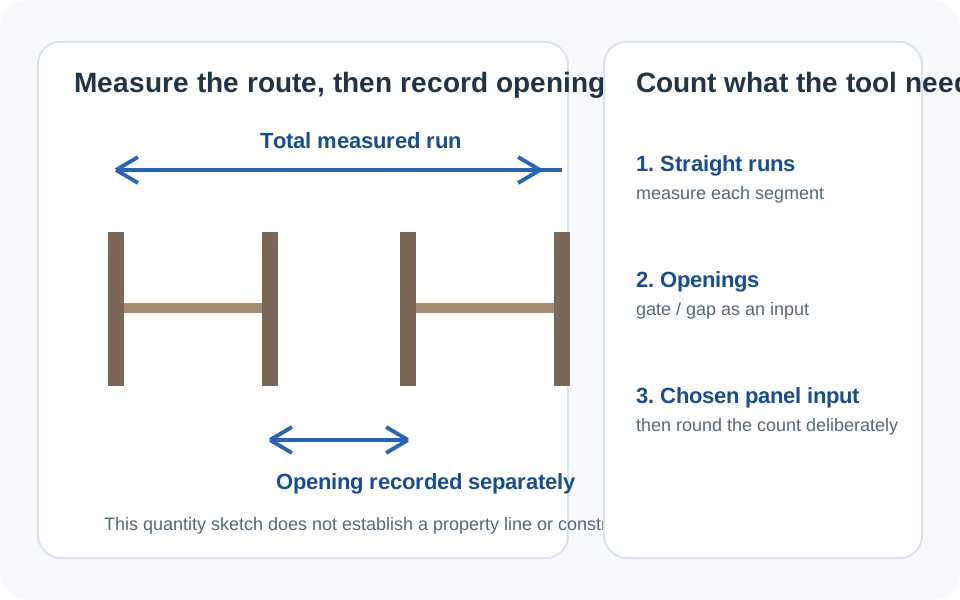
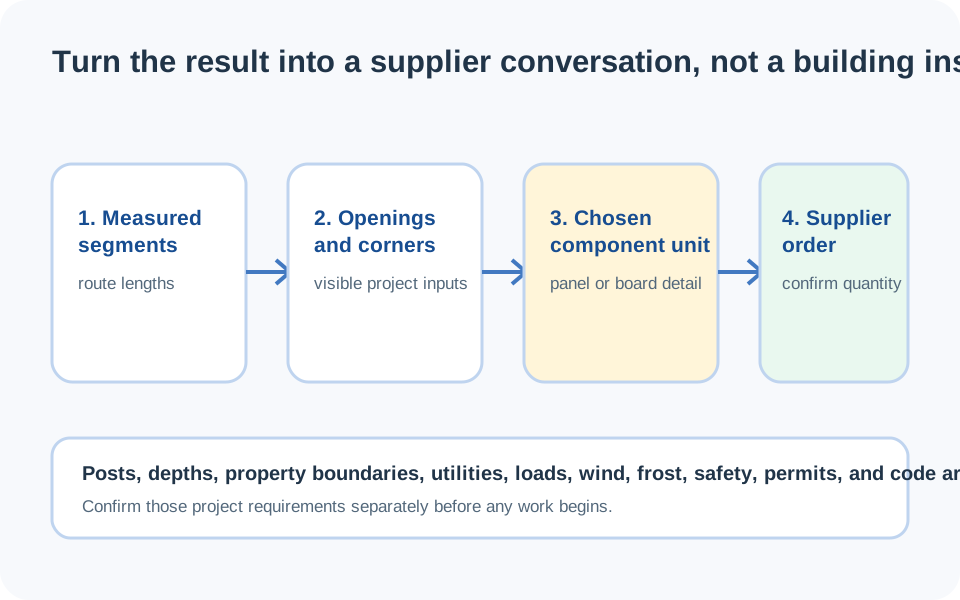
What this Fence Calculator counts - and what it does not choose

This page is a material-arithmetic tool. It starts with an entered total fence length, subtracts entered gate openings, and uses the selected spacing to create a planning count for sections and posts. In wood-picket mode it also uses the entered picket face width and gap; in panel mode it rounds the section count after the waste setting. The results make a useful first material list because each input remains visible.

The calculator does not select a fence system, establish permitted spacing, decide post or footing details, determine a fence layout, or approve a project for a site. Those are product- and project-specific decisions. The companion fence material takeoff guide covers the broader layout worksheet; this page explains exactly what the calculator does with the measurements and options you enter.

Start with the calculator's measured inputs

Enter the total route length that you want the tool to use, then enter the number of gates and the width of each gate. The calculator uses:

Net fence run used for material arithmetic
Net run = total fence length - (number of gates × gate width)

That net run is the part used to estimate standard sections, panel or picket coverage, and line-post arithmetic. A gate is not simply a negative number in a full materials list: its leaf or kit, hardware, and any selected system components should stay on a separate order line. Record them before comparing the calculator output with a supplier list.

Next, enter the spacing and product inputs only after you have the current information for the exact fence system. Manufacturer resources such as Master Halco's system-specific installation material show why a remembered spacing or component list is not a universal rule. A different system, height, terrain, or set of components can use different requirements.

Diagram showing a measured fence run, a separately entered gate opening, selected spacing, and the net length used by a fence material calculator.
The calculator subtracts entered gate widths from the run used for section and panel arithmetic; gate assemblies remain their own material items.

Translate the result into real order lines

A section count is not yet a purchase order. Read the result by component type and match each one to the actual system:

  • Panels or pickets: match the selected panel width or measured picket face and gap, then identify any special end or cut treatment separately.
  • Posts: use the displayed count as a check against the final system layout, then identify the applicable post type for each position in the selected product line.
  • Rails: in individual-picket mode, the calculator multiplies the rounded section count by the entered rails-per-section value. It does not know the required product profile, connection, or length.
  • Gates: keep every gate assembly, hardware set, and selected accessory outside the generic panel count.
  • Extra material: use the waste input only for a stated reason. It should not hide an unresolved product, layout, or project decision.

For a wood list, the Lumber Calculator can help convert documented board dimensions into a separate quantity. For a specified non-fence concrete quantity, the Concrete Calculator keeps volume arithmetic separate from the fence bill of materials.

Optional concrete and cost outputs need their own evidence

Concrete and cost are optional sections of this calculator, so treat both as explicit inputs rather than automatic fence facts. If the responsible project information already identifies a hole geometry and concrete requirement, the tool calculates a cylindrical hole volume, subtracts its mode-based nominal post-volume proxy, multiplies by the displayed post count, and divides by the selected interface bag-yield value. Confirm the exact product yield on its label or technical data before buying bags. Do not use the concrete output to decide whether concrete is needed or what the post and hole dimensions should be.

The budget section is equally limited: it multiplies the prices you enter, while using simple internal price proxies for some rail and gate items. It cannot provide a local material price, a labour rate, a delivery charge, tax, or an installation bid. Use it to compare your own current prices; label the result as preliminary until it has been reconciled with a supplier or contractor quote.

Final order check and calculator limits

Before treating this number as a materials order, compare the run, gate count, selected product system, panel or picket dimensions, post types, rail components, and quoted sales units line by line. If you are in an area served by 811, follow the applicable utility-location process before work that could disturb the ground; 811 Before You Dig is a U.S. awareness resource, not a statement of requirements for every country or project.

This calculator is deliberately not a substitute for the selected system's instructions, local requirements, a site plan, or a safe work plan. Keep the calculation as a transparent quantity check, and report an issue or unclear result if the tool's arithmetic or wording needs review.

Checklist diagram separating measured fence length, system-specific components, optional concrete inputs, user-entered prices, and a final supplier comparison.
Keep the measured quantity, product documentation, optional concrete estimate, and supplier quote as distinct checks.
FAQ

Frequently Asked Questions

How does this Fence Calculator calculate net fence length?
It subtracts the number of entered gates multiplied by the entered gate width from the total entered fence length. That net run is used for the section and panel or picket arithmetic; gate assemblies should still be listed separately.
How does the calculator count fence posts?
It divides the net run by the spacing you enter, rounds the section count up, then adds one and the number of entered gates. Treat that as a planning count and compare it with the exact selected fence system and final component layout.
Can I use the result for wood panels, pickets, vinyl, or chain link?
The calculator offers different material modes and user-entered inputs, but its result is only as specific as those inputs. Check current dimensions and component instructions for the exact product system before ordering.
Does the calculator tell me what fence-post spacing to use?
No. Spacing is an input to the quantity calculation, not a recommendation. Use the information for the exact fence system and the responsible project requirements to choose the value you enter.
Can I use the concrete result to choose post-hole dimensions?
No. The optional concrete calculation uses the hole dimensions and bag yield you enter. It cannot determine whether concrete applies or what those project-specific values should be.
Why is the fence cost result different from a supplier quote?
The budget is based on your entered prices and simple internal cost proxies. It does not include a current local quote, delivery, taxes, labour scope, or project-specific components unless you account for them separately.
Should I include a gate in the panel count?
Enter the gate count and width so the calculator can remove its width from the net fence run. Then list the gate leaf or kit, hardware, and any selected accessories as separate materials rather than assuming they are ordinary panels.

Related Calculators

Explore all Construction calculators →