Cement Calculator

Use measured geometry and your documented mix inputs to estimate the calculator's cement-bag, sand, aggregate, and planning-water arithmetic. Review the assumptions line by line before buying or mixing materials: this tool does not select a mix design, strength, application thickness, or water addition for a project.

Example Projects

Concrete Slab

20 × 15 ft • 4 in • 1:2:4

Footing / Beam

30 ft × 18 in • 1:1.5:3

Wall Plastering

30 × 10 ft • 12 mm • 1:6

Brick Mortar

20 × 10 ft wall • 1:6

Configure Mix View Results

Mix Design

Material Estimate

Cement Required
0 × 50 kg bags
Whole bags to order (rounded up).
Cement Weight
0 kg
Total cement by weight.
Sand Required
0
Sand volume needed.
Aggregate Required
0
Coarse aggregate volume.
Wet Volume
0
Placed (wet) concrete volume.
Dry Volume
0
After dry-volume + waste factor.
Water Required
0 L
By water-cement ratio.
View Calculation Breakdown
Wet volume0 m³
Dry-volume factor× 1.54
Dry volume0 m³
Mix ratio1:2:4
Cement volume0 m³
Cement weight0 kg
Cement bags0 bags
Sand volume0 m³
Sand weight0 kg
Aggregate volume0 m³
Aggregate weight0 kg
Water0 L

How this was calculated:

Enter dimensions to see the calculation…
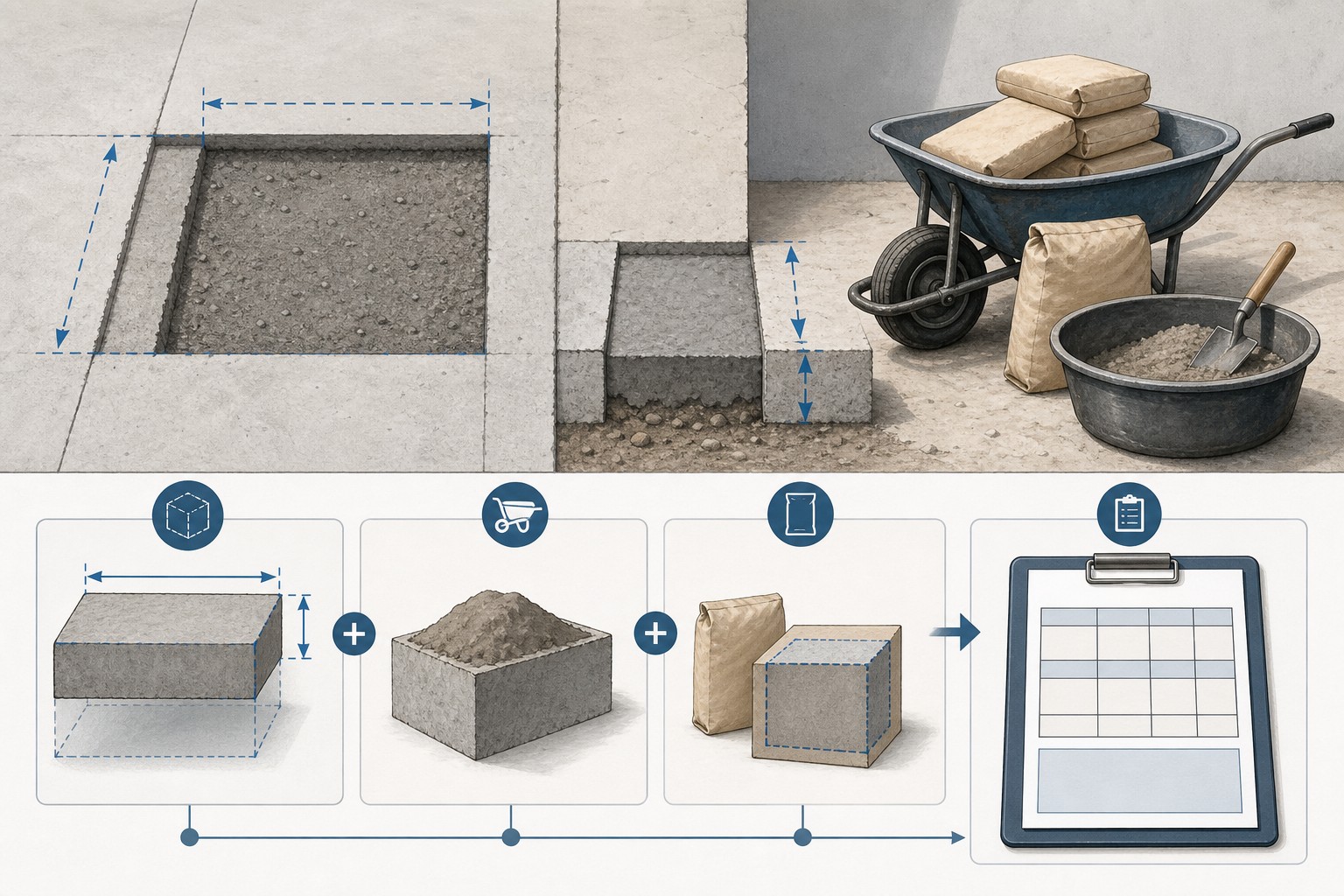
Illustrated cement quantity worksheet showing a measured rectangular zone, entered ratio parts, bag size, and separate cement, sand, and aggregate outputs.
A material estimate starts with measured volume and named inputs; it does not establish a project mix design.
Transparent calculator

Check the method before you use the estimate

This page documents the formula, assumptions, and any specific external sources used for this tool.

See the method
Planning estimate What this result can and cannot tell you

Use this page for transparent material-quantity arithmetic only. Confirm the actual product, approved mix or specification, dimensions, mix proportions, water addition, safety measures, supplier terms, structural requirements, and local rules with the responsible project parties before ordering, mixing, or placing material.

Read the full site disclaimer.

Found an error or unclear result? Tell us what happened so it can be investigated.
Calculator feedback

Report an issue with Cement Calculator

Your report is saved for the Octa Calculator team to review. Do not include sensitive financial, medical, or personal information.

This site is protected by reCAPTCHA and the Google Privacy Policy and Terms of Service apply.

Method & sources

How the Cement Calculator works

These notes describe the calculation used on this page and the assumptions that can change a real-world result.

Entered wet volume, ratio-share, and bag-rounding arithmetic Dry volume = wet volume x entered dry factor x (1 + entered waste); cement share = dry volume x cement parts / total parts; bags = ceil((cement share x 1,440 kg/m3) / selected bag mass); displayed water = cement mass x entered water-cement value.

Assumptions on this page

  • Concrete and custom mode calculate wet volume as length x width x thickness. Plaster mode calculates wall length x wall height x entered coat thickness. Mortar mode calculates a wall prism x the entered mortar fraction.
  • The ratio parts, dry-volume factor, waste percentage, bag size, and water-cement value are editable planning inputs. They are not selected or validated by the calculator as an approved mix design, strength class, application thickness, or water addition.
  • The calculator uses internal bulk-density values of 1,440 kg/m3 for cement, 1,600 kg/m3 for sand, and 1,500 kg/m3 for aggregate to convert ratio volumes to displayed masses. Actual materials and packaged products can differ.
  • The cement count is rounded up to a whole selected bag. Sand and aggregate quantities remain calculated volumes; supplier packaging, product yield, price, availability, and delivery terms are outside the calculation.
  • The optional water result is a multiplication of the entered value by calculated cement mass. It is not mixing, placement, safety, strength, durability, or jobsite-water guidance.
  • This is a material-quantity worksheet, not a structural, product-selection, code, permit, or safe-work determination.

Sources used on this page

Guide & Reference

Everything behind the Cement Calculator

Formulas, reference charts, and detailed answers — expand any section you need.

The formula behind the material rows

After the calculator has a wet volume, it uses the entries visible in the form. Let V be wet volume, F the dry-volume factor, W the waste percentage, and C, S, and A the entered cement, sand, and aggregate parts.

Adjusted dry volume = V × F × (1 + W)

Cement volume = adjusted dry volume × C ÷ (C + S + A)

Sand volume = adjusted dry volume × S ÷ (C + S + A)

Aggregate volume = adjusted dry volume × A ÷ (C + S + A)

Cement bags = round up [cement volume × 1,440 kg/m³ ÷ selected bag mass]

The 1,440 kg/m³ cement value and the corresponding sand and aggregate values are built into this tool's mass conversion. They make its output repeatable, but they are not a product specification and do not verify a supplier's material. Similarly, the dry factor and waste percentage change the output exactly as entered; they are not automatically appropriate for every product, site, or method.

Displayed inputWhat it changes in this calculatorWhat it cannot establish
Ratio partsHow adjusted dry volume is split among the material rowsStrength, durability, or an approved mix
Dry-volume factorThe volume used for the ratio splitActual yield for every material or placement
Bag sizeThe divisor used before rounding cement to full bagsThe yield or contents of a specific packaged product
Water-cement valueThe displayed water figure: calculated cement mass × entered valueA safe or appropriate water addition at the jobsite

Worked calculator example: 20 ft by 15 ft by 4 in

Use the calculator's Concrete Mix preset geometry: 20 ft long, 15 ft wide, and 4 in thick. Keep its displayed 1:2:4 ratio, dry-volume factor of 1.54, 5% waste, 50 kg bag size, and water-cement value of 0.50. These are example inputs only; they are not being presented as a recommended recipe.

  1. Wet volume: 20 × 15 × (4 ÷ 12) = 100.00 ft³, which the calculator converts to 2.8317 m³.
  2. Adjusted dry volume: 2.8317 × 1.54 × 1.05 = 4.5788 m³.
  3. Ratio split: 1 + 2 + 4 = 7 parts. Cement is 4.5788 × 1 ÷ 7 = 0.6541 m³; sand is 1.3082 m³; aggregate is 2.6165 m³.
  4. Cement bags: 0.6541 × 1,440 = 941.93 kg. At 50 kg per bag, that is 18.84 bags, so the tool rounds up to 19 bags.
  5. Displayed water arithmetic: 941.93 × 0.50 = 470.97 L. That result follows the entered number; it is not a mixing instruction.

A different ratio, factor, bag size, allowance, or water-cement value creates a different result. Before treating any line as a purchase or mixing decision, replace the example inputs with the values documented for the actual project and product.
A quantity worksheet, not a mix-design tool

This calculator is useful when you already have a measured zone and a documented set of material assumptions. It turns those inputs into a visible arithmetic trail: wet volume, adjusted dry volume, ratio shares, cement mass, rounded bags, sand and aggregate volumes, and an optional planning-water number. It does not decide what concrete, mortar, or plaster mix is suitable for a project.

The distinction matters. A ratio label or a default field value cannot establish compressive strength, durability, workability, exposure performance, application thickness, aggregate grading, local requirements, or safe placement. NRMCA's ready-mix ordering guidance states that there is no typical concrete recipe: material proportions and performance requirements depend on the actual project. Treat every ratio, dry factor, allowance, and water-cement value on this page as an input to check, not advice to follow.

For the job-level workflow around blocks and mortar, use the separate block and mortar takeoff guide. This calculator page stays focused on the inputs and arithmetic of one material quantity.

Start with the geometry the tool actually uses

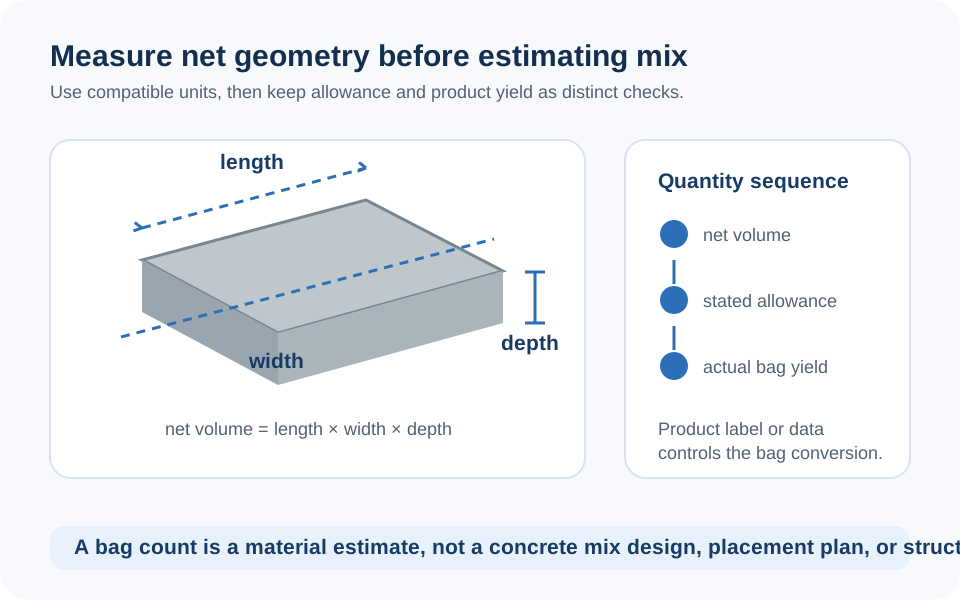
Select a mode based on how you can measure one uniform quantity. In Concrete Mix and Custom modes, the tool calculates wet volume as length × width × thickness. In Plastering mode, it treats the inputs as wall length × wall height × entered coat thickness. In Mortar / Brickwork mode, it calculates a wall prism and multiplies it by the mortar fraction you enter.

That last fraction is not a masonry design rule; it is simply a percentage in the equation. If a wall has openings, different joint patterns, a changed thickness, a bond beam, or separate material zones, calculate and document those pieces separately rather than hiding them in an unexplained percentage.

  1. Sketch the actual zone. Label the lengths and the finished thickness or depth you are using.
  2. Keep units attached to every value. The calculator converts feet, inches, metres, centimetres, millimetres, and yards before calculating volume.
  3. Separate changing geometry. A deepened strip, return, opening, or second coat deserves its own calculation line.
  4. Check the wet volume first. It is the physical volume from your measurements before any material assumptions are applied.
Diagram showing length, width, and depth converted to wet volume before a dry-volume multiplier and ratio split are applied.
Measure each uniform material zone separately, then let the calculator show every conversion.

Use the water line responsibly

The water card is intentionally transparent: it multiplies calculated cement mass by the water-cement value in the form. It cannot see aggregate moisture, admixtures, air content, temperature, delivery time, consistency requirements, a product label, or the approved mix design. It therefore cannot tell anyone how much water to add.

That is more than a legal disclaimer. NRMCA notes that excessive water addition can affect concrete properties and that jobsite changes must stay within the established mix design. If the project uses ready mix, use the specified mixture and work through changes with the producer. If it uses a bagged product, follow the exact package and technical instructions. Do not use a calculator output to override either source.

The same caution applies to the page's ratio labels. The quantity math can divide material volume by parts; it cannot turn a label such as a richer or leaner ratio into a verified performance claim.

Turn an estimate into a checkable material request

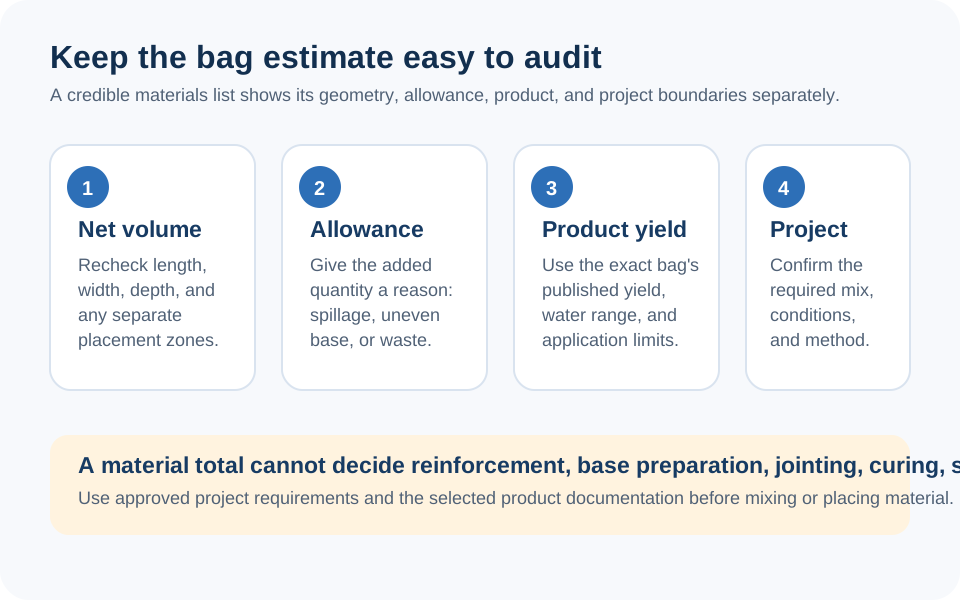
A trustworthy takeoff keeps each decision visible. Record the measured wet volume, the dry factor, ratio parts, allowance, selected bag mass, and the date of each supplier price. For sand and aggregate, confirm whether the supplier quotes loose volume, another sales unit, product-specific density, or a minimum delivery quantity. The calculator's optional cost total only multiplies the unit prices you enter; it does not know tax, delivery charges, access limits, waste disposal, equipment, or labour.

For the geometry itself, cross-check the same measured volume with the Concrete Calculator or Cubic Yard Calculator. Use the Sand Calculator only for a separately defined sand quantity. Keeping those material questions separate makes it easier to spot a unit or scope error instead of producing one impressive but untraceable total.

Checklist diagram separating the calculator's quantity inputs from product labels, supplier information, and final order verification.
Calculator arithmetic is only one part of a material decision; confirm the exact product and job requirements before acting.

Where this calculation stops

This page does not determine structural adequacy, footing or slab dimensions, reinforcement, ground conditions, drainage, mix proportions, product compatibility, curing, safe handling, protective equipment, permits, or local-code compliance. Fresh cementitious materials can present significant hazards; follow the product safety information and the responsible project's safety procedures.

If a result seems surprising, repeat the simple checks before changing the allowance: confirm the measured length, width, and thickness; confirm each unit; calculate changing zones separately; read the selected ratio and bag mass; and compare the calculated material line with the exact supplier or product information. You can also report a calculator issue or unclear result so the site team can review the tool.

FAQ

Frequently Asked Questions

How does this calculator determine the cement bag count?
It calculates wet volume from the selected geometry, applies the dry-volume factor and waste percentage you entered, assigns the cement share from the ratio parts, converts that share using the calculator's 1,440 kg/m3 cement value, divides by the selected bag mass, and rounds up to a whole bag.
Does a mix-ratio choice tell me what concrete strength I will get?
No. The ratio is used only to split the calculator's adjusted dry volume into material shares. Strength and other performance depend on project-specific materials, proportions, water, production, placement, curing, testing, and specification requirements.
What does the dry-volume factor do?
It multiplies the measured wet volume before the ratio is split. The value is editable so you can use a documented project or product assumption. It is not a universal yield factor and the calculator does not verify it for a particular material.
Is the water result an instruction for adding water?
No. It is only calculated cement mass multiplied by the water-cement value entered in the form. It does not account for moisture, admixtures, product instructions, or an approved mix design, so it must not be used as jobsite water-addition guidance.
Why is the cement count rounded up?
Cement bags are normally bought as whole packages. The calculator shows the exact mathematical count and rounds it upward to the selected bag size. Verify the actual product's contents and stated yield before purchasing.
Can I use this for plastering or mortar?
The tool can perform the displayed plaster-area or mortar-fraction arithmetic, but it does not choose coat thickness, joint dimensions, mortar fraction, material compatibility, or a project specification. Enter those values only when they are documented for the work.
Why can the calculator total differ from a supplier's quote?
The calculator uses the dimensions and assumptions entered into it. A supplier quote can reflect a specific material, product yield, packing or sales unit, moisture condition, delivery minimum, price date, and site terms. Keep the net calculation and the supplier's commercial terms as separate records.

Related Calculators

Explore all Construction calculators →