Sand Calculator

Turn a documented rectangular or circular layer into adjusted cubic feet, cubic yards, cubic meters, pounds, short tons, a fractional 14-ton-load check, and optional price arithmetic. The calculator does not select sand, determine a required depth, account for compaction or bags, verify a paver or pool system, or approve drainage, site preparation, or safe installation.

Example Projects

Paver Patio

15' × 15' × 2"

Sandbox

8' × 8' × 8"

Pool Base (Round)

18' Diameter × 3"

Artificial Turf Area

30' × 20' × 2"

Configure Project View Results

Material Details

Extras & Cost

Waste Factor Allowance 10%
?

A 10% margin is standard to prevent under-ordering.

Sand Estimate

Tons Required
0.00 tons
Total weight of sand needed (with waste).
Cubic Yards
0.00 yd³
Total volume of sand needed.
View Calculation Breakdown

Detailed Measurements Live

Pounds Required 0 lb
Cubic Feet 0.00 ft³
Cubic Meters 0.00 m³
Approx. Truck Loads (14 Tons) 0.00
Waste Margin Included + 0.00 tons

How this was calculated:

Fill in the dimensions above to output step-by-step formula logs...

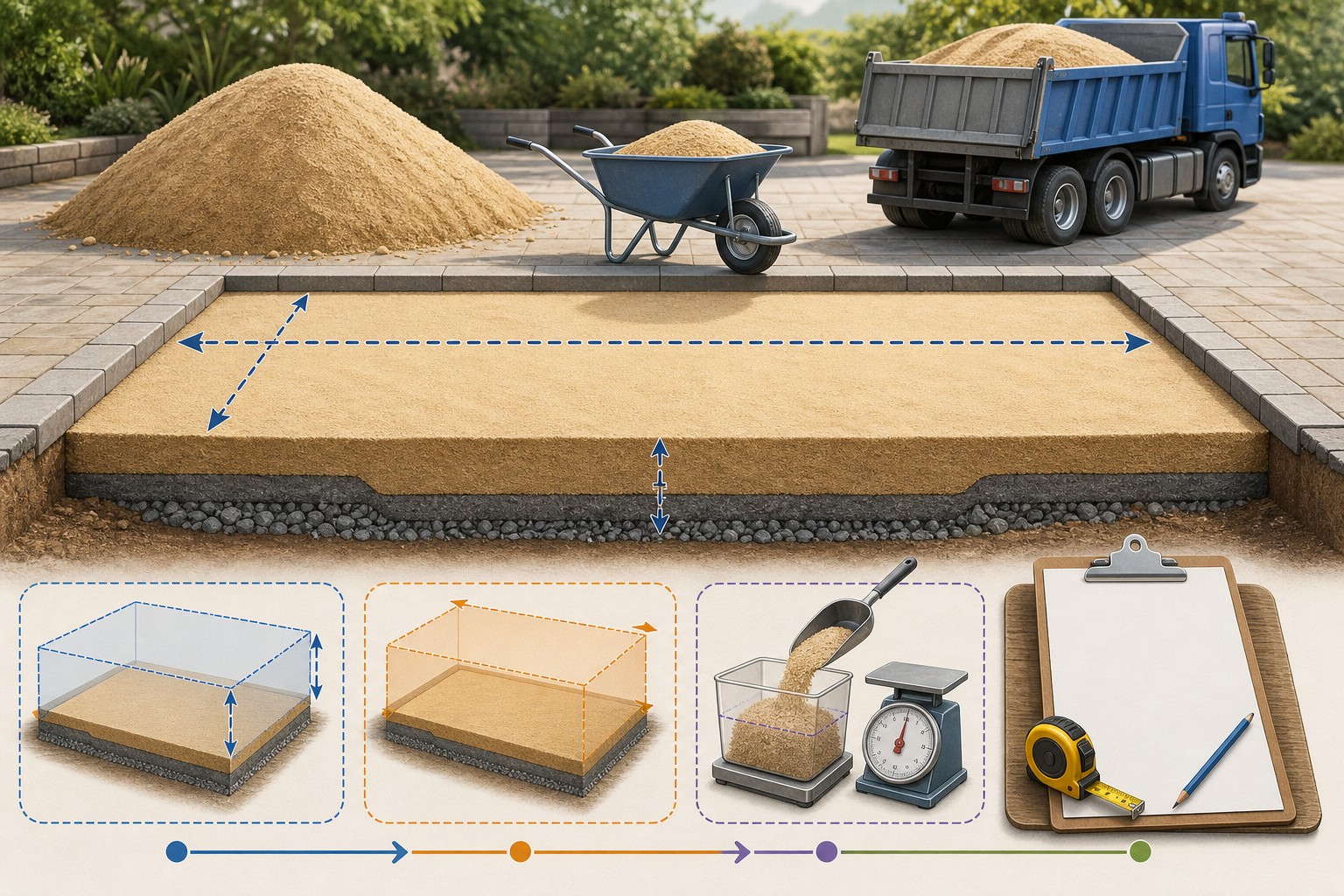
Illustrated sand material takeoff showing a measured rectangular layer, depth conversion, adjusted volume, supplier bulk density, short-ton arithmetic, and a separate delivery check.
A reliable sand estimate keeps layer geometry, the stated allowance, supplier density, and delivery basis separate.
Transparent calculator

Check the method before you use the estimate

This page documents the formula, assumptions, and any specific external sources used for this tool.

See the method
Planning estimate What this result can and cannot tell you

Use this calculator to organize a sand material quantity only. Confirm the approved layer, product, gradation, supplier-stated density and selling unit, actual depth, packaging, delivery constraints, site preparation, drainage, installation instructions, local rules, and safe work practices with the responsible project parties before ordering or placing material.

Read the full site disclaimer.

Found an error or unclear result? Tell us what happened so it can be investigated.
Calculator feedback

Report an issue with Sand Calculator

Your report is saved for the Octa Calculator team to review. Do not include sensitive financial, medical, or personal information.

This site is protected by reCAPTCHA and the Google Privacy Policy and Terms of Service apply.

Method & sources

How the Sand Calculator works

These notes describe the calculation used on this page and the assumptions that can change a real-world result.

Rectangular or circular layer volume, entered bulk density, and short-ton arithmetic For a rectangle, base volume (cu ft) = converted length (ft) x converted width (ft) x converted depth (ft). For a circle, base volume = pi x (converted diameter / 2) squared x converted depth. Adjusted cu ft = base volume x (1 + entered waste percentage). Cubic yards = adjusted cu ft / 27; cubic meters = adjusted cu ft x 0.0283168; pounds = adjusted cu ft x entered lb per cu ft; short tons = pounds / 2,000.

Assumptions on this page

  • The page models only one constant-depth rectangle or one true circle. It does not calculate ovals, irregular areas, variable grade, sloped surfaces, separate zones, bag quantities, excavation, coverage area, or a cut and placement layout.
  • Linear inputs are converted to feet using in = 1/12 ft, ft = 1, yd = 3, cm = 1/30.48, and m = 3.28084. The circular tab uses entered diameter, divides it by two, and then applies pi x radius squared x depth.
  • The interface's 0% to 20% allowance multiplies the completed geometric volume before cubic-yard, metric-volume, weight, short-ton, and optional cost outputs. It is not a compaction factor, supplier yield test, design depth, or universal material allowance.
  • Material-menu defaults are editable convenience inputs: masonry, concrete, and polymeric sand 100 lb/cu ft; play and fill sand 95 lb/cu ft; sharp sand 105 lb/cu ft. Selecting a material overwrites the density field, but a manually entered density is used until another material is selected. Empty or zero density falls back to 100 lb/cu ft.
  • The calculator reports short tons, defined here as 2,000 lb. It multiplies adjusted cubic feet by the entered density; it does not know product gradation, bulk voids, moisture, compaction, quarry source, bag weight, stockpile condition, or supplier selling convention.
  • The truck output is short tons divided by a fixed 14-ton convention and remains fractional. It is not a dispatchable truck count and does not account for legal payload, truck body volume, supplier minimums, route limits, access, split loads, or local regulations.
  • Optional cost equals entered price per short ton x calculated short tons. It excludes delivery, bags, taxes, pallets, equipment, removal, compaction, labour, product-specific additives, supplier minimums, price changes, and availability.
  • This is a quantity and budget-planning aid, not a material-specification, paver, concrete, pool, turf, drainage, geotechnical, excavation, structural, permitting, installation, or safety guide.

Sources used on this page

Guide & Reference

Everything behind the Sand Calculator

Formulas, reference charts, and detailed answers — expand any section you need.

Implementation-matching example: 15 ft by 15 ft at 2 in depth

Use the page's Paver Patio preset values as a transparent arithmetic example: a 15 ft by 15 ft rectangle, 2 in depth, 100 lb per cu ft entered density, and 10% allowance. The code calculates:

  1. Base volume: 15 × 15 × (2 ÷ 12) = 37.50 cu ft.
  2. Adjusted volume: 37.50 × 1.10 = 41.25 cu ft.
  3. Cubic yards: 41.25 ÷ 27 = 1.5278 cu yd.
  4. Weight: 41.25 × 100 = 4,125 lb.
  5. Short tons: 4,125 ÷ 2,000 = 2.0625 short tons.
  6. Fixed-load cross-check: 2.0625 ÷ 14 = 0.1473 of the page's 14-ton convention.

The displayed values round to 1.53 cu yd, 2.06 short tons, and 0.15 loads. This is an implementation-matching example, not a product depth recommendation, a paver installation detail, or a supplier delivery order.
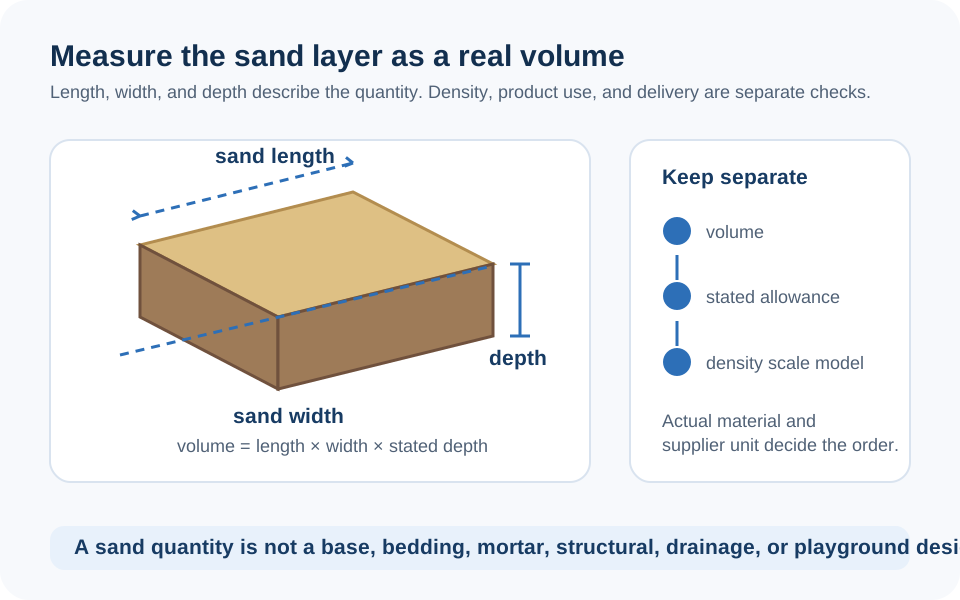
A sand quantity is not a sand specification

This page answers a narrow question: how much material occupies an entered rectangular or circular layer after a stated allowance and an entered bulk density are applied. It does not decide whether a particular product is appropriate for a paver system, concrete, a sandbox, a pool installation, artificial turf, drainage, fill, or any other use. Those uses can have different project documents, product instructions, gradation, preparation, compaction, and safety requirements.

Start with the layer you are actually estimating. Record its limits, installed depth, product name, and supplier sales unit. Keep excavation, aggregate base, bedding, joint material, concrete, and surface material in separate lines. The Federal Highway Administration's geotechnical reference is useful context: bulk unit weight changes with factors such as moisture, density, and voids, so a material label alone cannot supply a universal purchasing conversion.

The exact volume and weight formulas

Choose the shape that matches the documented layer. The code first converts every linear dimension to feet, then calculates base volume:

Rectangle: base volume = length × width × depth

Circle: base volume = π × (diameter ÷ 2)² × depth

Adjusted volume = base volume × (1 + entered waste percentage)

Cubic yards = adjusted cu ft ÷ 27

Pounds = adjusted cu ft × entered density (lb per cu ft)

Short tons = pounds ÷ 2,000

The page also displays cubic meters as adjusted cubic feet × 0.0283168. NIST's unit tables document the inch, foot, cubic-yard, and metric-volume relationships used in these conversions. The circle input is diameter, not radius.

Diagram comparing rectangular and circular sand-layer volume calculations, showing length and width versus diameter, installed depth, adjusted cubic feet, cubic yards, and supplier density.
The circular tab uses diameter, not radius; both tabs require one documented layer depth.

Supplier density is the purchasing input that matters

The form starts masonry, concrete, and polymeric sand at 100 lb/cu ft; play and fill sand at 95; and sharp sand at 105. Those values are editable conveniences used for arithmetic. They are not a statement that every product sold under those names has the same bulk weight, gradation, moisture condition, packaging, or suitability.

Selecting a sand label overwrites the density field, so enter and preserve the supplier's stated value after choosing the product. Ask for the exact name, product data or specification, sales unit, bulk unit weight or tons-per-yard conversion, bag weight if applicable, minimum order, and delivery basis. Concrete aggregate, for example, is a product with defined quality and gradation requirements; it should not be selected from a generic calculator menu alone.

If a supplier sells by bags, this tool can still give a bulk-volume or weight cross-check, but it does not count bags. Divide only after the supplier confirms the actual bag coverage or net weight and product instructions.

Keep allowance, compaction, and depth separate

The 0% to 20% slider simply multiplies geometry before all later conversions. It is not a density test or a compaction model. A higher allowance might be a documented purchasing decision for irregular edges, handling, or delivery rounding; it cannot fix an uncertain depth, an uneven subgrade, a missing drainage plan, or an unspecified product.

Do not insert a generic depth merely because the form asks for one. The right layer thickness and preparation depend on the actual product and project scope. For a landscape or bulk-material ledger that begins with measured area and keeps delivery rounding visible, read How to Calculate Yardage. Use the Cubic Yard Calculator to cross-check a defined volume and the Gravel Calculator for a distinct granular layer; neither replaces design or product instructions.

Circular layers need a true diameter and a true boundary

For a round layer, the page calculates π × (diameter ÷ 2)² × depth. It does not calculate an oval, a rounded rectangle, a circle with cutouts, a partial circle, a slope, or a varying-depth layer. Split a complex outline into measured components and maintain a ledger rather than entering an approximate diameter.

That distinction is especially important near pools, paving, and turf. This page cannot decide whether sand is approved under a liner, whether a pool base is level, whether a paver assembly meets its manufacturer's instructions, whether a turf base drains, or whether sand needs compaction or containment. Stop at a transparent quantity and return to the appropriate project information for those questions.

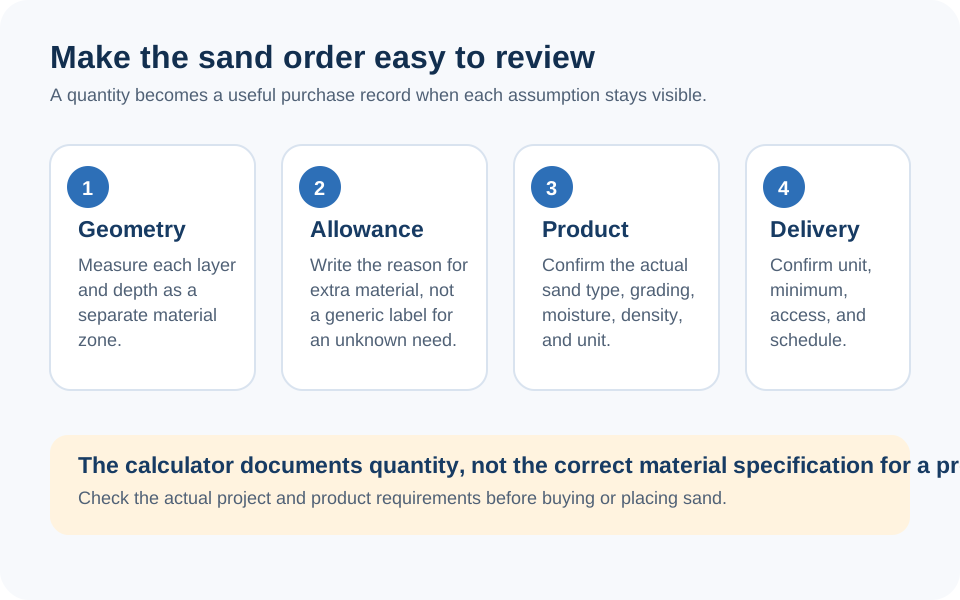
Before you order sand

Compare the quantity with the plan and supplier quote: verify the layer footprint, depth, shape, allowance, product, density, sale unit, price unit, packaging, delivery access, stockpile location, and any separate base, excavation, or drainage work. The 14-ton result is only a fractional division; it cannot tell you how many legal or available loads a supplier will deliver.

The optional cost is equally narrow: price per short ton times calculated short tons. It excludes delivery and every other unentered cost. Confirm the final order with the supplier and responsible project parties. If an input or result on this page seems unclear, you can report a calculator issue for review.

Checklist illustration separating the geometric sand quantity from product specification, density, moisture, compaction, bag or bulk packaging, delivery capacity, site access, and final order.
A calculated short-ton result is an estimate based on the density entered; it is not a supplier load, material specification, or installation plan.
FAQ

Frequently Asked Questions

How does this calculator calculate sand volume?
For a rectangle, it multiplies converted length, width, and depth. For a circle, it multiplies pi by the squared converted diameter divided by two, then by depth. It applies the entered allowance after that base volume.
Does the circular sand calculator use radius or diameter?
It uses the entered diameter. The code divides that number by two to obtain radius before calculating pi x radius squared x depth.
How does the page calculate tons of sand?
It multiplies adjusted cubic feet by the density you enter in pounds per cubic foot, then divides by 2,000 to show short tons. Use the supplier's bulk-density or selling conversion for the exact product.
Are the material density defaults a product specification?
No. They are editable convenience values. Density can change with source, gradation, moisture, voids, handling, compaction, package, and supplier selling practice, so a current supplier value should control an order.
Does the waste slider account for compaction or settling?
No. It is a simple volume multiplier. It does not model compaction, actual in-place density, settling, grade, or required layer thickness.
Does the truck-load number tell me how many trucks to order?
No. It is calculated short tons divided by a fixed 14-ton convention and remains fractional. It does not account for legal payload, supplier truck type, access, minimum load, or split delivery.
Can I use this calculator for sand bags?
It does not calculate bag counts. Use its bulk volume or weight only as a cross-check after the supplier confirms the exact bag net weight or coverage for the selected product.
Can this page select sand or depth for a paver, pool, sandbox, or turf project?
No. It provides layer-quantity arithmetic only. Product suitability, depth, base preparation, drainage, compaction, installation, and safety come from the applicable project design and manufacturer or supplier instructions.

Related Calculators

Explore all Construction calculators →