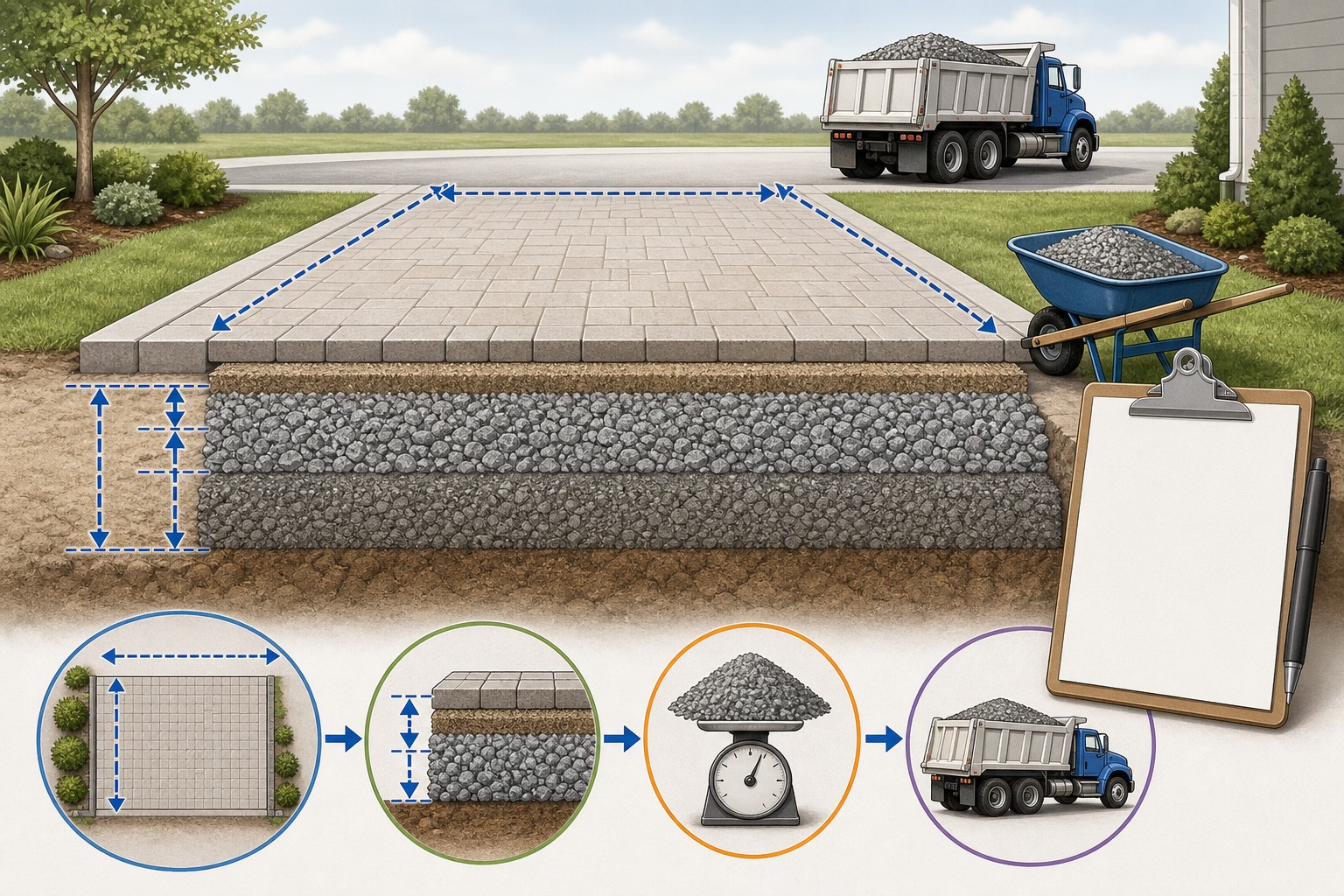
Road Base Calculator

Turn a documented base-layer footprint and finished depth into compacted volume, loose order volume, tons, fractional delivery loads, and optional price arithmetic. The calculator cannot select a pavement section, aggregate gradation, base depth, compaction target, lift plan, drainage detail, subgrade treatment, or safe construction method.

Example Projects

Residential Driveway

40' × 12' × 6" • Road Base

Parking Area

60' × 40' × 8" • Crusher Run

Paver Patio Base

20' × 15' × 4" • Crushed Stone

Gravel Road

500' × 12' × 10" • Aggregate Base

Configure Project View Results

Recommended depth for this project: 4–8 in.

Material & Compaction

Road Base Estimate

Tons Required
0.00 tons
Total material to order (loose, with compaction).
Cubic Yards (Order)
0.00 yd³
Loose volume to order after compaction.
Truck Loads
0.00
Estimated dump-truck loads.
Coverage Area
0.0 ft²
Total surface area covered.
View Calculation Breakdown
Compacted (finished) volume0.00 yd³
Extra for compaction+ 0.00 yd³
Cubic Feet (loose)0.00 ft³
Cubic Meters (loose)0.00 m³

How this was calculated:

Enter dimensions to see the calculation…
Illustrated road-base takeoff showing a measured driveway footprint, a documented finished layer depth, compacted and loose cubic-yard totals, supplier density, and a separate delivery check.
A reliable material order separates finished geometry, the stated loose-order conversion, supplier unit weight, and delivery limits.
Transparent calculator

Check the method before you use the estimate

This page documents the formula, assumptions, and any specific external sources used for this tool.

See the method
Planning estimate What this result can and cannot tell you

Use this calculator to organize a road-base material quantity only. Confirm the approved pavement or base design, layer limits, grade, drainage, subgrade condition, aggregate specification, supplier-stated loose density, delivery constraints, lift and compaction requirements, local rules, and safe work practices with the responsible project parties before ordering or installing material.

Read the full site disclaimer.

Found an error or unclear result? Tell us what happened so it can be investigated.
Calculator feedback

Report an issue with Road Base Calculator

Your report is saved for the Octa Calculator team to review. Do not include sensitive financial, medical, or personal information.

This site is protected by reCAPTCHA and the Google Privacy Policy and Terms of Service apply.

Method & sources

How the Road Base Calculator works

These notes describe the calculation used on this page and the assumptions that can change a real-world result.

Finished-layer geometry, entered loose-order conversion, and supplier-density arithmetic Compacted volume (cu ft) = length (ft) x width (ft) x finished depth (ft). Compacted volume (cu yd) = compacted cu ft / 27. Loose order volume (cu yd) = compacted cu yd / (1 - entered compaction percentage). Tons = loose cu yd x entered tons per cu yd. Truck loads = tons / entered truck capacity.

Assumptions on this page

  • The calculator treats each entry as a rectangular, constant-thickness finished layer. It cannot calculate a changing grade, crown, crossfall, curve, slope, transition, cut/fill balance, or irregular plan without separate measured sections.
  • Depth means the finished compacted depth. The page converts it to loose order volume by dividing by (1 - the entered percentage), with the percentage bounded from 0% to 90%. This is transparent purchasing arithmetic, not a field prediction or compaction test.
  • A 15% entered percentage is not the same as simply adding 15% to compacted volume: the tool divides by 0.85, resulting in about 17.65% more loose volume. Use only a value that the responsible project parties and supplier understand for the actual product and placement method.
  • The material-menu densities are editable convenience inputs: road base 1.50, crushed stone 1.40, crusher run 1.55, aggregate base 1.50, Class 5 1.50, and limestone 1.40 tons per cubic yard. They are not measurements of a specific quarry product and may differ with gradation, moisture, voids, and supplier delivery convention.
  • Mode depth values are interface presets only. They do not determine a required pavement section, base thickness, lift thickness, compaction acceptance, bearing capacity, drainage approach, frost treatment, or suitability for a vehicle, paver, slab, road, or parking area.
  • Truck-load output is deliberately fractional and is not rounded to a dispatchable load. It does not know legal payload, axle limits, truck body volume, route restrictions, supplier minimums, access, staging, or whether an incomplete load can be delivered.
  • Optional cost totals equal entered price per ton x calculated tons, plus entered delivery and labour values. They exclude unentered tax, fees, testing, equipment, fuel, grading, removal, mobilization, supplier minimums, and changes in price or availability.
  • This is a material-quantity and budgeting aid, not pavement, geotechnical, drainage, utility, permitting, compaction, construction, or safety guidance.

Sources used on this page

Guide & Reference

Everything behind the Road Base Calculator

Formulas, reference charts, and detailed answers — expand any section you need.

Make complex sites checkable one section at a time

A constant-width rectangle is the calculator's geometry. For a drive that widens, a curved entrance, a turn pad, a slope transition, a drain, or a section with a different compacted depth, draw and measure separate pieces. Add only like-for-like quantities. The Square Footage Calculator can help check basic component areas, but retain the sketch and each section total rather than typing an unexplained grand area.

Separate lineQuantity basisWhy it stays separate
Aggregate baseFinished footprint and documented compacted depthIts product, loose-yield assumption, and compaction requirements are its own scope.
ExcavationExisting grade, removal limits, and disposal planRemoved soil is not automatically equal to installed aggregate.
Surface or slabSpecified finished surface area and thicknessIts mix, reinforcement, drainage, and installation criteria are different.
Drainage, edge restraint, and utilitiesProject detail or measured countThese elements can change the footprint and require separate design and coordination.

Worked calculator example: 40 ft by 12 ft at 6 in finished depth

For a defined 40 ft by 12 ft rectangular layer, enter a 6 in finished depth, an entered loose-order percentage of 15%, a supplier density of 1.50 tons per cubic yard, and a 15-ton truck capacity. The calculator follows this exact sequence:

  1. Area: 40 × 12 = 480 sq ft.
  2. Compacted volume: 480 × 0.5 ft = 240 cu ft; 240 ÷ 27 = 8.8889 cu yd.
  3. Loose order volume: 8.8889 ÷ 0.85 = 10.4575 cu yd.
  4. Difference caused by the entered conversion: 10.4575 − 8.8889 = 1.5686 cu yd.
  5. Tons: 10.4575 × 1.50 = 15.6863 tons.
  6. Fractional delivery-load check: 15.6863 ÷ 15 = 1.0458 truck loads.

If optional costs are entered as 40 per ton, 150 delivery, and 200 labour, the calculator reports 627.45 material cost and 977.45 total in the selected currency. It does not round the truck count into an order, price an incomplete load, or add any unentered supplier terms.
Start with the layer you are actually ordering

The phrase road base can hide several separate items: a compacted aggregate base, an underlying subbase, a drainage layer, excavation, a paved surface, or a temporary working platform. This calculator estimates one documented rectangular layer at a time. It is most useful when the estimate records the layer name, material product, finished footprint, compacted depth, supplier delivery unit, and the drawing or field note that supplied each input.

Do not treat a calculator mode as a design recommendation. The driveway, road, parking, paver, foundation, and aggregate selections merely prefill an editable depth in the interface. The Federal Highway Administration's granular-base reference describes why aggregate performance depends on material gradation, stability, drainage, subgrade, layer construction, and project conditions. Those choices must exist before a material total can be trusted.

Keep other scopes on their own lines: use the Excavation Calculator for documented removal, the Asphalt Calculator for a specified surface layer, and the Gravel Calculator when a distinct granular layer needs its own takeoff. For a driveway-focused quantity worksheet, see How Many Tons of Gravel Do I Need for a Driveway?.

The exact volume and tonnage sequence

Enter the finished, compacted length, width, and depth for one layer. The calculator uses these equations:

Area = length (ft) × width (ft)

Compacted volume (cu ft) = area (sq ft) × finished depth (ft)

Compacted volume (cu yd) = compacted volume (cu ft) ÷ 27

Loose order volume (cu yd) = compacted volume (cu yd) ÷ (1 − entered compaction percentage)

Tons = loose order volume (cu yd) × entered density (tons per cu yd)

The 27 cu ft per cu yd conversion is a unit relationship documented in NIST Handbook 44 Appendix C. The density and loose-order inputs are not universal conversions. They belong to the actual product, supplier, and construction plan.

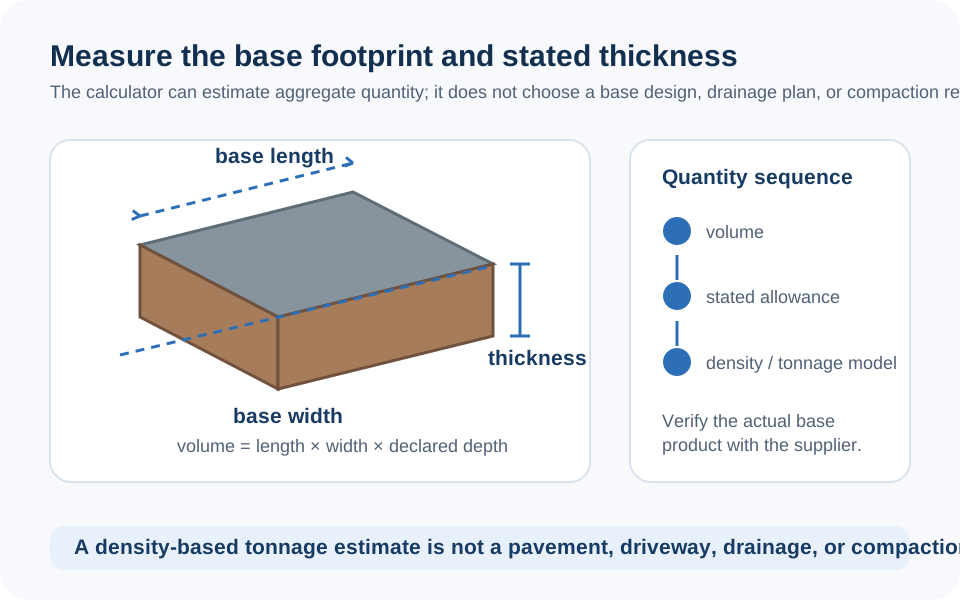
Diagram separating a documented base-layer footprint and compacted thickness from the calculated compacted volume, loose order volume, and supplier weight conversion.
Measure every base-layer section at its finished geometry first; apply the loose-order conversion only after the compacted volume is clear.

Why loose-order math is not the same as a generic waste percentage

The calculator's compaction setting is a denominator, not a simple surcharge. With a 15% input, it calculates compacted volume ÷ 0.85; that produces 17.65% more loose material than the compacted volume. With a 25% input, a 6 in finished layer becomes 8 in of loose geometric depth in the model because 0.5 ft ÷ 0.75 = 0.6667 ft.

This makes the assumption easy to audit, but it does not validate the assumption. A laboratory density target, a field acceptance requirement, a supplier's loose-yield experience, and an installer allowance are different facts. Do not use the input to conceal an undefined finished depth, a soft subgrade, an unmeasured grade change, or a missing construction plan. Write the source of the percentage alongside the estimate and revise it if the actual material or placement method changes.

Density must describe the material you will receive

The menu starts with editable convenience values: 1.50 tons per cubic yard for road base and aggregate base, 1.40 for crushed stone and limestone, and 1.55 for crusher run. They keep the arithmetic usable, but none is a specification for every product sold under those labels. Different gradations, stone sources, fines, moisture, bulk voids, stockpile handling, and local sales units can change the supplier's delivered conversion.

Ask the supplier for the exact product name, gradation or specification, quoted unit, stated loose density or yard-to-ton conversion, minimum load, and delivery basis. Enter that supplied value, then retain the quote with the calculation. The FHWA reference notes that aggregate gradation and particle properties materially affect stability and drainage; a generic material name is not enough to select a base or guarantee a density.

If the supplier quotes by volume rather than tons, the calculator's loose cubic-yard output is still useful. If the supplier quotes by tons, use the recorded density only as a cross-check until the supplier confirms the delivery quantity.

Before you call for material

Read the estimate from the drawing through to the supplier: verify the footprint, exclude features that will not receive base, confirm finished depth, check units, use the stated product density, and make sure the delivery number is practical. A 1.05-truck calculation does not say whether the supplier will deliver two loads, whether the route is legal, whether the truck can reach the site, or how loose material will be staged.

The quantity also does not decide bearing capacity, pavement thickness, drainage slope, compaction method, lift thickness, testing, utilities, permits, or safe equipment operation. Confirm those issues with the responsible designer, contractor, supplier, and local authority before installation. If an input or result on this page appears unclear, you can report a calculator issue for review.

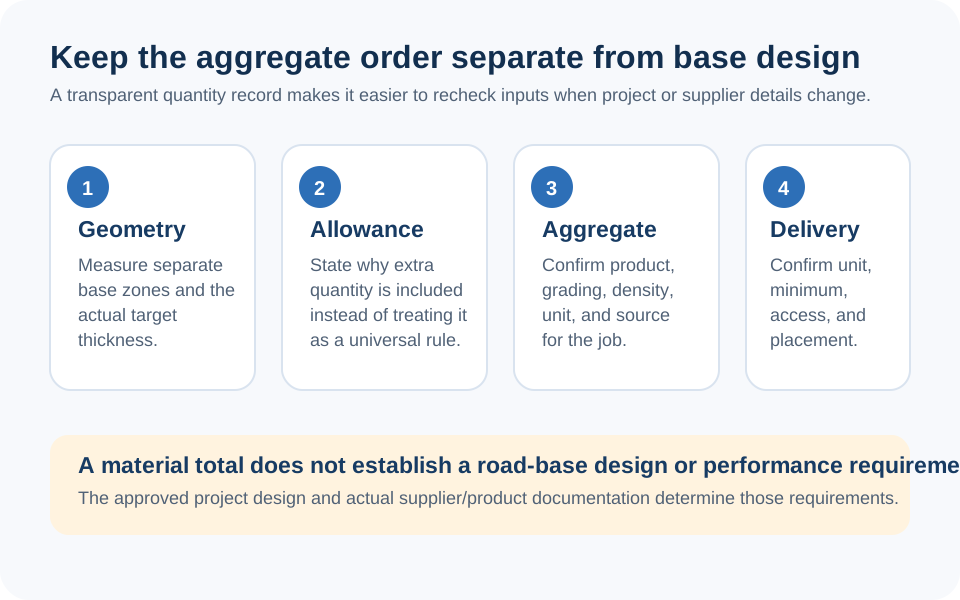
Checklist illustration separating the material takeoff from aggregate specification, supplier density, truck capacity, site access, compaction acceptance, drainage, and final ordering.
A tonnage total is a traceable purchasing input, not evidence that a pavement or base layer is designed or ready to install.
FAQ

Frequently Asked Questions

How does this calculator turn finished depth into loose material to order?
It calculates the compacted cubic yards from the entered finished geometry, then divides by (1 - the entered percentage). At 15%, it divides by 0.85. That is a transparent ordering assumption, not a measured compaction result.
Why is the loose volume more than 15% above the compacted volume when I enter 15%?
The tool uses compacted volume / 0.85, which is about 17.65% greater than the compacted volume. This avoids ending up short if the entered percentage is meant as a loose-to-compacted reduction, but the correct input must come from the actual project and material.
Are the density values in the material menu supplier specifications?
No. They are editable convenience values for arithmetic. Use the actual supplier's stated loose density or conversion for the named product and quotation; gradation, moisture, source, voids, and local selling practice can change it.
Does the calculator choose the right road-base depth or pavement section?
No. Its project modes only prefill editable values. Base depth, material, drainage, subgrade preparation, lift plan, compaction target, and suitability for traffic or a slab need project-specific design and local requirements.
Does a fractional truck-load result tell me how many trucks to book?
No. It is tons divided by the capacity you entered. It does not round to an actual supplier load or account for legal payload, body volume, route, minimum delivery, access, or staging. Confirm the final dispatch with the supplier.
Can I use the page for a paver base, driveway, parking area, or foundation base?
You can use it for quantity arithmetic only after the layer footprint, finished depth, material, and ordering basis are documented. It does not design the base or approve the project for pavers, vehicles, a slab, or a foundation.
Is the cost output a quote?
No. It adds only entered price per ton, delivery, and labour values. A final quote can also depend on taxes, haul distance, minimum loads, fuel, equipment, grading, testing, availability, and local supplier terms.

Related Calculators

Explore all Construction calculators →