Fill Dirt Calculator

Turn a measured finished fill area, an average depth, an editable volume-adjustment input, and a selected density model into a transparent loose-volume planning estimate.

Example Input Sets

Each card loads editable quantity inputs only. It does not select material or approve a depth, compaction method, drainage approach, wall, pad, or foundation.

Low-Area Example

20' × 20' × 4" + 5% allowance

Yard-Area Example

50' × 40' × 6" + 10% allowance

Building-Pad Area Example

30' × 40' × 12" + 15% allowance

Wall-Adjacent Area Example

50' × 3' × 4' + 5% allowance

Configure Project View Results

Yard-area example inputs. This loads editable dimensions, a +10% loose-volume allowance, and a density model for quantity arithmetic only. It does not recommend a finished depth, material, compaction method, grading, or drainage approach.

Fill Depth & Grade Visualizer EXISTING GROUND SUBGRADE Existing Grade Target Grade Fill Depth: 6 in Order allowance: +10% volume

Material Model & Order Allowance

Density Model: 2,400 lbs/yd³

Quantity Planning Estimates

Cubic Yards (Loose)
0.0 yd³
Loose-volume planning estimate using the selected allowance.
Cubic Feet
0.0 ft³
Cubic Meters
0.0
Modelled Weight
0.0 tons (0 lbs)
View Calculation Breakdown

Detailed Measurements Live

Loose Volume (Planning Estimate) 0.0 yd³
Finished Volume (Geometric) 0.0 yd³
Selected Order Allowance +10% Volume added
Loose Volume (Cubic Feet) 0.0 ft³
Loose Volume (Cubic Meters) 0.0 m³
Modelled Material Weight 0.0 tons
Material Density Model 2,400 lbs/yd³
Small Load Equivalent (7.5 yd³ sample) 0.0 loads
Standard Load Equivalent (12 yd³ sample) 0.0 loads
Large Load Equivalent (18 yd³ sample) 0.0 loads

How this was calculated:

Calculating formula details...
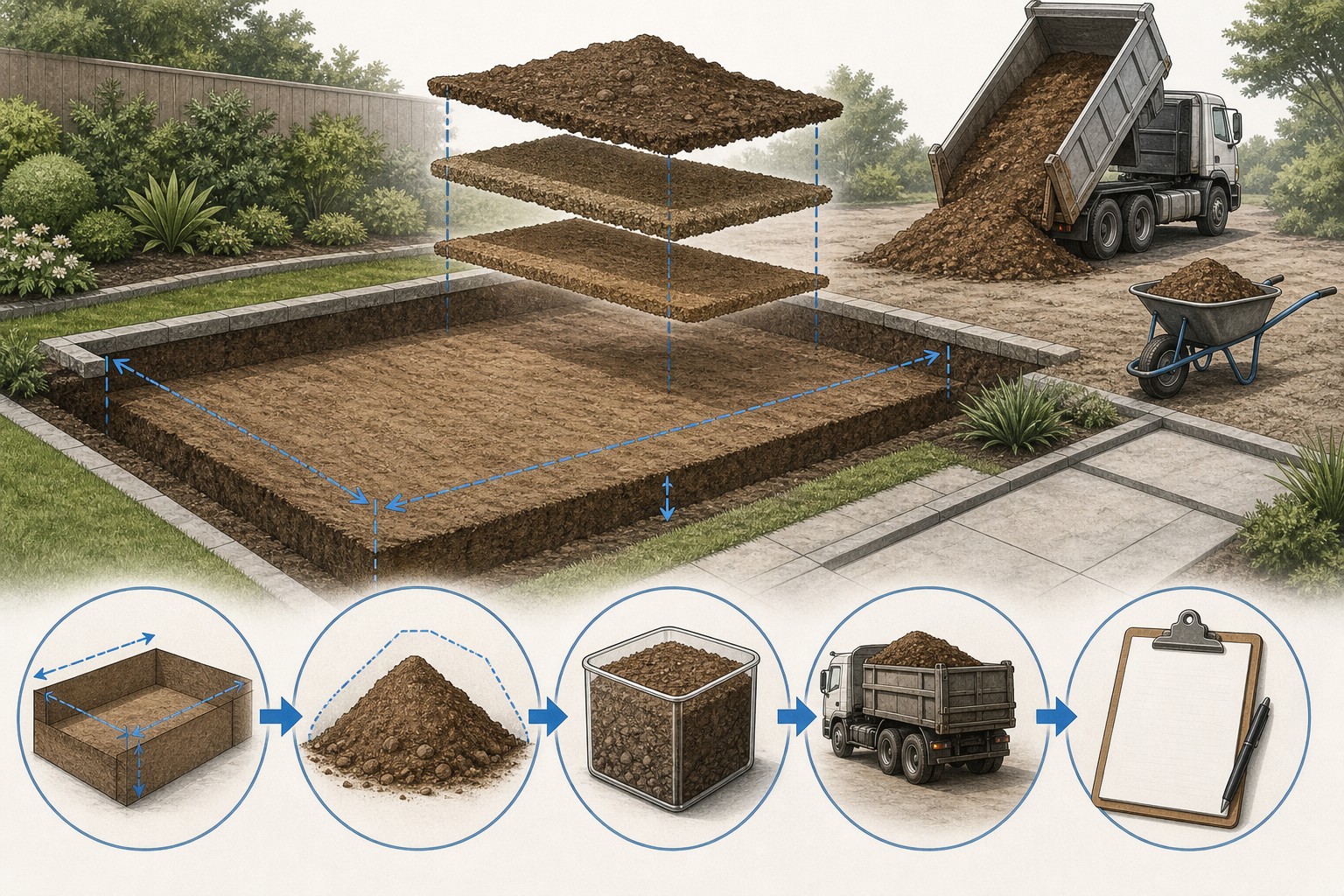
Illustration of a measured low area with finished-grade marks, a fill-material worksheet, and separate geometric and loose-volume quantities.
A useful fill estimate begins with the finished geometry and keeps the order adjustment, material density, and delivery information visible.
Transparent calculator

Check the method before you use the estimate

This page documents the formula, assumptions, and any specific external sources used for this tool.

See the method
Planning estimate What this result can and cannot tell you

Planning quantity tool only. It does not select fill, establish material quality, approve a building pad or foundation, determine bearing capacity, settlement, drainage, retaining-wall design, compaction method, quality control, permits, delivery access, or safe construction. Confirm those matters with the responsible project parties and applicable authorities before ordering or placing material.

Read the full site disclaimer.

Found an error or unclear result? Tell us what happened so it can be investigated.
Calculator feedback

Report an issue with Fill Dirt Calculator

Your report is saved for the Octa Calculator team to review. Do not include sensitive financial, medical, or personal information.

This site is protected by reCAPTCHA and the Google Privacy Policy and Terms of Service apply.

Method & sources

How the Fill Dirt Calculator works

These notes describe the calculation used on this page and the assumptions that can change a real-world result.

Finished geometric volume, selected order adjustment, and density-model arithmetic Finished volume (ft³) = length (ft) × width (ft) × depth (ft). Finished yd³ = ft³ ÷ 27. Displayed loose yd³ = finished yd³ × (1 + selected adjustment percentage ÷ 100). Displayed tons = loose yd³ × selected interface density (lb/yd³) ÷ 2,000.

Assumptions on this page

  • The calculator converts the entered length, width, and depth units to feet before calculating geometric volume. A fill depth should represent the documented average finished depth for that one measured zone.
  • The project-type choices and 0%, 5%, 10%, and 15% adjustment choices are current interface inputs that change the arithmetic. They are not material recommendations, a compaction specification, or evidence that a chosen material is suitable.
  • The displayed tonnage multiplies loose cubic yards by the fixed density model attached to the selected interface category. It is not a supplier-certified density, test result, legal payload, or scale-ticket weight.
  • The small, standard, and large load cards divide loose cubic yards by 7.5, 12, and 18 respectively and display a decimal result. They are comparison values only, not booked trucks or stated vehicle capacities.
  • The optional cost result is loose cubic yards multiplied by the user-entered price per cubic yard. It does not include an actual material quote, taxes, delivery, minimums, handling, or installation scope unless those are separately accounted for.

Sources used on this page

Guide & Reference

Everything behind the Fill Dirt Calculator

Formulas, reference charts, and detailed answers — expand any section you need.

Keep the calculator result and project evidence separate

ItemHow this calculator treats itEvidence still needed
Finished volumeEntered length × width × average depth after unit conversionMeasured limits, target grade, and the correct depth for each zone
Loose-volume resultFinished cubic yards increased by the selected percentageA documented order allowance or supplier relationship for the actual material
TonnageLoose cubic yards multiplied by a fixed selected density modelSupplier unit weight, material description, moisture condition, and quoted sales unit
Load equivalentsLoose volume divided by 7.5, 12, or 18Actual carrier, legal payload, route, loading policy, access, and delivery terms
CostLoose cubic yards multiplied by a user-entered per-yard priceCurrent material quote, delivery, taxes, minimums, handling, and scope

Worked calculator example: the default leveling entry

This example follows the default visible inputs: 50 ft long, 40 ft wide, 6 in deep, a selected 10% adjustment, and the standard-fill interface density of 2,400 lb/yd³.

  1. Convert depth: 6 in ÷ 12 = 0.5 ft.
  2. Finished geometric volume: 50 × 40 × 0.5 = 1,000 ft³.
  3. Finished cubic yards: 1,000 ÷ 27 = 37.04 yd³, displayed as 37.0 yd³.
  4. Displayed loose order quantity: 37.04 × 1.10 = 40.74 yd³, displayed as 40.7 yd³.
  5. Modelled weight: 40.74 × 2,400 = 97,778 lb, or 48.9 short tons when displayed.
  6. The sample delivery comparisons display 40.74 ÷ 7.5 = 5.4, 40.74 ÷ 12 = 3.4, and 40.74 ÷ 18 = 2.3 loads.

Those numbers are a transparent demonstration of the interface. They do not verify the material, adjustment, density, or truck for a real order. Replace each planning input with the project and supplier information before using it to make a purchase decision.
What this Fill Dirt Calculator calculates - and what it cannot approve

This calculator makes one quantity chain visible: entered length, width, and fill depth become a finished geometric volume; the selected adjustment then produces a loose-volume planning result; the selected density model produces a displayed tonnage estimate. That is valuable for tracing a material conversation with a supplier or contractor, because the inputs are not hidden behind a generic coverage claim.

A quantity result does not identify suitable fill, certify density, select a compaction method, approve a building pad, solve surface or subsurface drainage, or design a foundation or retaining wall. The USDA NRCS Soil Survey Manual describes the range of soil properties and interpretations that exist beyond a simple material name. Keep those project decisions outside this calculator.

Use this page after the project has defined the finished grade and material question. The yardage guide explains the core unit conversion; this page explains the particular values and limits of this calculator.

Measure the finished fill geometry, not a vague low spot

Start with a small plan and section sketch. On the plan, identify the limits where the selected material is intended to go. On the section, record existing grade, target grade, and the depth that applies across that zone. A sloped yard, stepped area, trench backfill, driveway subbase, and retaining-wall material zone should not be combined into one rectangle merely because they are near each other.

For an irregular area, break the work into named shapes with consistent dimensions and depth. Enter each line separately, retain the intermediate cubic-yard results, and add only after checking that no area was omitted or counted twice. If the depth varies continuously, use a documented average for that specific zone rather than a convenient number for the whole property.

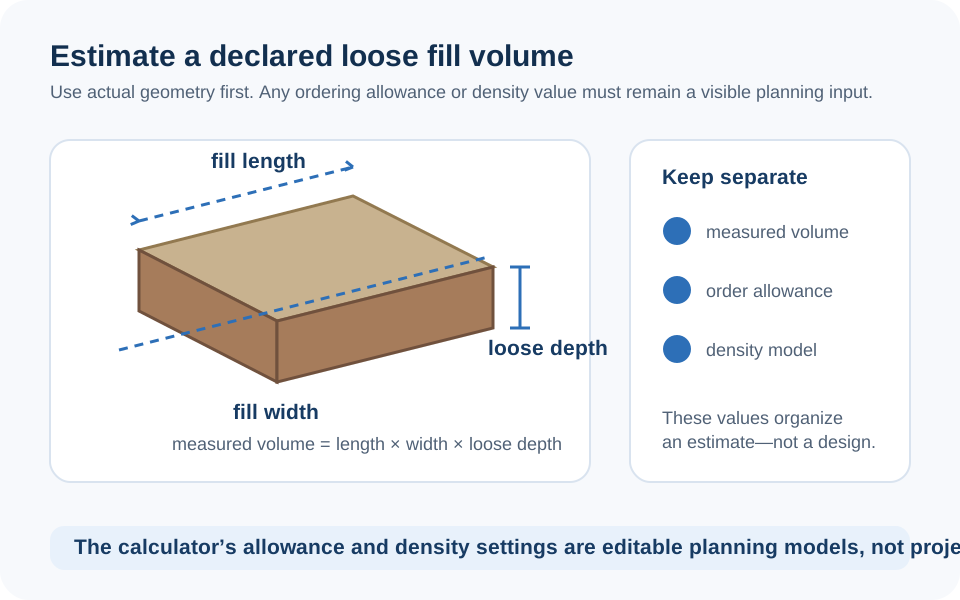
Diagram showing a fill zone measured by length, width, existing grade, target grade, and average fill depth.
Measure the finished fill zone and use separate lines where depth or material changes.

The calculator's finished-volume and loose-volume formulas

The calculation first converts each entered measurement to feet. It then uses the standard rectangular-volume relationship:

Finished geometric fill volume
ft³ = length (ft) × width (ft) × depth (ft)
yd³ = ft³ ÷ 27

The current NIST Handbook 44 includes the measurement tables used to check these unit conversions. The cubic-yard conversion is exact; errors normally come from mixing inches and feet or entering a depth that does not match the finished zone.

Next, the interface applies the percentage selected in its adjustment dropdown:

Displayed loose order quantity
loose yd³ = finished yd³ × (1 + selected adjustment percentage ÷ 100)

The label says compaction, but in the code this is a simple percentage increase applied to volume. It is not a test, a field-density result, or a recommendation that one percentage belongs to every project.

A percentage dropdown is not a compaction specification

The calculator offers 0%, 5%, 10%, and 15% choices to show how a selected volume increase changes the material quantity. Do not read those menu labels as a design rule for lawns, foundations, retaining walls, trenches, or any other project. The FHWA's geotechnical reference material on compaction describes compaction as a material- and condition-dependent engineering and quality-control subject. A shopping calculation cannot substitute for that work.

If a supplier, drawing, or responsible project professional has given a documented loose-to-finished relationship for the selected material, enter the matching adjustment and retain the source with the worksheet. If no such information exists, do not turn the calculator's preset into a claim that the result will settle, bear load, drain, or perform in a particular way.

Keep fill volume distinct from excavation volume too. The hole created by an excavation can include overdig, unsuitable material removal, working room, or grade changes that do not match the specified imported-material zone. Use the Excavation Calculator for the removed-material geometry and this page for a separately defined fill zone.

Treat tonnage and load cards as supplier checks

The displayed tonnage is not a universal conversion. This calculator multiplies the loose cubic yards by a fixed interface density associated with the selected material label. Natural variation, moisture, gradation, contaminants, product processing, and the supplier's sales unit can change real weight. Ask the supplier how the exact material is quoted and obtain their stated unit weight if a cubic-yard-to-ton conversion is needed.

The three load cards are even more limited: they divide the loose volume by 7.5, 12, and 18 and show decimals. They do not round up, reserve a truck, establish a truck's capacity, or account for legal payload, axle limits, delivery access, route, site conditions, or supplier minimums. Use them to compare your volume with an actual carrier conversation, not as a delivery instruction.

If the finished surface needs planting soil, use the Topsoil Calculator for that distinct layer. If the project specifies aggregate rather than soil, calculate it separately with the Gravel Calculator and follow the actual material documentation.

Do not turn a material takeoff into a site-design answer

A correct cubic-yard calculation is only the beginning of a fill-material conversation. A building pad, foundation, retaining wall, drainage feature, utility trench, slope, or low-spot repair may involve material selection, water, geotechnical conditions, local requirements, and construction controls that this tool cannot evaluate. The retaining-wall material takeoff guide is an example of why each material zone must remain separate.

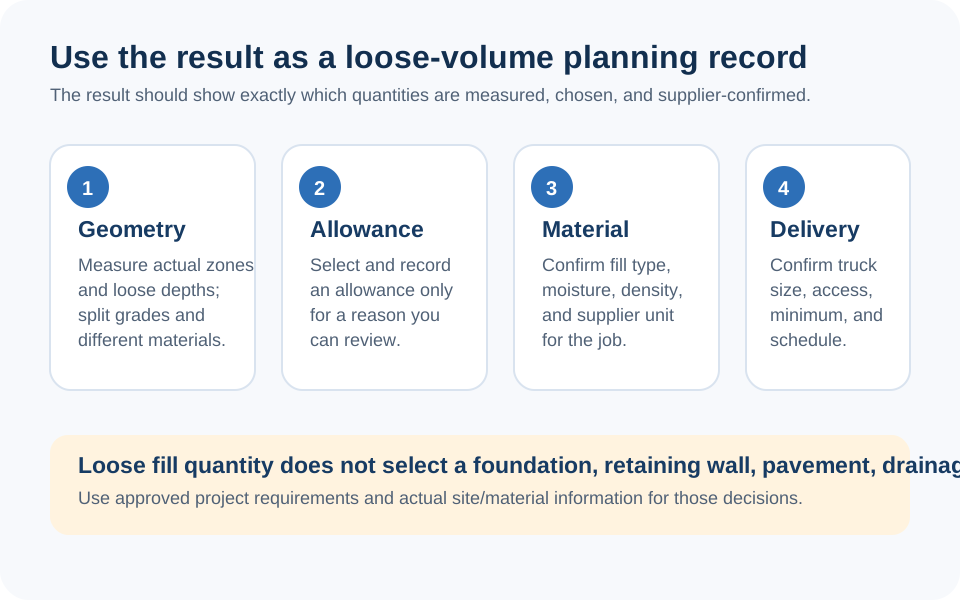
Before ordering, compare the worksheet with the latest plan, supplier product description, stated order unit, delivery access, and responsible project requirements. Keep a note of the measured finished volume, the exact adjustment used, the density source, and every rounding or quote change. Report an issue or unclear result if the calculator's math, sources, or explanation needs correction.

Checklist diagram separating geometric fill volume, a documented order adjustment, supplier material information, delivery details, and project decisions outside a calculator.
The loose-yard and ton estimates are planning checks, not a material specification, delivery promise, or site-design approval.
FAQ

Frequently Asked Questions

How does this Fill Dirt Calculator calculate cubic yards?
It converts the entered length, width, and depth to feet, multiplies them for cubic feet, and divides by 27 for finished cubic yards. It then applies the selected percentage to display a loose-volume planning quantity.
Can I use the calculator to approve a building pad or foundation fill?
No. It can organize a quantity calculation after a project has established the material and geometry, but it cannot determine fill suitability, bearing capacity, settlement, drainage, placement, quality control, or design requirements.
Is the selected adjustment percentage a compaction recommendation?
No. In this calculator it is an editable arithmetic input that increases the geometric volume. It is not a compaction specification, test result, or universal recommendation for a material or project type.
How does the calculator estimate fill dirt weight?
It multiplies the displayed loose cubic yards by the fixed density value associated with the selected interface category, then divides pounds by 2,000 for short tons. Confirm the actual material's quoted unit weight with the supplier.
Does 3.4 standard loads mean I should book three or four trucks?
No. That card is a loose-volume comparison against the tool's 12-cubic-yard sample value. It is not a booking instruction. Confirm the carrier's actual vehicle, permitted payload, material condition, delivery terms, and site access.
Can excavated soil automatically be reused as fill dirt?
No. A volume match does not establish that removed material is suitable, available, accepted, or correctly handled for a fill zone. Treat excavation and imported or reused fill as separate project questions.
How should I measure an uneven area for fill?
Split the area into zones with a consistent documented average depth, calculate each zone separately, and retain the notes. Avoid applying one convenient depth to a large irregular area with different finished grades.
How can I report a calculator problem?
Use the site's contact page to report an arithmetic issue, unclear wording, missing source, or page problem. Include the values entered and the result you saw so the issue can be checked.

Related Calculators

Explore all Construction calculators →