
Topsoil Calculator: Volume, Weight, and Order Check
Estimate a rectangular topsoil layer from measured area, entered depth, a visible allowance, and a supplier-confirmed density. Keep cubic yards, weight, delivery, and price as separate checks.
Example Projects
Configure Project View Results
Topsoil Estimate
View Calculation Breakdown
Detailed Measurements Live
| Pounds Required | 0 lb |
| Cubic Feet | 0.00 ft³ |
| Cubic Meters | 0.00 m³ |
| Approx. Truck Loads (14 Tons) | 0.00 |
| Waste Margin Included | + 0.00 tons |
How this was calculated:
Fill in the dimensions above to output step-by-step formula logs...
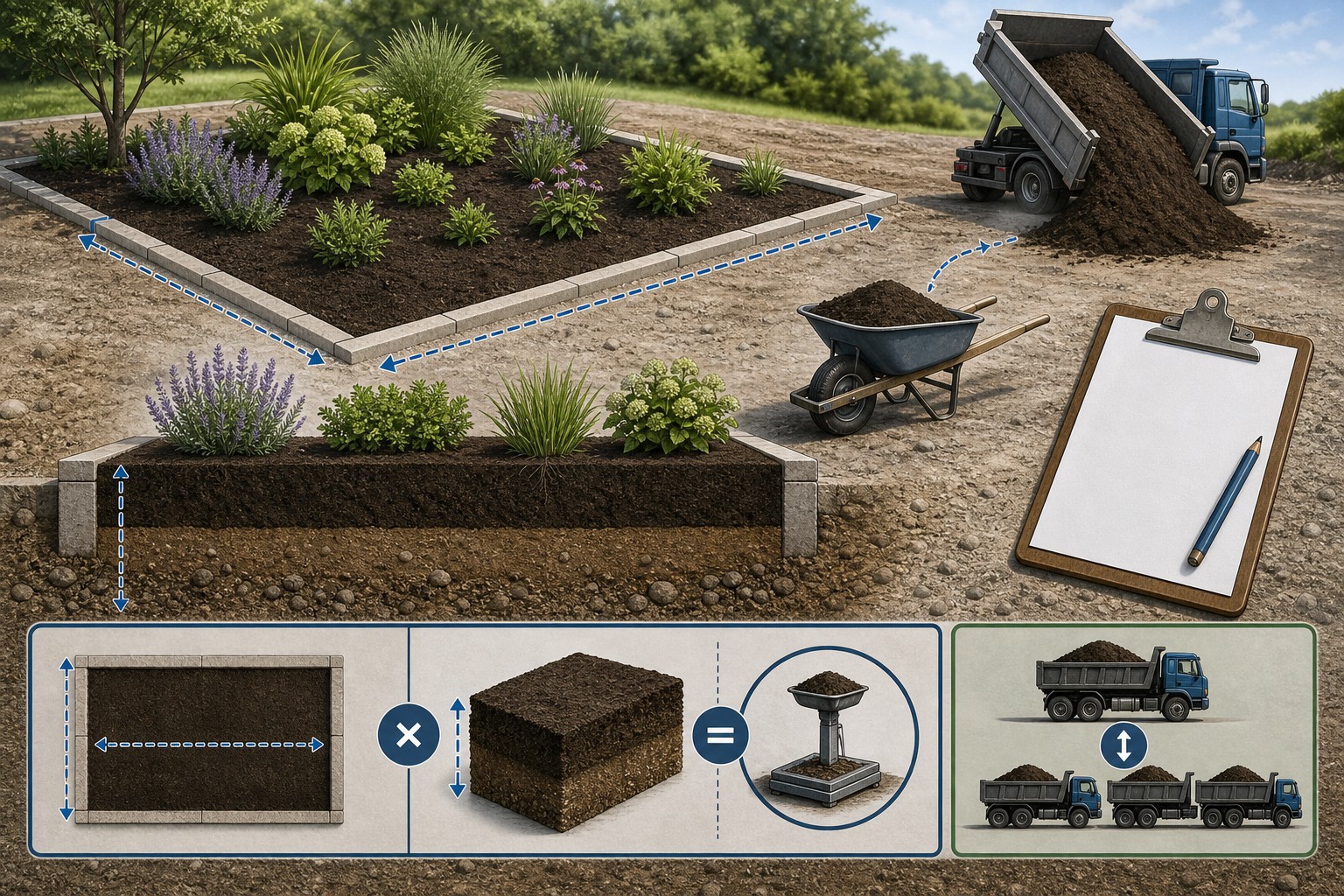
Check the method before you use the estimate
This page documents the formula, assumptions, and any specific external sources used for this tool.
See the methodPlanning estimate What this result can and cannot tell you
Preliminary material-planning tool only. Confirm the exact soil blend, density, moisture condition, supplier order unit, delivery capacity, final depth, placement method, grading and drainage requirements, and quote before purchase or work.
How the Topsoil Calculator works
These notes describe the calculation used on this page and the assumptions that can change a real-world result.
Base volume = entered length in feet × entered width in feet × entered depth in feet. Total volume = base volume × (1 + entered allowance ÷ 100). Cubic yards = total cubic feet ÷ 27. Weight in pounds = total cubic feet × entered density in lb/ft<sup>3</sup>. Tons = pounds ÷ 2,000.
Assumptions on this page
- The calculator accepts one simple rectangular layer. It does not calculate triangles, circles, slopes, grade transitions, irregular boundaries, tapering depths, compaction, excavation, or volumes around utilities, plants, hardscape, and other exclusions.
- The allowance slider is a user decision. Its current default is 10%, but the calculator cannot determine settlement, compaction, placement loss, delivery rounding, or whether any allowance is appropriate for the exact material and project.
- The soil-type selector changes the density field to a calculator default: 80 lb/ft3 for Screened or Premium Topsoil, 75 for Garden Soil, 90 for Fill Dirt, and 60 for Compost Blend. These are editable planning values, not measured densities or supplier specifications.
- Weight and tons use total volume including the entered allowance times the entered density. Actual delivered weight can vary with material composition, organic matter, moisture, source, screening, compaction state, and supplier definitions.
- The displayed truck figure is total tons divided by a fixed 14-ton value and is not rounded. It does not determine the number of trucks, a vehicle's legal payload, delivery access, or a supplier's dispatch plan.
- With costs enabled, material cost is total cubic yards including the entered allowance times the entered price per cubic yard. It does not include delivery, tax, spreading, equipment, disposal, preparation, or any other work.
- This calculator is not a grading, drainage, structural, soil-quality, planting, compaction, or code-compliance design tool.
Sources used on this page
- NIST Handbook 44, current edition Supports the customary and metric volume conversions used by the calculator, including 27 cubic feet per cubic yard.
- USDA NRCS: Soil Properties and Qualities, Bulk Density Defines bulk density and explains its role in converting between weight and volume, which is why generic density values should not be treated as a delivery specification.
- USDA NRCS: Soil Organic Matter guide Shows that estimated bulk density differs across organic matter and soil-texture conditions, supporting the need for supplier-specific material data.
Everything behind the Topsoil Calculator
Formulas, reference charts, and detailed answers — expand any section you need.
Read each output as its own planning line
The results are useful only when their inputs remain visible. Do not turn a volume estimate into a material or delivery specification without checking the rows below.
| Output | Current calculation | What it does not establish |
|---|---|---|
| Base volume | Entered rectangle at entered depth | Irregular geometry, excluded areas, slopes, tapering depth, or grading design |
| Allowance volume | Base volume × entered allowance | Actual settlement, compaction, placement loss, or supplier rounding |
| Cubic yards | Total cubic feet ÷ 27 | Supplier minimum, delivery increment, or actual product availability |
| Pounds and tons | Total cubic feet × entered density, then ÷ 2,000 | Delivered weight, moisture, material composition, legal payload, or truck assignment |
| Cost | Total cubic yards × entered price per yard | Quote, tax, freight, spreading, site preparation, and other scope |
The metric output is a unit conversion only. The material selection, density, and delivery information must remain traceable to the exact supplier product and conditions.
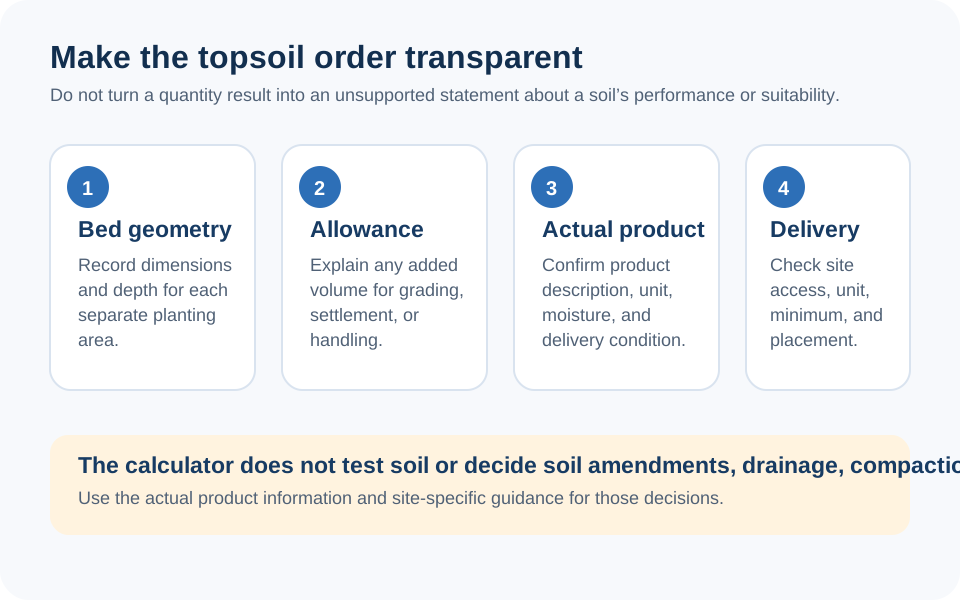
Keep topsoil volume, soil quality, and delivery separate
A topsoil order involves several different questions. Geometry answers how much space a layer occupies. Density converts that chosen volume into a preliminary weight. A supplier quote identifies the actual blend, selling unit, availability, delivery rule, and price. None of those steps tells you whether a material is suitable for plant growth, grading, drainage, or a construction purpose. Keeping the questions separate is more credible and easier to update when the supplier or plan changes.
The Yardage Takeoff guide explains the volume workflow for irregular zones. This page documents the exact arithmetic in the Topsoil Calculator, including the editable density, allowance, preliminary tonnage, and 14-ton truck display.
Measure the finished layer as separate zones
The current calculator accepts one rectangle: length, width, and depth. If the project has a curved border, a slope, an area that tapers from one depth to another, a planting pocket, a utility, or an excluded hardscape area, create a measurement ledger and calculate each simple zone separately. Do not average several depths unless the averaging method and boundaries are documented.
For an inches-based depth, divide by 12 before multiplying. A finished layer and an excavation are not automatically the same geometry. Use the Excavation Calculator for a separate excavation quantity rather than assuming that an ordered topsoil volume proves an excavation or grading plan.
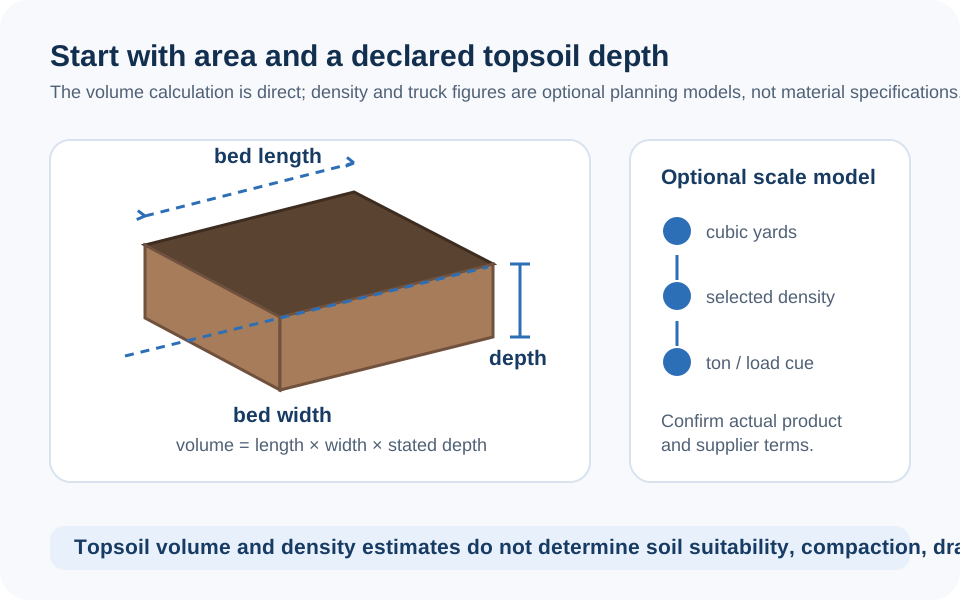
What the Topsoil Calculator actually calculates
The tool converts all entered dimensions to feet, multiplies them for base cubic feet, then applies the entered allowance. It divides the resulting cubic feet by 27 for cubic yards and multiplies by 0.0283168 for cubic meters. The NIST conversion reference supports these unit relationships; it does not prescribe a soil depth or material quantity.
Worked calculator example: enter a 50 ft by 20 ft rectangle at 4 in depth and the current default 10% allowance. Base volume is 50 × 20 × (4 ÷ 12) = 333.33 cubic feet. The allowance produces 366.67 cubic feet, or 366.67 ÷ 27 = 13.58 cubic yards. The example only demonstrates the calculator's formula; it does not say that 4 inches or 10% is right for a particular lawn, bed, or grade.
The density field is an estimate, not a certified material weight
When you select a soil type, the current form places a numeric starting value into the editable Density field: 80 lb/ft3 for Screened or Premium Topsoil, 75 for Garden Soil, 90 for Fill Dirt, and 60 for Compost Blend. The formula then multiplies total cubic feet, including the allowance, by that number. These values make the form usable; they are not a laboratory measurement, a product specification, or a delivery-ticket weight.
For the 366.67 cubic-foot example, an entered density of 80 lb/ft3 yields 29,333 lb, or 14.67 tons. The USDA NRCS defines bulk density as weight per unit volume under specified conditions and documents how soil texture, organic matter, pores, and moisture-related conditions matter. See the NRCS bulk-density reference and soil organic matter guide. Use the supplier's data for the exact delivered material whenever weight matters.
Why the truck result is not a delivery instruction
The displayed Trucks value divides calculated tons by a fixed 14-ton value and leaves the result unrounded. In the example, 14.67 ÷ 14 = 1.05. That is a scale comparison, not an instruction to send one or two trucks. It does not know the actual material moisture, truck configuration, local payload rules, supplier policy, access route, unloading area, or whether the product is sold by volume rather than weight.
Ask the supplier to quote the exact material, order increment, delivered unit, and delivery arrangement. Preserve the 13.58 cubic-yard net order calculation and any supplier rounding as separate lines. That makes it possible to see whether the final quantity changed because of a delivery constraint rather than a different measurement.
Make the allowance visible rather than calling it standard
The slider starts at 10% in the current form and can be changed from 0% to 20%. The tool cannot prove that 10%, or any other value, matches settlement, compaction, grade adjustment, placement loss, or supplier packaging. State what the allowance is intended to cover and keep it separate from the base volume. If there are several areas or materials, calculate them individually instead of applying one percentage to hide a missing measurement.
Likewise, do not use an allowance to convert compost, garden soil, fill dirt, and screened topsoil into interchangeable products. The selector only changes an editable density default. It does not identify soil texture, organic matter, pH, nutrients, contaminants, screening, moisture, or suitability for a planting or engineered purpose.
Cost, grading, and product boundaries
With cost enabled, the calculator multiplies total cubic yards, including the entered allowance, by the price per cubic yard you enter. For the 13.58 cubic-yard example, an entered $42 per cubic yard produces $570.37 of material-only arithmetic. It excludes delivery, tax, spreading, equipment, disposal, testing, site preparation, and all other work. It is not a supplier quote.
This tool also does not design grading, solve drainage, select a planting medium, or assess compacted fill. Use the Fill Dirt Calculator for a separate material takeoff and the Mulch Calculator for a separate surface-mulch volume. A numerical layer total is not approval of a site or soil plan.
Final order and issue-report check
- Confirm the boundary, exclusions, and finished depth of every area in the measurement ledger.
- Keep base volume, chosen allowance, total cubic yards, and supplier rounding separate.
- Replace the calculator density with a supplier-confirmed value when planning weight or delivery.
- Verify the exact blend, moisture basis, selling unit, price, minimum order, and delivery conditions with the supplier.
- Resolve soil suitability, drainage, grading, planting, and placement requirements before work begins.
If a calculator formula, label, or output appears wrong, use the contact page and include the input values, browser or device, shown result, and expected result. The site team can investigate tool behavior; soil and site decisions belong with the responsible project professionals.
Frequently Asked Questions
How does the Topsoil Calculator calculate cubic yards?
It converts entered length, width, and depth to feet, calculates cubic feet, applies the allowance percentage, and divides by 27. The result is a volume estimate for one rectangular layer.
Does the calculator automatically include 10% extra topsoil?
The current slider starts at 10%, but it is editable and not a universal recommendation. The calculator cannot determine settlement, compaction, delivery rounding, or the right allowance for a project.
Are the density values for screened topsoil, garden soil, fill dirt, and compost exact?
No. They are editable calculator defaults used for preliminary weight arithmetic. Confirm density for the exact material and delivered condition with the supplier before relying on pounds, tons, or delivery planning.
How does the calculator calculate topsoil weight and tons?
It multiplies total calculated cubic feet, including allowance, by the entered density in lb per cubic foot, then divides pounds by 2,000 for tons. Actual delivered weight can vary substantially by material condition.
Does the truck-load result tell me how many trucks to order?
No. The current display simply divides estimated tons by 14 and does not round. Ask the supplier to determine the actual delivery plan, vehicle, legal payload, and site-access requirements.
Can I use this calculator for a sloped or irregular yard?
Not as one direct calculation. Split the yard into simple zones with documented dimensions and depths, calculate each separately, and retain the measurement ledger. The tool only models one rectangle.
Does the cost estimate include delivery and spreading?
No. It is total cubic yards times the price per yard you enter. Delivery, tax, placement, equipment, preparation, and other work are excluded unless separately included in a real quote.
How can I report a Topsoil Calculator issue?
Use the contact page and include your inputs, browser or device, displayed result, and expected result so the site team can reproduce and investigate the tool behavior.