Sod Calculator

Turn a measured plantable lawn area into whole sod units, whole pallet equivalents, a visible cut allowance, and optional price arithmetic using the supplier's stated coverage. The calculator does not choose turf species, determine site preparation, prescribe fertilizer or irrigation, verify delivery freshness, or design grading, drainage, or landscaping.

Example Projects

Standard Back Yard

80' × 40' rectangular yard · 5% waste

Circular Lawn Area

25' radius circular landscape · 10% waste

Lawn Patch Repair

15' × 10' area patch · 10% waste

Irregular Multi-Yard

Front yard, Side strip, and Back circle

5 Pallets of Sod

5 full pallets lookup · covers ~2,500 sq ft

Lawn Settings View Results

ft
ft
sq ft
sq ft
per sq foot

Sod Estimate

Total Lawn Area
0.00 sq ft
Physical lawn dimensions footprint.
Rolls Required
0 rolls
Total individual rolls/slabs needed (with waste).
Pallets Required
0 pallets
Full pallet units to order (rounded up).
Starter Fertilizer
0 bags
Bags needed (covers 5,000 sq ft each).
Total Estimated Budget
$ 0.00
Total project sod, delivery & installation budget.
View Budget Breakdown
Sod with Waste (Sq Ft)0.00 sq ft
Sod Material Cost$0.00
Delivery Cost$0.00
Installation / Labor Cost$0.00

Sod Calculations Breakdown:

Enter dimensions to see the calculation…
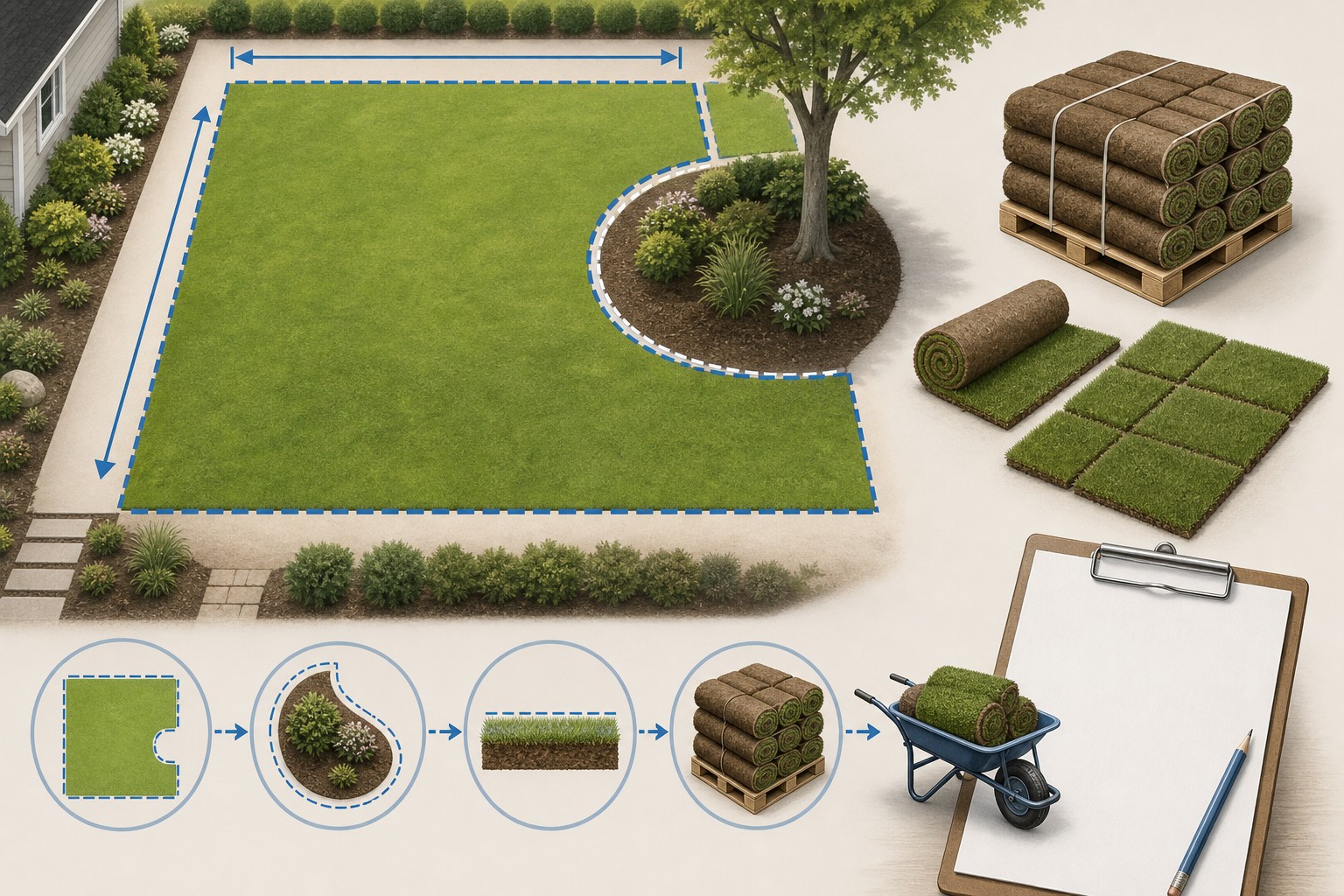
Illustrated sod lawn takeoff showing plantable lawn sections, excluded planting beds and hardscape, a stated cut allowance, supplier unit coverage, and a separate delivery-day check.
A transparent sod order begins with plantable area, then uses the exact coverage printed by the grower or supplier.
Transparent calculator

Check the method before you use the estimate

This page documents the formula, assumptions, and any specific external sources used for this tool.

See the method
Planning estimate What this result can and cannot tell you

Use this calculator to organize a sod quantity after measuring plantable ground and obtaining supplier coverage for the exact product. Confirm turf selection, product coverage and packaging, soil preparation, grade, drainage, delivery freshness, installation timing, care instructions, irrigation, fertilizer needs, local restrictions, access, and safe work practices with the responsible supplier and project parties before ordering or installing sod.

Read the full site disclaimer.

Found an error or unclear result? Tell us what happened so it can be investigated.
Calculator feedback

Report an issue with Sod Calculator

Your report is saved for the Octa Calculator team to review. Do not include sensitive financial, medical, or personal information.

This site is protected by reCAPTCHA and the Google Privacy Policy and Terms of Service apply.

Method & sources

How the Sod Calculator works

These notes describe the calculation used on this page and the assumptions that can change a real-world result.

Plantable-area, supplier-coverage, whole-unit, and optional-price arithmetic For Lawn and Patch modes: rectangle area = length x width, circle area = pi x radius squared, and triangle area = 0.5 x base x height. Irregular Yard mode sums entered sections. Area with waste = plantable area x (1 + entered waste percentage). Sod units = ceil(area with waste / entered coverage per unit); pallet equivalents = ceil(area with waste / entered pallet coverage).

Assumptions on this page

  • Dimensions entered into Lawn, Patch, and Irregular Yard modes are treated as feet and square feet. The calculator cannot locate or subtract beds, patios, trees, drains, paths, slopes, utilities, or other exclusions unless the user leaves them out of the measured input or separates the lawn into sections.
  • The tool uses the coverage number entered in the Unit Coverage and Pallet Coverage fields. Its rolls/slabs label does not change a nonzero coverage value automatically, so verify the actual supplier label and edit both coverage values for the product being quoted.
  • Whole sod units and whole pallet equivalents are rounded up independently. These are separate arithmetic results; they do not establish that the supplier sells partial pallets, loose pieces, a particular pallet count, or a particular roll/slab format.
  • A nonnegative waste percentage multiplies the calculated plantable area. It is a visible allowance for the user's layout decision, not an installation recommendation or a substitute for a measured cut plan. The form requests 0% to 50%.
  • Pallet Quantity mode works backward: area with waste = entered pallet count x entered pallet coverage, then estimated lawn area = that coverage / (1 + entered waste percentage). It does not prove that the pallets cover the site or that the stated allowance matches the layout.
  • The displayed fertilizer-bag count is ceil(area with waste / 5,000 sq ft). It is a fixed arithmetic counter only; it does not use a product analysis, bag label, soil test, grass species, local regulation, environmental condition, or fertilizer plan and must not be read as a recommendation.
  • Optional material cost is calculated from entered price per square foot, per sod unit, or per pallet. Delivery and labour are added only from entered values. The result excludes unentered tax, preparation, removal, grading, soil amendments, irrigation, equipment, product loss, care, and supplier terms.
  • This is a quantity and budget-planning aid, not turf, soil, irrigation, grading, drainage, landscape-design, pesticide, fertilizer, permitting, installation, or safety guidance.

Sources used on this page

Guide & Reference

Everything behind the Sod Calculator

Formulas, reference charts, and detailed answers — expand any section you need.

Worked calculator example: 50 ft by 30 ft lawn

Choose New Lawn, Rectangle, and sod rolls. Enter 50 ft by 30 ft, 10 sq ft per roll, 500 sq ft per pallet, and a 5% allowance. If optional costs are 0.60 per sq ft, 150 delivery, and 1.00 per sq ft labour, the calculator follows this exact sequence:

  1. Plantable area: 50 × 30 = 1,500 sq ft.
  2. Area with allowance: 1,500 × 1.05 = 1,575 sq ft.
  3. Roll count: ceil(1,575 ÷ 10) = 158 rolls.
  4. Pallet equivalent: ceil(1,575 ÷ 500) = 4 pallets.
  5. Fixed bag counter: ceil(1,575 ÷ 5,000) = 1 displayed bag; this is not a fertilizer prescription.
  6. Optional price arithmetic: 1,575 × 0.60 = 945.00 material; 1,575 × 1.00 = 1,575.00 labour; plus 150 delivery = 2,670.00 total in the selected currency.

The result is only as accurate as the measured plantable area and supplier coverage. Four pallet equivalents do not mean that every grower sells four pallets or that four pallets are the most economical packaging combination.
Measure plantable lawn, not property size

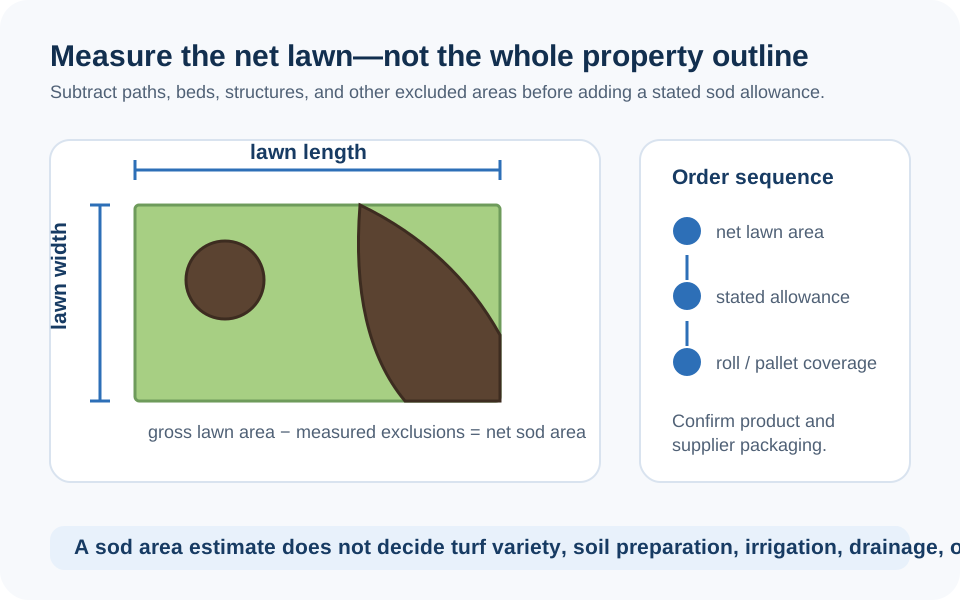
Sod is purchased in grower-defined rolls, slabs, or pallets, but a site is usually measured in square feet. The bridge between those two facts is the plantable area: the part of the ground that will actually receive turf. Start with a sketch and keep patios, driveways, beds, trees, sheds, pools, drainage structures, and other exclusions visible instead of estimating from lot size or an aerial image.

Break a lawn into simple shapes. Rectangles use length × width; circles use π × radius²; triangles use base × height ÷ 2. Add the eligible pieces and retain the individual totals. For a detailed measurement and cut-plan workflow, see How to Calculate Sod for Your Lawn; the Square Footage Calculator can help check a single shape before it becomes a sod line item.

Diagram showing a lawn divided into simple plantable shapes with beds, patio, and tree areas explicitly excluded before sod-unit and pallet coverage are calculated.
Measure the installation area, not the lot size; every excluded feature should remain visible on the measurement sketch.

The exact unit and pallet formulas

For Lawn, Patch, and Irregular Yard modes, the page first finds plantable area, then applies the entered cut allowance:

Area with waste = plantable area × (1 + entered waste percentage)

Sod units = ceil(area with waste ÷ entered unit coverage)

Pallet equivalents = ceil(area with waste ÷ entered pallet coverage)

The ceiling function matters: the calculator rounds each result up to a whole number. The unit count and pallet equivalent can therefore describe different packaging choices, not two quantities that should be added together. The square-area conversions on this page follow the relationships listed in NIST Handbook 44 Appendix C.

Supplier coverage controls the order

The format selector says rolls or slabs, but the calculator uses the square-foot coverage entered beside it. A nonzero coverage field remains the controlling number even if the format label changes. Check the quote for the exact product: pieces per pallet, coverage per piece, coverage per pallet, grass type or blend, harvesting and delivery information, and whether individual pieces or partial pallets are available.

Do not publish a generic pallet size as a local fact. If one supplier covers 450 sq ft per pallet and another covers 500 sq ft, the same 1,575 sq ft planning area produces ceil(1,575 ÷ 450) = 4 pallets in the first arithmetic and ceil(1,575 ÷ 500) = 4 pallets in the second, but the spare piece count and price can still differ. A small project can change more dramatically. Keep the supplier's coverage, product name, and quote date beside the result.

Irregular lawns and the Pallet Quantity mode need different checks

Irregular Yard mode sums the individual rectangles, circles, and triangles you add. It does not subtract overlapping sections, discover excluded beds, or infer missing dimensions, so a drawing is still essential. Label each section and use a second pass through the sketch to confirm that each piece is counted once.

Pallet Quantity mode reverses the calculation. With four entered pallets at 500 sq ft each, the page starts with 2,000 sq ft of coverage. At a 5% allowance, it displays 2,000 ÷ 1.05 = 1,904.76 sq ft as the estimated lawn area and, at 2 sq ft per slab, ceil(2,000 ÷ 2) = 1,000 slabs. That is a back-check on a stated packaging quantity, not proof that the available pallets fit the measured lawn or that the allowance is appropriate.

Treat an allowance as a cut-plan decision

A stated allowance can cover edge cuts, curves, trees, beds, damaged pieces, and non-reusable offcuts. It cannot correct a missing planting strip or an incorrect lawn boundary. Write down the reason for the percentage and calculate the raw plantable area first. That makes it possible to reduce the allowance after a simpler layout is confirmed or increase it after new curves and obstacles are measured.

Installation details need to come from the grower and suitable local guidance, not from the percentage field. Penn State Extension and the University of Minnesota Extension both emphasize preparation, prompt use of fresh sod, seam staggering, and conditions that affect establishment. Follow the exact supplier care instructions for the turf and site, including any water restrictions or weather-related direction.

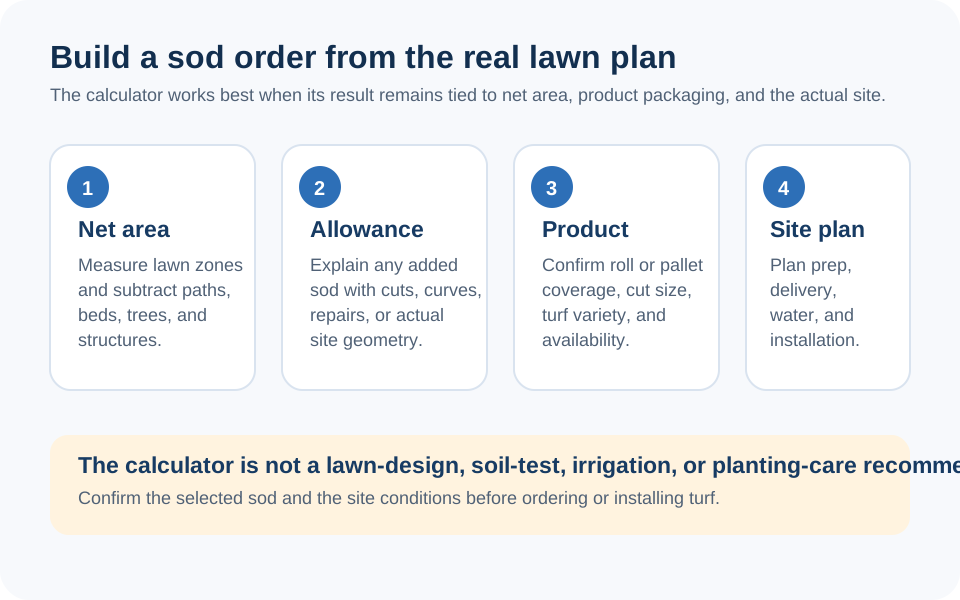
Checklist illustration separating lawn geometry, cut allowance, supplier coverage, packaging, delivery timing, soil preparation, care instructions, and final sod order.
A calculated pallet equivalent is a cross-check; the grower's packaging and delivery instructions determine what can actually be ordered and installed.

Where this calculator stops

The tool cannot select a grass species, assess shade or traffic, prescribe a fertilizer rate, choose irrigation, approve soil amendments, correct poor drainage, set grade, or determine whether the site is ready for sod. Its fixed 5,000 sq ft bag counter is especially important to treat correctly: it is a display calculation, not a soil-test or product-label recommendation.

Before delivery, confirm product coverage, quality, delivery time, unloading location, workforce, soil preparation, site moisture, care plan, and local rules. If a figure or result on this page seems unclear, you can report a calculator issue for review.

FAQ

Frequently Asked Questions

How does this calculator calculate sod rolls or slabs?
It calculates plantable area, multiplies it by the entered allowance, divides by the entered square-foot coverage per unit, and rounds up to a whole unit. The coverage must match the exact supplier product.
Why are sod units and pallet equivalents both rounded up?
They are separate packaging arithmetic checks. The calculator rounds each count up independently, but the supplier's actual packaging policy determines whether you can buy loose pieces, partial pallets, or only full pallets.
Does selecting rolls or slabs automatically change the coverage value?
Do not rely on it. The entered Unit Coverage field controls the calculation whenever it contains a value. Confirm and edit that field, plus Pallet Coverage, from the supplier's quote for the selected product.
How should I choose the sod waste allowance?
Measure the plantable area first, then record a reason tied to the real cut plan, curves, obstacles, edge strips, and reusable offcuts. The calculator multiplies whatever nonnegative percentage you enter; it does not recommend one percentage for every lawn.
What does the fertilizer-bag result mean?
It is only ceil(area with allowance / 5,000 sq ft), a fixed counter in the code. It does not use a bag label, nutrient analysis, soil test, grass species, weather, or local rules, so it is not fertilizer advice.
Can I use the calculator for an irregular lawn?
Yes, by adding separate rectangular, circular, and triangular sections. Keep a sketch and make sure areas do not overlap; the calculator only sums the shapes you enter.
Is the cost output a sod supplier quote?
No. It uses only the entered material price, delivery, and labour values. It excludes unentered product packaging, tax, preparation, grading, removal, soil amendments, equipment, irrigation, and supplier terms.

Related Calculators

Explore all Construction calculators →